
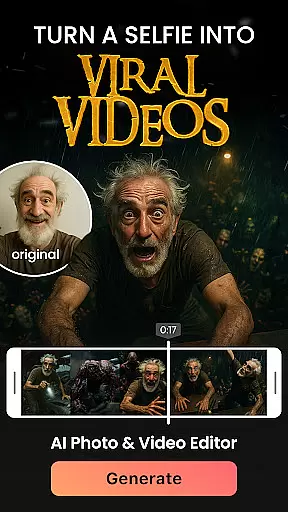

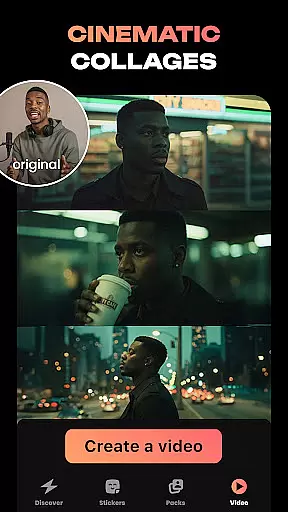
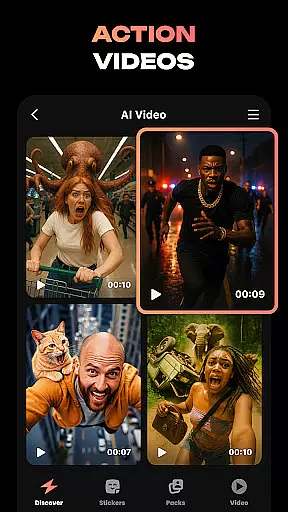
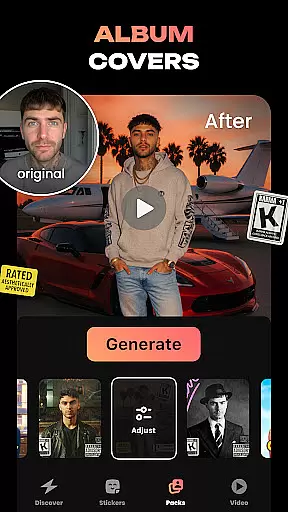
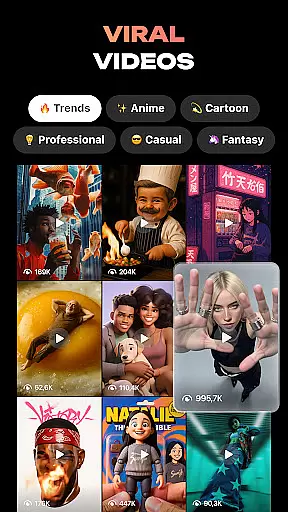
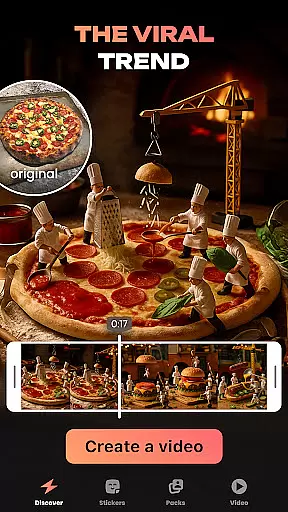
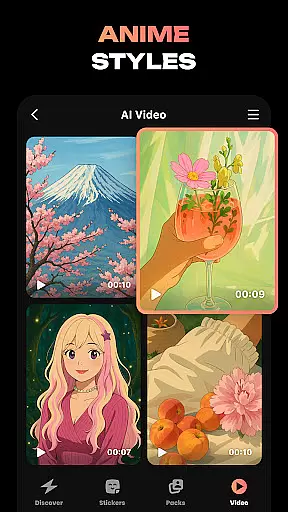
Hula is an innovative photography app that leverages AI technology to transform your photos and videos into creative masterpieces. With a wide range of features, this app allows users to create avatars, viral video content, photo-to-video transformations, and personalized stickers. Whether you want to refresh your profile picture or bring your photos to life with animated effects, Hula provides endless possibilities for self-expression.
One standout feature is the ability to regenerate images in various artistic styles, from vintage looks to anime transformations. The app also includes fun tools like the baby generator, which predicts what your future child might look like, and time-travel effects that show you how you'd appear in different eras. These capabilities make Hula perfect for social media enthusiasts looking to enhance their online presence with unique visual content.
Hula stands out with its diverse set of AI-powered features designed to spark creativity. Users can turn static selfies into dynamic viral videos, such as walking through Paris or posing in a chic magazine-style shoot. The app's Baby Generator tool lets you upload photos of you and your partner to create realistic predictions of your future baby's appearance.
Another highlight is the sticker creation tool, which allows users to generate custom sticker sets from their selfies. These stickers can be used across multiple messaging platforms like iMessage, WhatsApp, and Telegram. Additionally, Hula offers style transformations that let you see yourself as a vintage star, anime character, or even a muscled superhero. Each feature is crafted to provide both entertainment and practical value, making it a versatile tool for digital artists and casual users alike.
Real-time capture and preview functionality is essential for photography apps like Hula. This feature allows users to see exactly what the camera sees, ensuring they capture the perfect shot every time.
Hula takes this a step further by integrating AI-powered transformations directly into the preview window. Users can instantly see how their photos will look in different styles, such as vintage or anime, before taking the shot.
This immediate feedback loop enhances user creativity and saves time by eliminating the need for post-processing. With real-time previews, users can experiment with various looks and make instant adjustments to achieve their desired results.
The app's ability to provide accurate and responsive previews significantly improves the overall photography experience, making it more interactive and enjoyable for users who want to express themselves through unique visual content.
AI beauty and enhancement features are crucial for modern photography apps. Hula offers advanced AI tools that enhance natural beauty without over-processing, maintaining authenticity in every image.
The app intelligently identifies facial features and applies subtle enhancements that highlight natural beauty. Whether smoothing skin texture or enhancing eye color, Hula ensures that edits look realistic and not overly artificial.
Users can customize the level of enhancement according to their preferences, allowing for personalized and natural-looking results. This flexibility empowers users to create images that reflect their true selves while still benefiting from professional-grade editing capabilities.
By focusing on natural enhancement, Hula sets itself apart from other photography apps, offering a more genuine and appealing aesthetic that resonates with today's social media-savvy audience.
User-friendly interface
Versatile style options
Fun social features
High-quality output
Regular updates
Some features require premium
Occasional bugs
Limited free usage
Heavy on storage
Learning curve

AI portrait generator and polaroid AI selfie, fun AI generated AI photo creator!
 4.30
4.30
[3DSteroid Pro] is a stereoscopic application for Android.
4.30
Safe & smart flight with Go Fly drone controller for 40+ drone camera, zone map
4.50
Photo prints, cards, & gifts at Walgreens. Easy ordering & fast local pickup !
4.80
Create collages easily! Nice pic collage maker & background eraser for Instagram
4.50
Create Business Headshots, Polaroid Filter, Retake Photos,Profile Pics,AI Photos
4.50
Superimpose one photo on top of another using the original Superimpose app!
3.20
Unblur, enhance & restore photos with powerful AI photo enhancer tools.
4.60
Catch sunlight, sunrise sunset times and sun phases with the AR sun tracker.
4.10
PhotoSync Bundle Add-On License. Enables all features and services in PhotoSync.
4.60
AI photo editor with hair editor, retouch tools, hair color changer & filters!
4.50
Effortlessly organize, view and share your photos & videos with Gallery app!
4.40
Easily stitch panoramas from multiple photos or video.
4.40
RAW video capture with advanced controls
4.40
Professional photography on your mobile phone
4.20
Astrophotography with your smartphone, photo live stacking and much more!
3.90
Hair color changer, AI haircut app, fun hair editor and buzz cut filter for all!
3.80
Create amazing frames with up to five photos. Rounded corners, effects and more!
3.60
Snap photos remotely using your Garmin watch as the camera trigger
4.0


User Reviews