

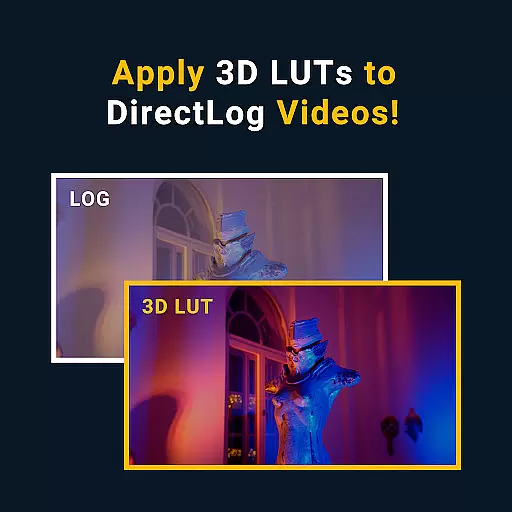

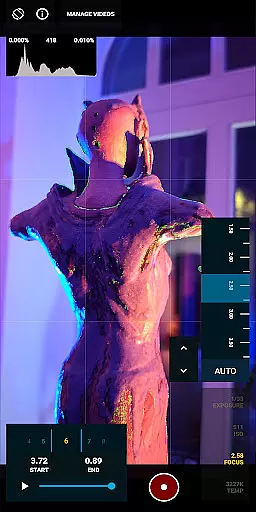



MotionCam Pro is a revolutionary photography and videography app that brings professional-grade tools to smartphone users. The app's standout feature is its ability to capture RAW video, a first for smartphone cameras. This allows videographers and photographers to retain maximum detail and flexibility during post-production.
In addition to its groundbreaking video capabilities, MotionCam Pro enhances still photography through advanced computational algorithms. These replace standard camera software, enabling users to produce stunning images with improved dynamic range, color accuracy, and low-light performance. Whether you're a professional photographer or an enthusiast, this app provides the tools needed to elevate your mobile photography game.
The app is particularly useful for content creators who require high-quality visuals for their projects. With MotionCam Pro, users can achieve results comparable to those of dedicated cameras, all from the convenience of their smartphones. This makes it an invaluable tool for anyone looking to push the boundaries of mobile photography and videography.
MotionCam Pro offers a comprehensive suite of features designed to enhance both photography and videography on smartphones. At its core is the ability to capture RAW video, providing unparalleled control over the editing process. This feature alone sets MotionCam Pro apart from other camera apps, as it allows users to preserve the highest possible quality during recording.
Beyond video, the app employs sophisticated computational photography techniques to improve photo quality. These algorithms work behind the scenes to optimize various aspects of image capture, including exposure, white balance, and noise reduction. As a result, users can expect consistently beautiful photos, even in challenging lighting conditions.
Additional features include manual controls for shutter speed, ISO, and focus, giving photographers complete creative freedom. The app also supports various file formats and resolutions, catering to different workflow requirements. Whether capturing fast-paced action or serene landscapes, MotionCam Pro equips users with the tools they need to realize their artistic vision.
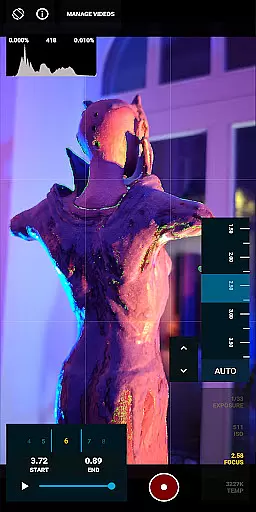
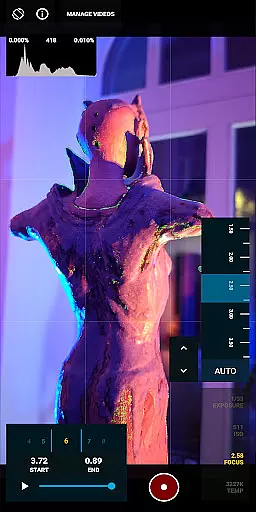
Real-time capture and preview functionality is essential for photographers who need to see the exact image they are capturing before taking the shot. MotionCam Pro excels in this area by providing users with a live view of their subject, ensuring that every detail is captured as intended.
The app's advanced computational photography algorithms process images instantly, allowing users to adjust settings such as exposure, focus, and white balance on the fly. This real-time feedback empowers photographers to make precise adjustments, resulting in higher quality photos.
Furthermore, MotionCam Pro supports RAW video capture, a feature that was previously unavailable on smartphones. This allows videographers to record footage with greater dynamic range and color accuracy, providing more flexibility during post-production.
By replacing the default smartphone camera software, MotionCam Pro offers a seamless experience that integrates professional-grade tools directly into the user's device, making it an indispensable tool for both amateur and professional photographers alike.
MotionCam Pro leverages AI technology to enhance the natural beauty of photographs without compromising their authenticity. The app intelligently applies enhancements that highlight the subject's best features while maintaining a realistic appearance.
Through sophisticated AI algorithms, MotionCam Pro can automatically adjust skin tones, smooth imperfections, and enhance facial features in a way that looks natural and unaltered. This ensures that portraits retain their genuine character, avoiding the over-processed look common in other photo editing apps.
In addition to portrait enhancements, the app also offers a suite of tools for improving landscape and still-life photography. These include features like dynamic range adjustment, noise reduction, and sharpening, all of which contribute to creating stunningly vivid and lifelike images.
Whether you're a professional photographer or simply someone who appreciates high-quality photos, MotionCam Pro's AI-driven enhancements provide a powerful yet easy-to-use solution for elevating your photography to the next level.
RAW video capture
Advanced computational algorithms
Manual camera controls
High-quality image processing
Versatile file format support
Premium pricing model
Steep learning curve
Resource-intensive operation
Limited device compatibility
Occasional stability issues

Easily stitch panoramas from multiple photos or video.
 4.40
4.40
Turn your phone into a professional camera - full DSLR manual photography
4.30
Gallery Slideshow is slideshow maker app for slideshow from your gallery photos.
3.90
Professional photography on your mobile phone
4.20
GCamera allows all GCam features on all phone models! Better photos with GCamera
3.30
See your baby AI baby face generator AI baby maker Face generator babymaker fun!
4.70
Professional quality photo edits with the new Snapseed.
4.00
Your personal guide to the sun and moon. Plan ahead, visualize and predict!
4.70
Discover & download millions of art for The Frame TV or Hisense CanvasTV
4.60
Find time and duration of different sunlight phases at any location
4.90
PhotoSync Bundle Add-On License. Enables all features and services in PhotoSync.
4.60
Safe & smart flight with Go Fly drone controller for 40+ drone camera, zone map
4.50
AI photo enhancer with Sora 2! Enhance, descratch, and colorize your old photos.
4.50
Future baby face generator: AI kids generator, kid face! What my baby look like?
4.40
Luminar: Photo Editor - easy picture editing with AI
4.20
Turn photos into cartoons & avatars! - Photo Editor, Cartoon Face!
3.90
Pet Camera
3.70
Long exposure camera with computational photography
2.60
Raw Image Viewer. Gallery with support of raw images (.cr3, .cr2, .nef, .raf).
2.00


User Reviews