
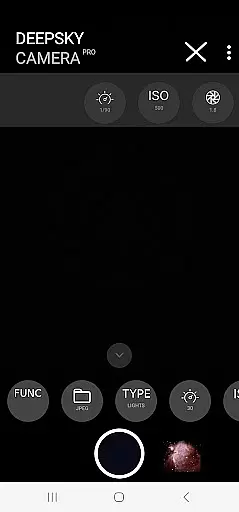
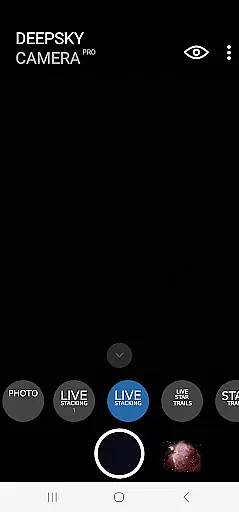
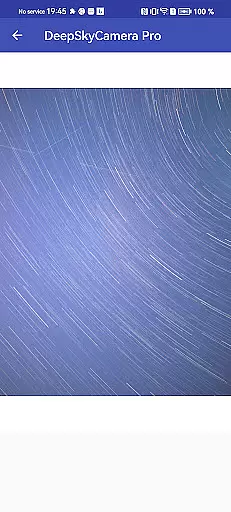
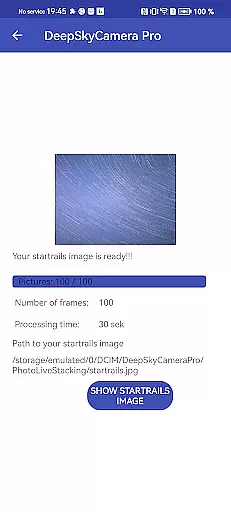
DeepSkyCamera Pro is an advanced astrophotography app designed for smartphone users who want to capture stunning images of the night sky. The app offers professional-grade features such as photo live stacking in RAW and JPEG formats, star trails creation, and timelapse video production in multiple codecs (AVC, HEVC). It supports both tracked and untracked images, making it versatile for various astrophotography setups.
The application allows photographers to take long-exposure shots similar to those captured by DSLR or CCD/CMOS cameras. With its compatibility with well-known stacking software through DNG format support, users can process their photos effectively. Additionally, DeepSkyCamera Pro provides essential on-screen information during photo sessions, including exposure details and image alignment data, ensuring high-quality results.
Designed for astronomers familiar with RAW files and post-processing techniques, this app requires a basic understanding of astrophotography principles. It's ideal for enthusiasts looking to enhance their stargazing experience by capturing detailed celestial images using just their smartphones.
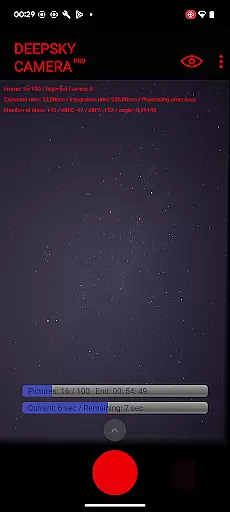
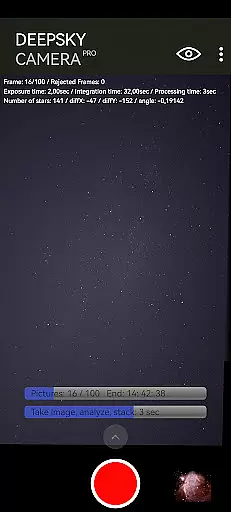
DeepSkyCamera Pro stands out with its comprehensive set of features tailored specifically for astrophotographers. One key feature is the photo live stacking capability, which works seamlessly with both tracked and untracked images. This function analyzes and aligns images before stacking them into TIFF or JPEG formats, depending on the input type. During this process, critical session information like frame count, exposure times, and axis shifts are displayed on-screen.
In addition to photo stacking, the app includes a viewfinder live stacking mode that breaks the typical one-second shutter speed limitation, allowing up to ten seconds for better low-light performance. Users can also create animated star trails videos and timelapse sequences in MP4 format, utilizing either AVC or HEVC codecs. These capabilities make it possible to produce captivating visual content directly from a smartphone.
For optimal performance, DeepSkyCamera Pro recommends devices running Android 8 or higher with at least 8 GB RAM and 128 GB storage. However, it remains functional on older systems meeting minimum requirements (Android 6+, 3 GB RAM, 64 GB flash), though some minor issues may occur. Compatibility lists and manuals ensure users have all necessary resources to maximize their experience with the app.
Real-time capture and preview functionality is essential for astrophotography, allowing users to see the night sky as it is being captured. DeepSkyCamera Pro offers advanced live stacking features that enable photographers to view their images with increased exposure times, breaking the typical one-second shutter speed limitation found in most smartphone cameras.
The app supports both tracked and untracked images, aligning them for a seamless stacking process. During photo live stacking, critical information such as frame count, exposure time, and axis shifts are displayed on-screen, providing real-time feedback to enhance image quality.
With its unique viewfinder live stacking feature, even devices restricted to faster shutter speeds can capture darker objects when attached to a telescope. This empowers astronomers to work within their equipment's limitations while still achieving professional-grade results.
By offering these sophisticated tools, DeepSkyCamera Pro ensures that users can effectively capture and preview celestial bodies, making it an indispensable tool for serious astrophotographers who demand precision and control over their photographic process.
While primarily focused on astrophotography, DeepSkyCamera Pro also provides features that ensure the natural enhancement of captured images. The application does not rely on typical AI beauty enhancements but instead emphasizes authentic representation through advanced processing techniques.
Images taken with this app maintain their original integrity, allowing post-processing to be conducted using well-known stacking software. By saving stacked results in formats like TIFF for RAW images or JPEG for standard shots, the app preserves the natural details of astronomical subjects without artificial alterations.
For those seeking to create visually stunning star trail videos or timelapse sequences, DeepSkyCamera Pro delivers high-quality codecs (AVC, HEVC) that retain clarity and detail. These formats support the creation of mp4 videos that showcase the night sky's beauty without compromising its authenticity.
This commitment to natural enhancement ensures that every photograph or video produced with DeepSkyCamera Pro reflects true astronomical phenomena, catering to enthusiasts who value genuine visual experiences over artificial enhancements.
User-friendly interface
Advanced photo stacking
Supports multiple codecs
Comprehensive manual available
Compatible with older devices
Requires technical knowledge
Not suitable for beginners
High system requirements
Limited daytime functionality
Potential memory issues

Remote control of the phone camera from your Wear OS smartwatch
 3.70
3.70
Create & Edit with AI: AI Remove, Enhance, Retouch, Filter
4.10
Perfect body tune & face app - photo retouch, makeup, slim body & beautify face.
4.80
Light-weight Media Gallery app for Android made with Jetpack Compose
4.60
Add a dreamy vibe to your selfies and videos with soft style filters
4.1
Use AI Video Generator to turn your words to ai generated videos.
4.50
AI-powered video creator by MiniMax - Where ideas meet cinema
4.20
Remote control the phone camera shutter from your smartwatch and take a picture
1.60
Unlock the full potential of your DJI drone with Litchi
4.50
AI Photo Editor with 100+ Filters, Effects! Remove BG, Retouch & Photo Enhancer.
4.80
Cartoon and artistic effects for your photos and videos
4.70
A must-have app for landscape photographers
4.60
AI photo editor with hair editor, retouch tools, hair color changer & filters!
4.50
AI photo enhancer with Sora 2! Enhance, descratch, and colorize your old photos.
4.50
All-in-One Editor & AI Photo Enhancer, Beautify & Retouch, Collage, Cartoonify
4.20
Photo editor: face & body editor, beauty cam, filters and quality enhancer.
4.00
Create amazing frames with up to five photos. Rounded corners, effects and more!
3.60
Professional video recording application with manual controls for filmmakers!
2.80
Snap photos remotely using your Garmin watch as the camera trigger
4.1


User Reviews