


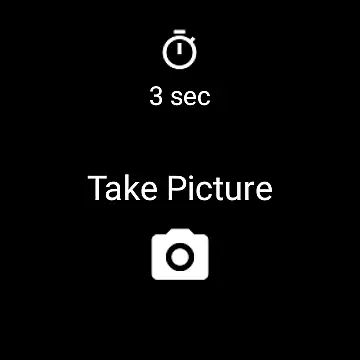
Camera Remote Watch is a smart photography tool designed to enhance your picture-taking experience by allowing you to remotely control your phone's camera from your smartwatch. This app eliminates the need to physically touch your phone to take a photo, offering convenience and stability for capturing moments. Ideal for group photos, long-exposure shots, or any scenario where minimizing phone contact is beneficial.
The app ensures that after taking a photo, it is saved directly to your phone's gallery while also providing a preview on your smartwatch. This dual functionality allows users to quickly verify their images on the watch screen and decide if another shot is needed. Compatible with Wear OS smartwatches, Camera Remote Watch provides a seamless connection between your devices, making it an essential tool for photographers who value precision and ease of use.
Camera Remote Watch offers several innovative features tailored for photography enthusiasts. The primary feature is its ability to trigger the phone's camera shutter directly from a smartwatch, ensuring shake-free photos. This remote capability is particularly useful in situations where maintaining distance from the phone is necessary or when using tripods.
In addition to remote capture, the app provides instant feedback by displaying a copy of the taken photo on the smartwatch. This allows users to review their images immediately without needing to check their phone. Another notable feature is its compatibility with Wear OS, broadening its usability across various devices. With clear instructions available through an extensive FAQ section and video tutorials, users can easily set up and optimize their experience with Camera Remote Watch.
Real-time capture and preview functionality is essential for ensuring that users can take photos with precision and confidence. Camera Remote Watch offers a seamless experience by allowing users to remotely trigger their phone's camera shutter directly from their smartwatch. This feature eliminates the need to physically interact with the phone, making it easier to capture moments without any disruptions.
The app ensures that after taking a photo, it is promptly stored in the phoneu2019s gallery, accessible via the Android Gallery app. Simultaneously, a copy of the image is displayed on the smartwatch, providing immediate feedback on the quality of the captured photo. This instant preview allows users to decide whether to retake the picture or keep it, enhancing the overall photography experience.
For optimal performance, it is crucial to ensure that both the smartwatch and phone remain connected throughout the process. While downloading images to the watch might be slow, patience is key as this does not affect the storage speed on your phone. If the watch display turns off during download, a simple tap can reactivate it, ensuring continuous usability.
AI beauty and enhancement features are increasingly popular among photography apps, aiming to improve photo quality while maintaining natural aesthetics. Although Camera Remote Watch primarily focuses on remote capture, its integration with Wear OS smartwatches provides an added layer of convenience for users seeking high-quality images without manual adjustments.
While the app itself does not heavily emphasize AI-driven enhancements, its compatibility with various devices ensures that inherent phone camera capabilities are utilized effectively. Users can adjust camera settings through the phone app before triggering the shutter from their watch, ensuring desired effects such as lighting and focus are pre-set according to individual preferences.
It's important to note that while some advanced editing features may not be available within Camera Remote Watch, the core advantage lies in its ability to deliver unaltered, genuine photographs. The emphasis on real-time previews rather than post-processing modifications aligns with a philosophy of capturing authentic moments naturally, preserving originality and spontaneity in every shot taken.
User-friendly interface
Instant photo preview
Compatible with Wear OS
Convenient remote control
Minimizes camera shake
Requires compatible devices
Slower photo downloads
Limited unsupported phones
Dependent on stable connection
Watch display issues

Photo prints, cards, & gifts at Walgreens. Easy ordering & fast local pickup !
 4.80
4.80
Take videos and pictures with the popular TikTok TIME WARP SCAN filter.
4.60
Over 800 film simulation recipes for Fujifilm. Black Friday Offer!
4.4
Automatically backup your photos and videos to computer, NAS and Cloud services
4.60
A must-have app for landscape photographers
4.60
Photo editor & gallery. Crop pictures & edit photos offline, no wifi!
4.50
Raw Image Viewer. Gallery with support of raw images (.cr3, .cr2, .nef, .raf).
2.00
Edit photos with the picture generator: PS2 & AI Clay filters, cartoon effects.
4.50
Photo & Video Gallery app to manage albums and save WA Status easily.
4.70
Photo editor: AI filters, photo enhancer, pic collage maker, AI art generator.
4.80
Enhance, retouch & create your story - Share the moment with Photoshop Express.
4.60
Cut and paste photo editor & eraser to customize photos easy and swap faces fun
4.50
AI photo editor with hair editor, retouch tools, hair color changer & filters!
4.50
Search, tag and rate your way to an organized image gallery
4.40
Create & Edit with AI: AI Remove, Enhance, Retouch, Filter
4.10
The #1 app for B&W film developing featuring an advanced darkroom timer.
4.10
Turn photos into cartoons & avatars! - Photo Editor, Cartoon Face!
3.90
Superimpose one photo on top of another using the original Superimpose app!
3.20
An interval timer to automate photo taking process for timelapse
2.90


User Reviews