
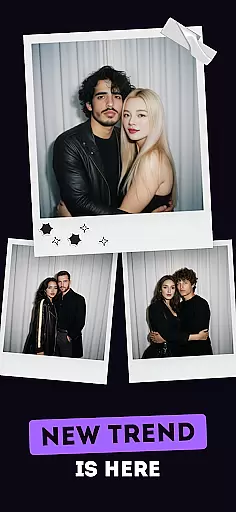
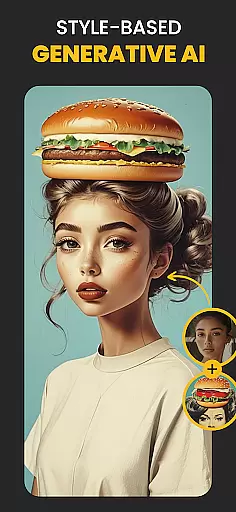
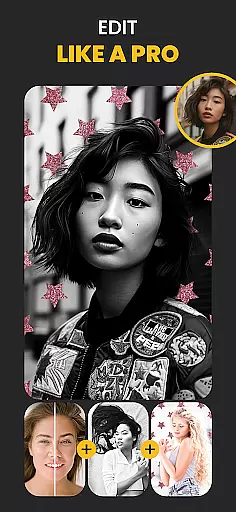
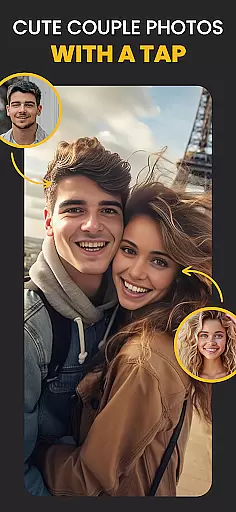
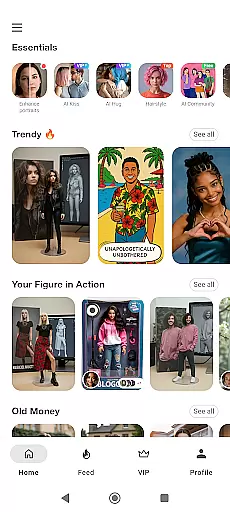
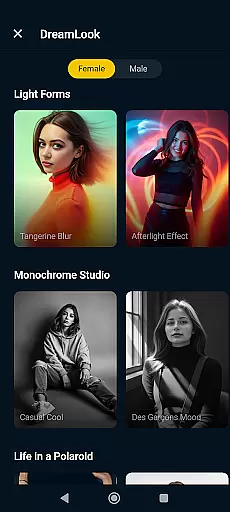
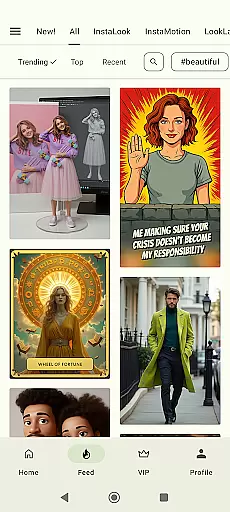
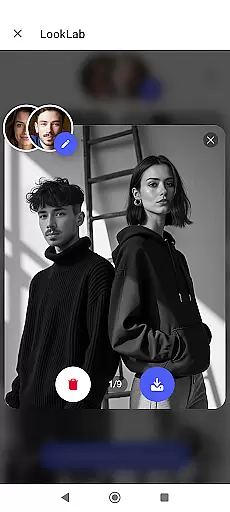
Photo Lab Picture Editor & Art is a versatile AI photo editor that combines advanced neural art styles, realistic photo effects, and creative face filters to transform your images into stunning works of art. The app offers an extensive range of features including automatic face detection for montages, background editing tools, and diverse photo frames.
This photography app is ideal for users who want to enhance their photos with professional-grade tools without requiring technical expertise. Whether you're looking to create artistic portraits, eye-catching collages, or polished social media content, Photo Lab provides all the necessary tools in one convenient package.
Photo Lab stands out with its comprehensive feature set designed for both casual users and photography enthusiasts. The Neural Photo Art Styles use artificial intelligence to apply over 50 unique artistic presets to any image, turning photos into sophisticated artworks with minimal effort.
The app's realistic photo effects and face photo montages utilize advanced algorithms to automatically detect facial features and apply complex transformations. Users can experiment with various creative filters such as 3D photo, cartoon, vintage, and anime effects, while the background editor allows for seamless replacement of image backgrounds with multiple template options.
Real-time capture and preview functionality is essential for any photography app as it allows users to see exactly what the camera sees before taking a shot. This ensures that users can make necessary adjustments to framing, lighting, and composition in real time, leading to better quality photos.
Photo Lab Picture Editor & Art offers an intuitive real-time capture experience by leveraging advanced AI algorithms. The app processes images instantly, providing users with immediate feedback on their shots. This feature is particularly useful when applying various photo effects or filters, as users can preview these changes live.
The benefit of this real-time functionality is significant for users who want to experiment with different styles and effects without committing to lengthy post-processing. By seeing the potential outcome beforehand, users can save time and effort, ensuring they capture the perfect moment with the desired aesthetic.
Ultimately, the real-time capture and preview feature enhances the overall user experience by making photo editing more interactive and engaging. It empowers users to be more creative and spontaneous, knowing they have the tools to perfect their shots instantly.
AI beauty and enhancement features are becoming increasingly popular in photography apps, offering users the ability to enhance their photos naturally without over-processing. This is crucial for maintaining the authenticity of images while still improving their visual appeal.
Photo Lab Picture Editor & Art utilizes sophisticated AI technology to provide natural-looking enhancements. The app's AI-driven tools analyze facial features and apply subtle adjustments that enhance beauty without distorting the original image. This includes smoothing skin tones, brightening eyes, and enhancing facial contours in a way that looks realistic and unforced.
Users benefit from these enhancements by achieving professional-quality results with minimal effort. The natural enhancement options ensure that photos retain their genuine feel, which is especially important for portraits and selfies where authenticity is key.
By focusing on natural enhancement, Photo Lab not only improves the visual quality of photos but also respects the integrity of the original image. This approach resonates well with users who seek to enhance their photos while maintaining a true-to-life appearance.
User-friendly interface
Extensive filter collection
Automatic face detection
Cloud-based processing
Social sharing integration
Internet connection required
Some features are premium
Occasional processing delays
Limited offline functionality
Subscription fees apply

Shooting photos and records video easily and efficient with professional Camera
 4.30
4.30
Photobooth mini FULL app will allow you to add more fun to your parties
4.00
Over 800 film simulation recipes for Fujifilm. Black Friday Offer!
4.0
Movie camera, supports pro recording settings for filming. Try it and be amazed!
4.50
Create AI photos & videos with Enhancer; restore, fix, beautify, enhance photos
4.50
Enhance, retouch & create your story - Share the moment with Photoshop Express.
4.60
Snap photos remotely using your Garmin watch as the camera trigger
4.4
Your personal guide to the sun and moon. Plan ahead, visualize and predict!
4.70
A unique animation app. Powerful, easy to use, and lots of fun.
4.30
Find time and duration of different sunlight phases at any location
4.90
A collection of tools and reference tables for DPs, ACs, DITs and Operators.
4.70
A must-have app for landscape photographers
4.60
AI photo enhancer with Sora 2! Enhance, descratch, and colorize your old photos.
4.50
Effortlessly organize, view and share your photos & videos with Gallery app!
4.40
Edit like a pro with Hypic. Apply filters, AI effects, & magic touch.
4.40
All-in-One Editor & AI Photo Enhancer, Beautify & Retouch, Collage, Cartoonify
4.20
AI-powered video creator by MiniMax - Where ideas meet cinema
4.20
The #1 app for B&W film developing featuring an advanced darkroom timer.
4.10
Remote control of the phone camera from your Wear OS smartwatch
3.70


User Reviews