

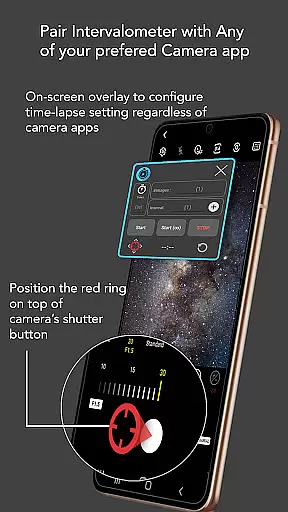
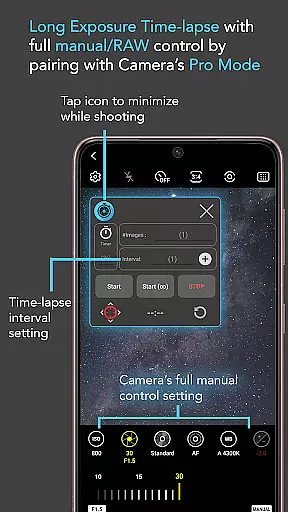
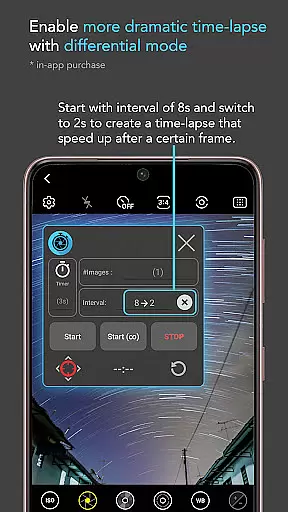
Intervalometer for TimeLapse is a powerful photography tool designed to automate the process of capturing time-lapse sequences. This app allows photographers to configure specific time intervals for triggering the camera shutter, enabling precise control over exposure settings and supporting RAW format capture.
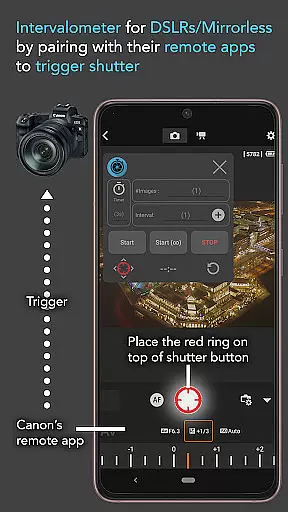
The application works seamlessly with any camera app on Android devices (version 7 and above), including advanced modes such as HDR, night mode, manual settings, and ultra-wide angle. It also integrates with dedicated camera remote apps from brands like Canon, Sony, and Nikon, functioning as a universal intervalometer for both smartphones and professional cameras.
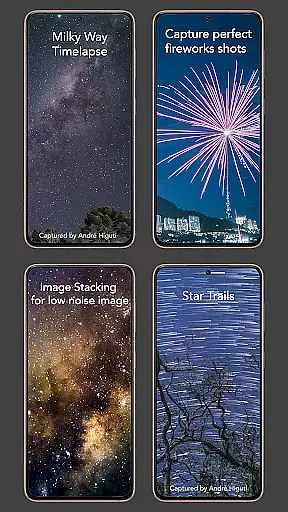
With its flexibility, users can create stunning low-light, long-exposure, and even Milky Way time-lapses. Additionally, it supports image stacking techniques for achieving higher-quality results in post-processing.
Intervalometer for TimeLapse offers an extensive set of features tailored for both amateur and professional photographers. One standout feature is the ability to fully customize time-lapse configurations, including delay timers, interval durations, and the number of shots. This level of control ensures that users can adapt the app to their specific creative needs.
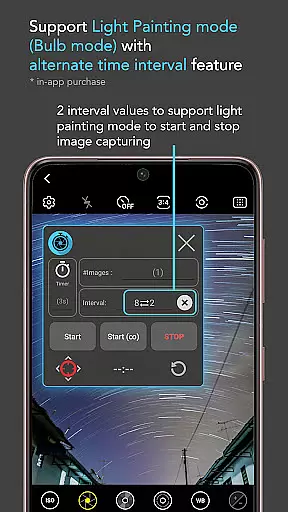
In addition to standard time-lapse capabilities, the app includes specialized modes such as Infinite Mode and Bulb Mode. These modes are particularly useful for extended exposures or continuous shooting scenarios. The app's compatibility with any camera app further enhances its versatility, allowing users to work with their preferred photography tools without limitations.
For advanced projects, Intervalometer supports various types of time-lapse photography, including Holy Grail transitions (day-to-night), star trail captures, and light painting. Its integration with external camera systems makes it indispensable for professionals seeking consistent and automated results across different devices.
Real-time capture and preview functionality is essential for ensuring that every moment of your time-lapse photography is perfectly captured. Intervalometer for TimeLapse offers this by integrating seamlessly with any camera app, allowing users to automate the shutter triggering process while maintaining control over exposure settings.
This app uses AccessibilityService API to work like an actual intervalometer, providing users with the ability to configure time intervals for shutter releases. This ensures that each frame in your time-lapse sequence is captured exactly when you want it, without missing a beat.
Users benefit from the flexibility to use this app with various camera modes including light-painting, HDR, night mode, and more. Whether capturing low light scenes or creating star trail effects, real-time capture ensures precision and reliability in every shot.
The true value lies in its compatibility with dedicated camera remote apps from brands like Canon, Sony, and Nikon. This makes it not just a tool for smartphones but also an indispensable device for professional photographers looking to enhance their time-lapse projects.
While primarily focused on time-lapse photography, Intervalometer for TimeLapse indirectly enhances image quality through meticulous control over shooting parameters. Although it doesn't directly offer AI beauty features, its precise interval settings contribute significantly to producing high-quality images suitable for post-processing enhancements.
By automating the photo-taking process, this app allows photographers to focus on creative aspects rather than technicalities. The full control over configurations such as delay timers, interval times, and number of shots ensures consistent image quality throughout the time-lapse sequence.
For advanced techniques like image stacking or creating star trails, having reliable intervals between shots is crucial. Intervalometer's bulb mode and infinite shooting options provide the consistency needed for these processes, resulting in naturally enhanced final outputs after post-processing.
Ultimately, while not a traditional AI beauty tool, Intervalometeru2019s robust feature set supports natural enhancement by giving photographers the tools they need to produce stunning, high-quality time-lapses and stacked images.
User-friendly interface
Wide device compatibility
Customizable settings
Supports RAW format
Works with third-party apps
Requires AccessibilityService API
Limited initial setup guidance
Potential touch input issues
No built-in camera functionality
Dependent on other camera apps

Long exposure camera with computational photography
 2.60
2.60
HD Camera Pro with HD Video shooting, Panorama, Photo editor , Beauty Camera.
4.50
Gallery Slideshow is slideshow maker app for slideshow from your gallery photos.
3.90
Easily view, share, delete photos with Gallery.
4.70
AI-powered video creator by MiniMax - Where ideas meet cinema
4.20
Professional camera app that brings DSLR manual photography controls to Android.
4.20
Catch sunlight, sunrise sunset times and sun phases with the AR sun tracker.
4.10
Enhance, upscale, and transform your images — on your device, without limits
4.70
Solocator stamps photos you take with GPS location, Compass Direction, Date/Time
3.80
AI Photo Editor with 100+ Filters, Effects! Remove BG, Retouch & Photo Enhancer.
4.80
A collection of tools and reference tables for DPs, ACs, DITs and Operators.
4.70
Cartoon and artistic effects for your photos and videos
4.70
Take videos and pictures with the popular TikTok TIME WARP SCAN filter.
4.60
Safe & smart flight with Go Fly drone controller for 40+ drone camera, zone map
4.50
AI photo editor with hair editor, retouch tools, hair color changer & filters!
4.50
Photo editor: face & body editor, beauty cam, filters and quality enhancer.
4.00
live datamoshing
4.00
USB Storage Access for Photos, Videos, Music and Documents
3.80
Hair color changer, AI haircut app, fun hair editor and buzz cut filter for all!
3.80


User Reviews