
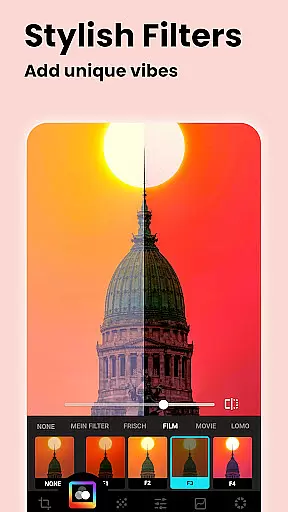
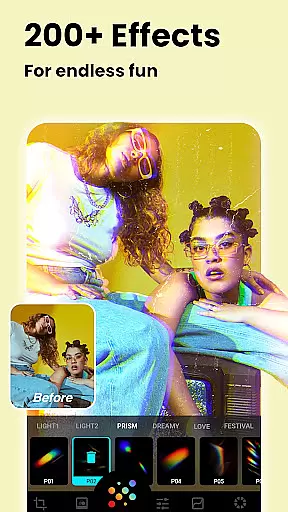
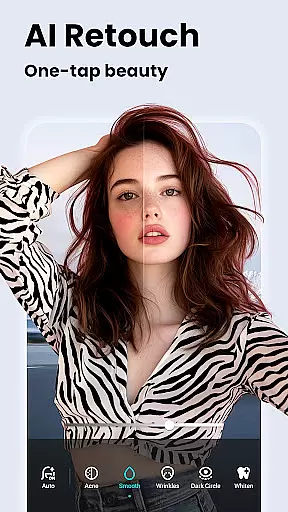



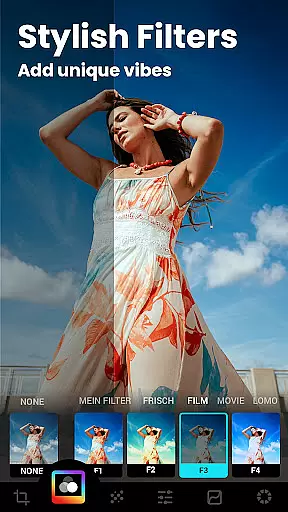

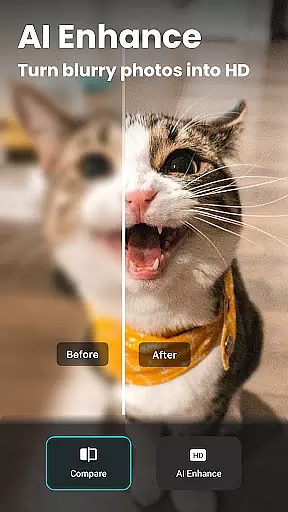
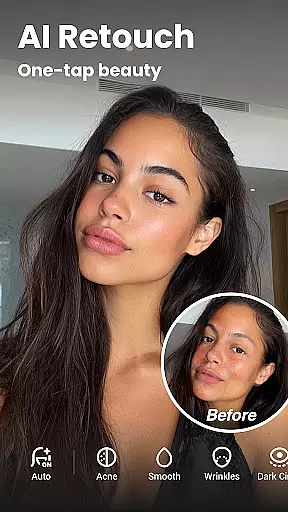

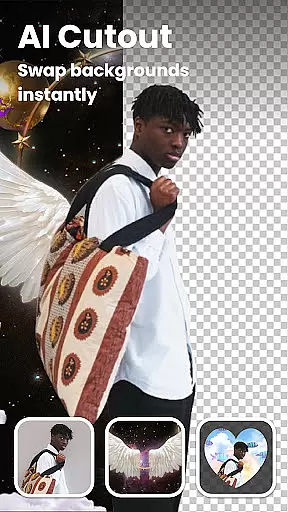


Lumii is an advanced AI-powered photo editor that combines professional-grade tools with intelligent editing features, making photo enhancement effortless for users of all skill levels. The app offers a comprehensive suite of editing capabilities including background removal, AI-based photo enhancement, and 100+ trendy filters and effects.
Designed for both casual users and photography enthusiasts, Lumii allows you to create high-quality artistic photos without needing professional expertise. Its standout features include customizable filters, auto retouching, bokeh effects, HSL adjustments, and double exposure editing. With its user-friendly interface and powerful tools, Lumii ensures a seamless editing experience on mobile devices.
Whether you're looking to enhance portraits, design creative social media content, or apply advanced color corrections, Lumii provides the tools to achieve professional results quickly and easily. Its offline functionality and ad-free environment further enhance the user experience.
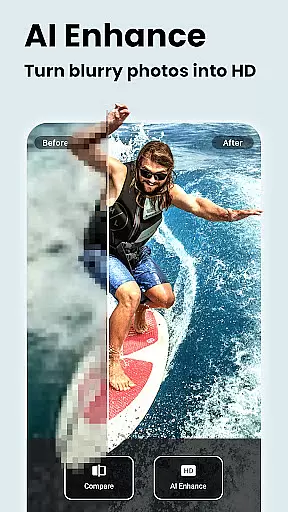
Lumii stands out with its diverse range of innovative features tailored for modern photo editing. One of its core strengths is the AI Photo Enhancer, which automatically improves image quality, turning blurry portraits into sharp, high-definition photos with a single tap. Additionally, the Auto Background Eraser simplifies object removal and background customization, allowing users to create flawless compositions effortlessly.
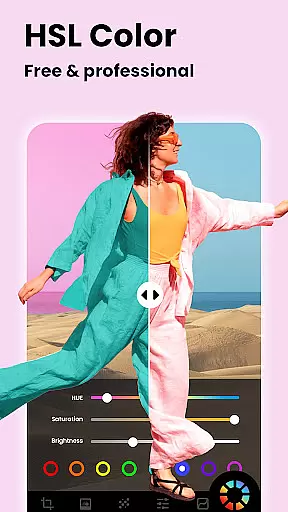
The app also includes advanced tools like HSL color adjustments, curves editing, and bokeh effects, catering to users who want precise control over their edits. For creative expression, Lumii offers glitch effects, double exposure templates, and text overlays, enabling users to craft unique visuals. These features are complemented by a library of 100+ photo filters and effects, ensuring there's something for every style and occasion.
What makes Lumii truly versatile is its ability to cater to both beginners and professionals. From basic adjustments like brightness and contrast to complex edits using selective enhancements and blending modes, the app provides a complete toolkit for unleashing creativity. Its intuitive design ensures that even users with no prior editing experience can achieve stunning results.
Real-time capture and preview functionality is essential for any photography app, allowing users to see exactly what their photo will look like before taking the shot. Lumii offers a seamless real-time preview experience that ensures every detail of your image is captured as intended.
The app's advanced AI technology enhances the live view, providing instant feedback on exposure, color balance, and composition. This allows photographers of all skill levels to make informed decisions about framing and lighting, resulting in higher-quality photos without the need for extensive post-processing.
With Lumii's intuitive interface, users can easily adjust settings such as brightness, contrast, and saturation while viewing the changes in real time. This interactive approach not only simplifies the photo-taking process but also empowers users to experiment with creative effects and filters directly within the live preview window.
Ultimately, Lumii's real-time capture and preview feature bridges the gap between amateur and professional photography by offering tools that were once exclusive to high-end cameras. By enabling precise control over the final image outcome, it helps users produce stunning visuals effortlessly.
AI beauty and enhancement features are increasingly popular in photo editing apps, aiming to improve the appearance of portraits while maintaining a natural look. Lumii stands out with its sophisticated AI algorithms that enhance facial features without compromising authenticity.
The app provides an array of tools designed to refine skin texture, brighten eyes, and whiten teeth with subtlety. These enhancements are applied intelligently, ensuring that each edit complements the original photo rather than overwhelming it. As a result, users can achieve polished yet genuine-looking portraits suitable for social media or personal keepsakes.
Lumii's AI-driven retouching capabilities extend beyond basic adjustments, offering specialized functions like blemish removal and skin smoothing. The app intelligently detects imperfections and applies corrections that blend seamlessly with the surrounding areas, preserving the unique characteristics of each face.
By prioritizing naturalness in its AI beauty enhancements, Lumii caters to users who seek professional-grade results without the artificial appearance often associated with digital editing. This commitment to authenticity sets Lumii apart as a leader in the photography app category, empowering users to create captivating images that remain true to life.
Powerful AI tools
User-friendly interface
Wide range of filters
Offline functionality
Ad-free editing
Limited advanced options
Occasional lag
Fewer tutorials
Premium feature lock
Heavy app size

Find time and duration of different sunlight phases at any location
 4.90
4.90
HD Photo gallery and photo manager to edit, hide private photos, videos & albums
4.0
Viewfinder, Light meter, Reciprocity failure time, DOF & Bellows Extension
4.60
Over 800 film simulation recipes for Fujifilm. Black Friday Offer!
4.3
Turn your phone into a professional camera - full DSLR manual photography
4.30
Turn photos into cartoons & avatars! - Photo Editor, Cartoon Face!
3.90
Your personal guide to the sun and moon. Plan ahead, visualize and predict!
4.70
Effortlessly make high-quality GIFs from images & videos without any watermarks.
4.70
Photo & Video Gallery app to manage albums and save WA Status easily.
4.70
Pro version: AR sun/moon tracker for any date. Tool for photographers & planners
4.90
See your baby AI baby face generator AI baby maker Face generator babymaker fun!
4.70
Unblur, enhance & restore photos with powerful AI photo enhancer tools.
4.60
Transform photos into videos! Create realistic or anime-style images easily!
4.50
Easily stitch panoramas from multiple photos or video.
4.40
[3DSteroid Pro] is a stereoscopic application for Android.
4.30
Luminar: Photo Editor - easy picture editing with AI
4.20
Photo editor: face & body editor, beauty cam, filters and quality enhancer.
4.00
How would you look like with a differently shaped nose, chin or lips?
3.90
Superimpose one photo on top of another using the original Superimpose app!
3.20


User Reviews