
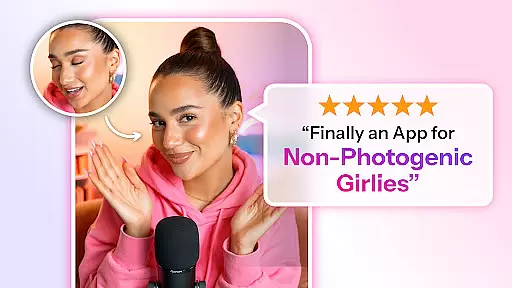
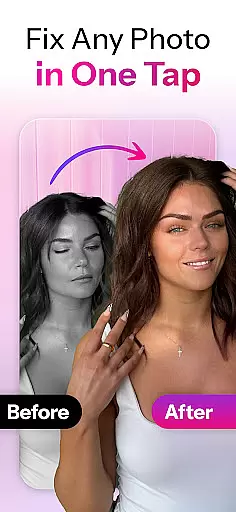

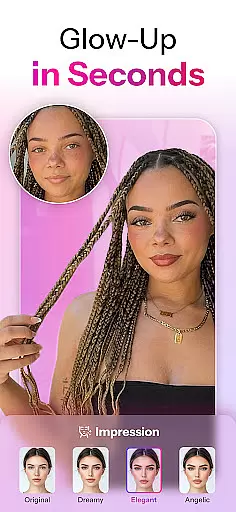

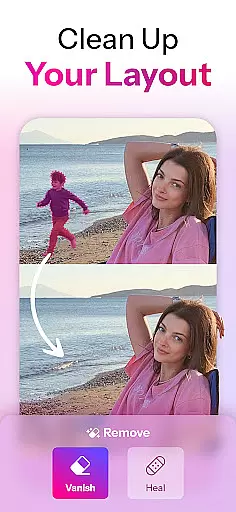
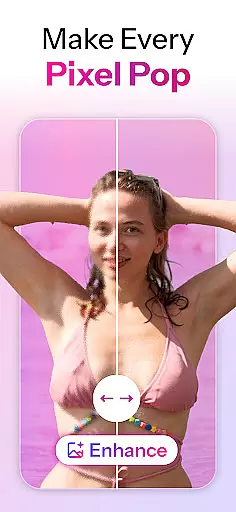
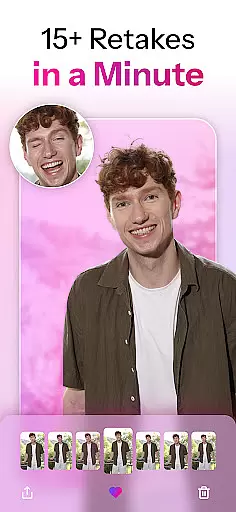
Retake AI is a revolutionary photography app that transforms any photo into a stunning, natural-looking masterpiece with just one tap. Unlike traditional photo editing apps, Retake uses advanced AI technology to reimagine and refine images while preserving their authenticity. Whether it's an old snap or a new selfie, this app ensures every picture reflects your true spirit beautifully.
The app's powerful AI engine creates personalized models based on 12 of your favorite photos, enabling it to produce consistently impressive results tailored specifically for you. With Retake AI, users can effortlessly capture perfect moments without worrying about multiple retakes or complex editing processes. The app is particularly beneficial for social media enthusiasts who want to elevate their Instagram and TikTok presence with naturally enhanced selfies and candid shots.
Retake AI distinguishes itself through its sophisticated AI-powered photo transformation capabilities. The app doesn't rely on basic filters or artificial enhancements; instead, it employs a unique AI engine that crafts realistic retakes which are indistinguishable from genuine photographs. This feature allows users to achieve professional-quality edits without compromising the natural essence of their images.
Another remarkable aspect of Retake AI is its user-friendly interface and efficient workflow. Users simply upload 12 personal photos to generate a customized AI model, after which the app automatically refines any uploaded image with minimal effort. The result is an array of improved versions of the original photo, each more appealing than the last. Additionally, Retake AI ensures privacy and security by adhering to strict policies outlined in its Privacy Policy and Terms of Use documents.
Real-time capture and preview functionality is essential for any photography app as it allows users to see exactly what the camera sees before taking a shot. Retake AI excels in this area by providing an intuitive interface that ensures every snap is perfectly aligned with the user's expectations.
The app leverages advanced AI algorithms to offer real-time previews that are not only accurate but also enhanced with subtle adjustments. This means users can anticipate how their photos will look after being processed by Retake's powerful editing engine, ensuring consistent quality across all captures.
With Retake AI, photographers no longer need to rely on post-processing to achieve stunning results. The real-time preview feature empowers them to make instant decisions, capturing moments with confidence and precision. This seamless integration of technology enhances the overall photography experience, making it more efficient and enjoyable.
Ultimately, the real-time capture and preview capabilities of Retake AI provide users with the assurance that their photos will meet high standards without extensive editing. This feature transforms the way people take pictures, allowing them to focus on creativity and storytelling rather than technical adjustments.
AI beauty and enhancement features have become a staple in modern photo editing apps, but Retake AI sets itself apart by prioritizing naturalness in its enhancements. Instead of applying artificial filters or excessive modifications, the app focuses on bringing out the true essence of each subject.
Retake uses a sophisticated AI engine to analyze facial features and apply enhancements that complement the user's natural appearance. This approach ensures that edited photos retain authenticity while still looking polished and professional. Users can trust that their selfies and candid shots will reflect their genuine selves, only slightly refined for optimal appeal.
The appu2019s commitment to natural beauty extends beyond simple retouching. It offers a range of customization options that allow users to fine-tune the level of enhancement according to their preferences. Whether itu2019s smoothing skin texture or brightening eyes, Retake provides tools that enhance without overwhelming, maintaining a balance between enhancement and reality.
By focusing on natural beauty and enhancement, Retake AI empowers users to share their photos fearlessly, knowing they look their best while remaining true to themselves. This dedication to authenticity helps build confidence and encourages more frequent sharing, enhancing social media presence with genuinely flattering images.
User-friendly interface
Advanced AI technology
Natural-looking results
Customizable AI model
Efficient editing process
Requires initial setup
Limited free features
Subscription-based model
Internet connection needed
Learning curve for beginners

Find time and duration of different sunlight phases at any location
 4.90
4.90
Create funny photos and videos with the popular Time Warp Scan filter.
4.90
Cut and paste photo editor & eraser to customize photos easy and swap faces fun
4.50
Create amazing frames with up to five photos. Rounded corners, effects and more!
3.60
USB Storage Access for Photos, Videos, Music and Documents
3.80
Unblur, enhance & restore photos with powerful AI photo enhancer tools.
4.60
PhotoSync Bundle Add-On License. Enables all features and services in PhotoSync.
4.60
Effortlessly make high-quality GIFs from images & videos without any watermarks.
4.70
Welcome to ProShot, the most powerful camera app on Android.
4.20
Collage your moments in one tap: 1000+ layouts, filters, stickers, and texts.
4.90
Photo editor: AI filters, photo enhancer, pic collage maker, AI art generator.
4.80
A collection of tools and reference tables for DPs, ACs, DITs and Operators.
4.70
Your personal guide to the sun and moon. Plan ahead, visualize and predict!
4.70
Light-weight Media Gallery app for Android made with Jetpack Compose
4.60
Movie camera, supports pro recording settings for filming. Try it and be amazed!
4.50
Future baby face generator: AI kids generator, kid face! What my baby look like?
4.40
Astrophotography with your smartphone, photo live stacking and much more!
3.90
Remote control of the phone camera from your Wear OS smartwatch
3.70
An interval timer to automate photo taking process for timelapse
2.90


User Reviews