
ProShot is a professional-grade photography and filmmaking application designed for Android users who demand full creative control over their mobile photography experience. This app offers an extensive suite of manual controls akin to those found on DSLR cameras, including shutter speed, ISO, white balance, and focus adjustments. With support for RAW (DNG) and JPEG formats, ProShot caters to both amateur enthusiasts and seasoned professionals.
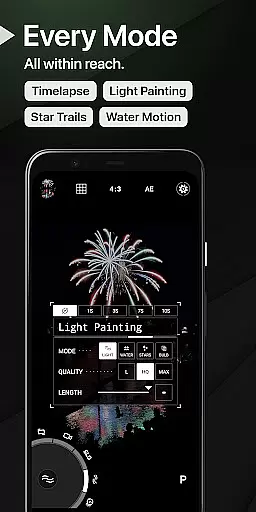
Beyond its core functionality, ProShot introduces innovative features such as Light Painting modes for capturing star trails and water movements, Bulb mode for long exposures, and advanced video capabilities up to 8K resolution. The app's intuitive interface, featuring a unique Dual Dial system, ensures seamless navigation through settings while maintaining a clutter-free workspace. Whether you're shooting stills or recording high-quality videos with LOG color profiles, ProShot adapts to various scenarios effortlessly.
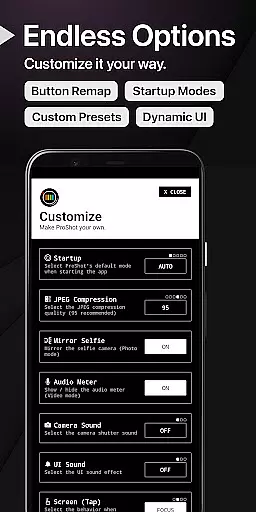
The true value of ProShot lies in its commitment to user privacy and customization. Unlike many modern apps that harvest personal data, ProShot guarantees your images, videos, and usage data remain private. Additionally, the app provides numerous customization options, allowing users to tailor their experience by adjusting accent colors, remapping volume buttons, setting filename formats, and more. This combination of powerful tools, privacy assurance, and personalized settings makes ProShot an indispensable tool for mobile photographers seeking DSLR-like performance without compromising convenience.
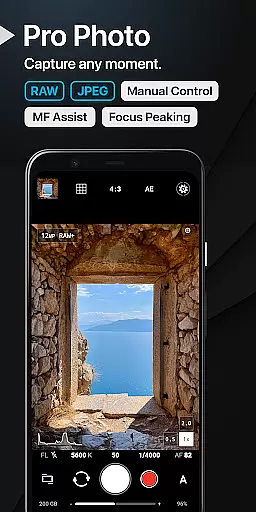
ProShot distinguishes itself with a comprehensive array of features tailored for discerning photographers and videographers. At its heart lies the robust implementation of the camera2 API, enabling precise manual controls across Auto, Program, Manual, and Custom modes. Users can fine-tune exposure settings, experiment with Shutter Priority and ISO Priority modes, or rely on Automatic adjustments for effortless shooting. The inclusion of RAW (DNG) support alongside traditional JPEG ensures maximum post-processing flexibility.
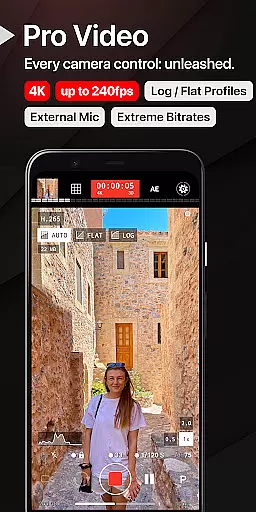
Innovative functionalities further enhance ProShot's appeal. Its proprietary Dual Dial interface facilitates swift access to critical parameters, streamlining workflow efficiency. For low-light photography enthusiasts, Light Painting modes unlock creative possibilities, complemented by Bulb mode for extended exposure times. Video capabilities are equally impressive, boasting resolutions up to 8K with extreme bitrate options, LOG/FLAT color profiles for superior dynamic range, and real-time audio monitoring when using external microphones. Advanced options like Timelapse, intervalometer settings, and customizable aspect ratios cater to diverse artistic visions.
Usability enhancements abound within ProShot's ecosystem. A built-in histogram with three display modes assists in achieving optimal exposure levels. Focus peaking with customizable colors aids manual focusing accuracy, while zero-lag bracket exposure extends dynamic range capture. Furthermore, the app integrates practical shortcuts for GPS tagging, screen brightness adjustment, and instant camera activation. These thoughtful additions underscore ProShot's dedication to delivering a refined, professional-caliber mobile photography platform that empowers creators to realize their full potential without limitations.
Real-time capture and preview functionality is essential for photographers who need to see exactly what their camera is capturing before taking the shot. ProShot offers a sophisticated real-time viewfinder that mirrors the DSLR experience, ensuring every detail is captured as intended.
The app leverages the full capabilities of the Android camera2 API, providing users with an intuitive interface that displays settings like ISO, shutter speed, and white balance in real time. This allows photographers to make precise adjustments on the fly, ensuring optimal image quality.
With features such as manual focus assist, focus peaking, and live histograms, ProShot ensures that users can fine-tune their shots with professional-grade accuracy. These tools are crucial for achieving perfect focus and exposure, making the photography process both seamless and efficient.
Ultimately, ProShot's real-time capture and preview empower photographers to take control of their creative process. By delivering a responsive and detailed preview, the app helps users produce high-quality images that meet professional standards without the need for bulky equipment.
While ProShot focuses primarily on professional-grade manual controls, it also incorporates advanced AI beauty and enhancement features that ensure natural-looking results. These enhancements are designed to subtly improve image quality without compromising the authenticity of the original photo.
The app includes options for adjusting noise reduction, tone mapping, and sharpness, which work together to create balanced and visually appealing images. These AI-driven enhancements automatically adapt to different lighting conditions, ensuring consistent quality across various environments.
ProShot's approach to AI enhancement emphasizes subtlety and realism. Rather than applying heavy filters or dramatic effects, the app enhances natural beauty by refining details and optimizing color accuracy. This results in photos that look polished yet genuine.
By integrating these AI-powered tools, ProShot caters to both professional photographers and casual users who seek to elevate their photography with minimal effort. The natural enhancement features ensure that every image maintains its original essence while benefiting from subtle improvements.
Full manual controls
RAW image support
Privacy-focused design
Advanced video features
Customizable interface
Steep learning curve
High device requirements
No free version available
Limited beginner guidance
Premium price point

Shooting photos and records video easily and efficient with professional Camera
 4.30
4.30
Be your best in every shot! Fix, edit and retouch your face in selfies & photos.
3.70
Photo Exif Editor allows to view, add and modify EXIF data of multiple photos
4.50
HD Camera Pro with HD Video shooting, Panorama, Photo editor , Beauty Camera.
4.50
Movie camera, supports pro recording settings for filming. Try it and be amazed!
4.50
Professional quality photo edits with the new Snapseed.
4.00
Snap photos remotely using your Garmin watch as the camera trigger
4.3
Enhance, upscale, and transform your images — on your device, without limits
4.70
Solocator stamps photos you take with GPS location, Compass Direction, Date/Time
3.80
Photo editor: AI filters, photo enhancer, pic collage maker, AI art generator.
4.80
Add Watermark - Sign your pictures with a text or logo. Effective, quick, easy!
4.50
Trendy TikTok time warp scan funny filter app brings you unique photos & videos.
4.40
Edit like a pro with Hypic. Apply filters, AI effects, & magic touch.
4.40
[3DSteroid Pro] is a stereoscopic application for Android.
4.30
All-in-One Editor & AI Photo Enhancer, Beautify & Retouch, Collage, Cartoonify
4.20
Luminar: Photo Editor - easy picture editing with AI
4.20
Photo editor: face & body editor, beauty cam, filters and quality enhancer.
4.00
Gallery Slideshow is slideshow maker app for slideshow from your gallery photos.
3.90
Raw Image Viewer. Gallery with support of raw images (.cr3, .cr2, .nef, .raf).
2.00


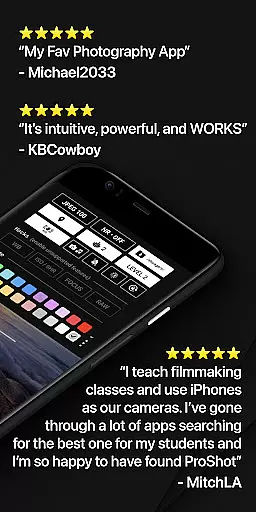
User Reviews