
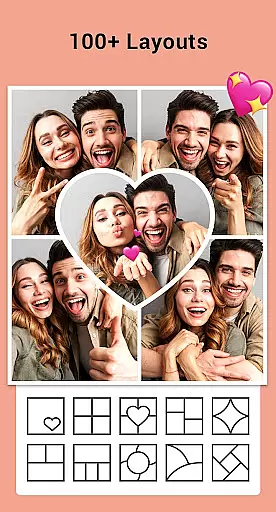
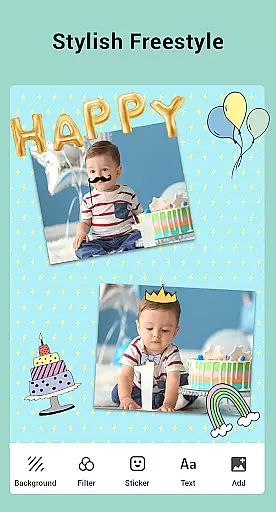

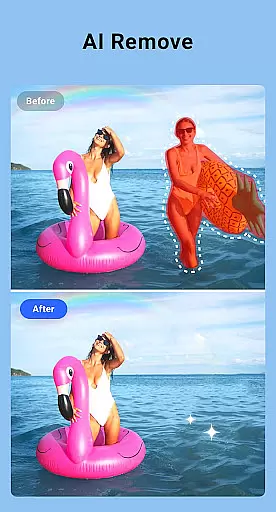
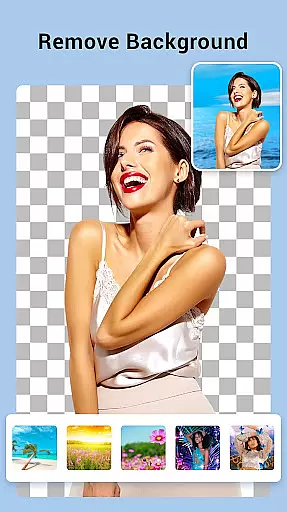
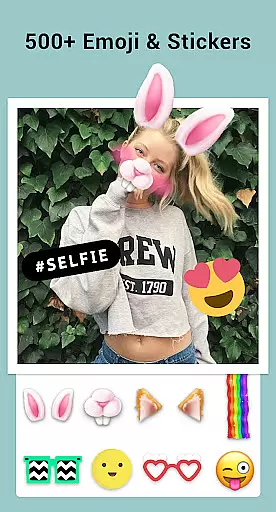
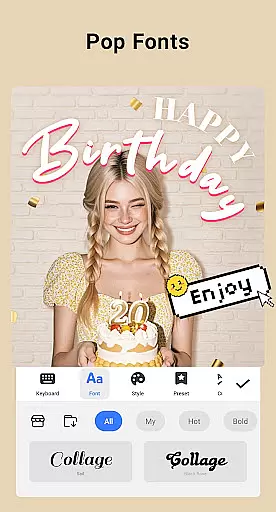
Collage Maker is a versatile photo collage and editing app designed for creative enthusiasts. This application allows users to seamlessly combine multiple photos into stunning collages using over 100 layouts, various backgrounds, stickers, fonts, and more. With its AI Photo Enhancer feature, users can transform low-quality images into high-definition masterpieces with just one tap.
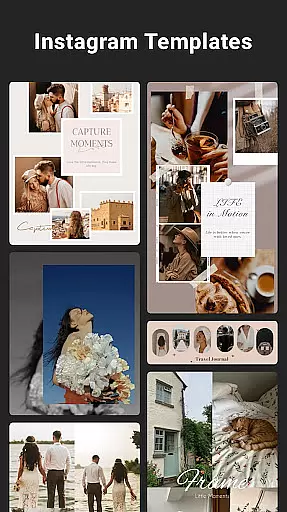
The app supports both grid-style and free-style collage creation, offering tools like cropping, filters, text overlays, and doodles. It also provides specialized templates for Instagram stories, YouTube thumbnails, and side-by-side comparisons, making it an all-in-one solution for photo editing and sharing. Whether you're creating social media content or personalized keepsakes, Collage Maker delivers professional-quality results with ease.
Collage Maker stands out with its comprehensive set of features tailored for photo enthusiasts. The app allows combining up to 100 photos into a single collage, providing users with extensive creative freedom. With over 100 layout options, customizable borders, and a vast library of backgrounds, stickers, and fonts, the possibilities for personalization are nearly endless.
Advanced editing tools include photo cropping, filter application, text addition, and doodle drawing. Users can create Insta-ready square photos with blurred backgrounds, design scrapbook-style projects in freestyle mode, and utilize ready-made story templates for Instagram. The Multi-fit feature ensures compatibility with various social media platforms by offering multiple aspect ratios. These robust features make Collage Maker an indispensable tool for digital creatives.
Real-time capture and preview functionality is essential for photography apps like Collage Maker. This feature allows users to see exactly what their final collage will look like as they create it, ensuring that the end result meets their expectations.
Collage Maker provides an intuitive interface where users can instantly see changes applied to their photos. Whether adding filters, stickers, or text, the app updates the preview in real time, allowing for immediate adjustments and creative freedom.
This instant feedback loop enhances user experience by reducing the time needed to achieve desired results. Users can experiment with different layouts, backgrounds, and decorations without delay, making the photo editing process both efficient and enjoyable.
By offering real-time capture and preview, Collage Maker empowers users to create professional-quality collages effortlessly. The ability to visualize edits on the fly not only saves time but also encourages creativity, leading to more engaging and personalized content.
AI beauty and enhancement features are revolutionizing photo editing by providing natural-looking improvements with minimal effort. In Collage Maker, these tools help transform ordinary photos into stunning visuals while maintaining authenticity.
The app's AI Photo Enhancer can upgrade blurry, damaged, or old photos into high-definition masterpieces with just one tap. By leveraging advanced algorithms, it intelligently sharpens details and enhances colors without over-processing, preserving the original essence of each image.
Users benefit from this technology through enhanced photo quality that looks genuine rather than overly edited. This ensures that collages retain a realistic appearance, which is crucial for social media sharing and personal keepsakes.
With AI-driven enhancements, Collage Maker sets itself apart by delivering professional-grade results accessible to everyone. This feature not only boosts user satisfaction but also expands creative possibilities, making every collage project uniquely impressive.
User-friendly interface
Extensive customization options
AI-powered photo enhancement
Versatile layout choices
Social media optimization
Some features may require purchase
Occasional performance lags
Learning curve for beginners
Limited advanced editing tools
Storage space requirements

All-in-One Editor & AI Photo Enhancer, Beautify & Retouch, Collage, Cartoonify
 4.20
4.20
Perfect photos with body shaping, BG changer and object remover.
3.70
HD Photo gallery and photo manager to edit, hide private photos, videos & albums
4.5
Professional video recording application with manual controls for filmmakers!
2.80
Viewfinder, Light meter, Reciprocity failure time, DOF & Bellows Extension
4.60
Add a dreamy vibe to your selfies and videos with soft style filters
4.4
Luminar: Photo Editor - easy picture editing with AI
4.20
Enhance, upscale, and transform your images — on your device, without limits
4.70
Discover How to Plan any Sun, Moon and Milky Way Photo You Imagine in Seconds
4.70
Find time and duration of different sunlight phases at any location
4.90
Photo editor: AI filters, photo enhancer, pic collage maker, AI art generator.
4.80
Easily create custom gifts, cards, photo books & more on the Shutterfly app!
4.60
AI photo editor with hair editor, retouch tools, hair color changer & filters!
4.50
A reflected light meter with spot metering and incident light metering.
4.40
RAW video capture with advanced controls
4.40
Shooting photos and records video easily and efficient with professional Camera
4.30
Professional camera app that brings DSLR manual photography controls to Android.
4.20
Photobooth mini FULL app will allow you to add more fun to your parties
4.00
How old age camera Gender Swap App Face Shape Hairstyle App Hair Styler App fun!
4.00


User Reviews