
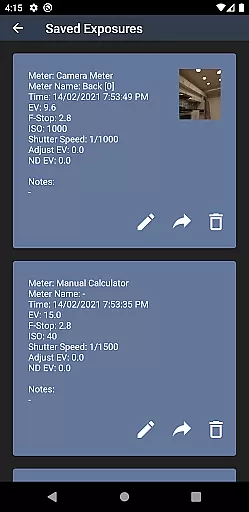
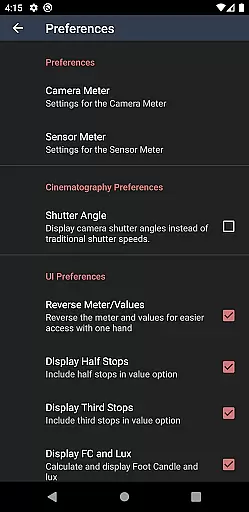
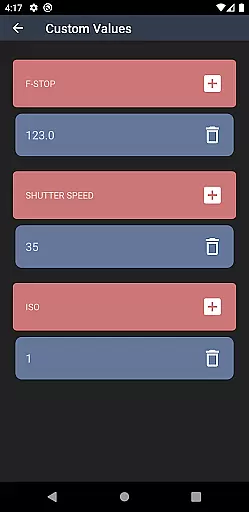
Light Meter is a comprehensive photography tool that combines both spot and incident light metering in one app. Designed for photographers of all levels, it offers precise exposure readings using the device's camera for reflected light and its sensor for incident light. Tested rigorously against industry standards like Gossen and Sekonic meters, this app ensures reliable accuracy across various devices.
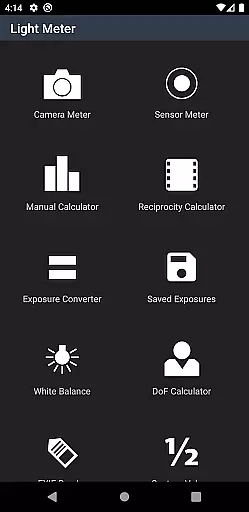
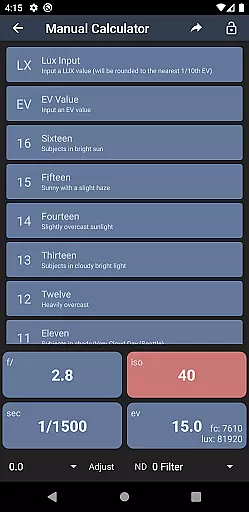
In addition to its core functionality, Light Meter supports a wide range of photography styles from film SLRs to pinhole cameras and even cinematographic setups. The app also includes advanced tools such as a Color Temperature meter, Reciprocity Calculator, Exposure Convert, Manual (Sunny Sixteen) calculator, Depth of Field calculator, and an EXIF Reader, making it an indispensable companion for any photographer.
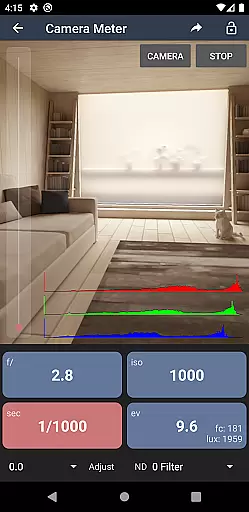
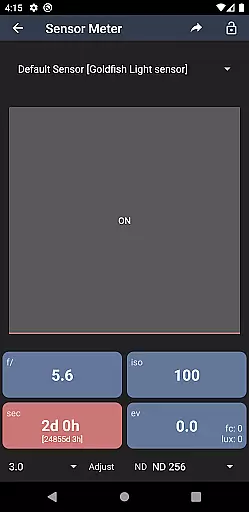
Light Meter stands out with its dual functionality, offering both spot and incident light metering options. The spot metering uses the device's camera to measure reflected light, while the incident metering leverages the built-in light sensor for ambient light conditions. This dual approach provides flexibility and precision, catering to different shooting environments and requirements.
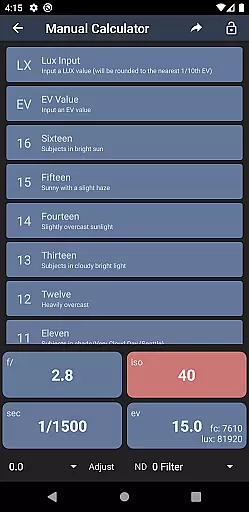
Beyond its primary light metering capabilities, the app includes several specialized tools. These include a Color Temperature meter for white balance adjustments, a Reciprocity Calculator for long exposures, an Exposure Convert for various ISO settings, a Manual (Sunny Sixteen) calculator for traditional exposure methods, a Depth of Field calculator for focus accuracy, and an EXIF Reader for detailed image analysis. Each feature is designed to enhance the photographer's toolkit, providing practical solutions for diverse photographic challenges.
Real-time capture and preview functionality is essential for photographers who need to measure light accurately and quickly. Light Meter offers this feature by utilizing the device's camera for spot metering and the light sensor for incident light metering.
This application ensures that users can rely on its accuracy, as it has been tested against professional light meters such as Gossen and Sekonic. The real-time feedback provided allows for immediate adjustments in various shooting scenarios, from film SLRs to cinematographic setups.
Photographers benefit from having a portable solution that replaces traditional hardware, allowing them to work more efficiently without sacrificing precision. With Light Meter, capturing the correct exposure is streamlined, making it an indispensable tool for both amateur and professional use.
While primarily a tool for measuring light, Light Meter also enhances the photography experience with additional features that assist in achieving natural-looking results. Although it doesn't directly alter images like AI beauty tools, its suite of calculators and readers contribute to overall photo enhancement.
The app includes a Color Temperature meter, Reciprocity Calculator, and Depth of Field calculator among others, which collectively help in fine-tuning the photographic process. These tools ensure that enhancements are made during the capture phase, leading to naturally beautiful photos without excessive post-processing.
Users gain peace of mind knowing that their photographs will maintain authenticity while benefiting from advanced calculations and readings provided by the app. This holistic approach to photography makes Light Meter a valuable asset for anyone looking to improve their craft.
Accurate light readings
Comprehensive toolset
User-friendly interface
Wide device compatibility
Advanced photography features
Premium price point
Requires manual input
Limited free version
Device sensor dependency
Complex for beginners

Effortlessly organize, view and share your photos & videos with Gallery app!
 4.40
4.40
Photo editor: AI filters, photo enhancer, pic collage maker, AI art generator.
4.80
Photo editor & gallery. Crop pictures & edit photos offline, no wifi!
4.50
Create AI photos & videos with Enhancer; restore, fix, beautify, enhance photos
4.50
GCamera allows all GCam features on all phone models! Better photos with GCamera
3.30
Transform Photos: Edit, Beautify and Craft Memories & Make Collages!
4.10
Enhance, upscale, and transform your images — on your device, without limits
4.70
Effortlessly make high-quality GIFs from images & videos without any watermarks.
4.70
Try an anime version, cartoon yourself, and generate AI hug or aging videos!
3.70
AI Photo Editor with 100+ Filters, Effects! Remove BG, Retouch & Photo Enhancer.
4.80
Amazing Photo Effects - The most fun you can have with your photos!
4.70
Easily create custom gifts, cards, photo books & more on the Shutterfly app!
4.60
Safe & smart flight with Go Fly drone controller for 40+ drone camera, zone map
4.50
Search, tag and rate your way to an organized image gallery
4.40
Natural Beauty, Selfie Retouch
4.30
live datamoshing
4.00
An interval timer to automate photo taking process for timelapse
2.90
Remote control the phone camera shutter from your smartwatch and take a picture
1.60
HD Photo gallery and photo manager to edit, hide private photos, videos & albums
4.1


User Reviews