
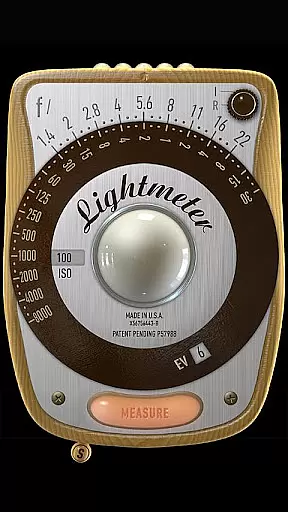
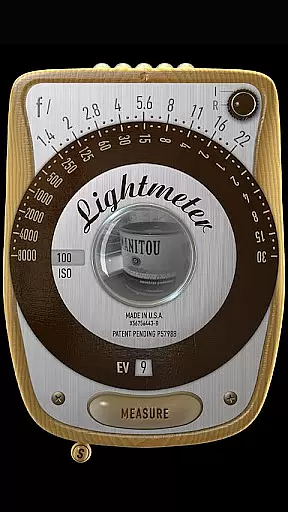
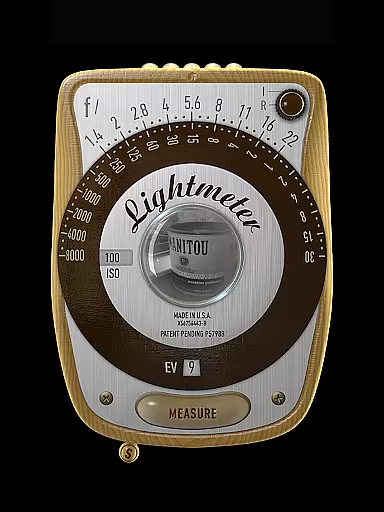
LightMeter is a specialized photography app designed for analog photographers who appreciate the art of old-school photography. This app transforms your mobile device into a reflective and incident light meter, aiding in achieving optimal exposure settings. Compatible with devices that support saving exposure data to EXIF, it offers features like ISO range adjustment from 3 to 6400, low light alerts, and calibration options.
The app's reflected light metering works best on select devices capable of utilizing the camera effectively, while the incident light metering relies on the device's light sensor. With additional functionalities such as vibration feedback upon measurement, LightMeter provides an essential toolset for both amateur and advanced photographers seeking precision in their analog work.
LightMeter boasts a comprehensive set of features tailored for analog photography enthusiasts. The app supports ISO ranges from 3 to 6400, catering to diverse lighting conditions. It includes both incident and reflected light metering capabilities, although compatibility varies depending on the device's hardware.
Users can benefit from practical features like low light alerts, optional muting of the camera shutter sound, and detailed Exif info display. Calibration options ensure accurate readings, while the ability to hold incident light readings and recall previous states enhances usability. Additional conveniences include alternative ISO selectors, spot measurement for zoom-enabled cameras, and full support for high-resolution screens.
Real-time capture and preview functionality is essential for photographers who need accurate exposure readings. LightMeter offers this feature to ensure that users can measure light conditions instantly as they take photographs.
This app provides both incident and reflected light metering options, catering to different photography styles and needs. Incident light metering works on any device with a light sensor, while reflected light metering requires a compatible camera to save exposure data to EXIF.
Photographers benefit from real-time feedback, allowing them to adjust settings like ISO on the fly. The app supports an ISO range from 3 to 6400, providing flexibility in various lighting conditions.
With additional features such as low light alerts and optional vibration feedback when measurements are held, LightMeter enhances the user's ability to capture perfectly exposed images under diverse circumstances.
While primarily a tool for serious analog photographers, LightMeter also includes features that enhance the natural quality of images through careful calibration and precise controls. These enhancements ensure that photos maintain their authentic look without artificial alterations.
The app allows users to calibrate settings to match their specific camera equipment, ensuring accurate readings tailored to individual gear. Calibration helps preserve the natural aesthetics of analog photography by avoiding over-processing or incorrect exposure adjustments.
LightMeter displays EXIF and sensor information directly on the screen, offering transparency into how each shot is captured. This level of detail empowers photographers to make informed decisions about their work, maintaining the integrity of their artistic vision.
By focusing on delivering true-to-life image qualities rather than digital enhancements, LightMeter stands out as a reliable companion for those dedicated to preserving the essence of traditional photography techniques.
User-friendly interface
Wide ISO range
Reflected light precision
Customizable settings
Vibration feedback
Limited device compatibility
Incident light dependency
No global camera mute
Varied sensor accuracy
Screen size issues

Gallery show photo, video, slideshow, is perfect 3D effect private photo albums.
 4.80
4.80
Create funny photos and videos with the popular Time Warp Scan filter.
4.90
How old age camera Gender Swap App Face Shape Hairstyle App Hair Styler App fun!
4.00
Android Native system HD camera app. Never been so simple and faster.
4.70
Pet Camera
3.70
See your baby AI baby face generator AI baby maker Face generator babymaker fun!
4.70
Transform Photos: Edit, Beautify and Craft Memories & Make Collages!
4.10
RAW video capture with advanced controls
4.40
The original Rarevision VHS look seen everywhere!
4.70
Transform photos into videos! Create realistic or anime-style images easily!
4.50
AI photo editor with hair editor, retouch tools, hair color changer & filters!
4.50
Fit multiple photos on one post. Create carousels & scroll layouts for Instagram
4.50
Search, tag and rate your way to an organized image gallery
4.40
Smart, light, and fast photo and video gallery
4.30
Virtual makeup, hair filters & body tuner—edit from face to full body!
4.20
What celebrity do you look like? Celebs will find your celebrity match!
4.10
How would you look like with a differently shaped nose, chin or lips?
3.90
GCamera allows all GCam features on all phone models! Better photos with GCamera
3.30
An interval timer to automate photo taking process for timelapse
2.90


User Reviews