
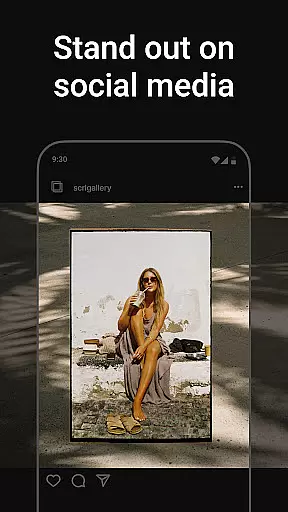
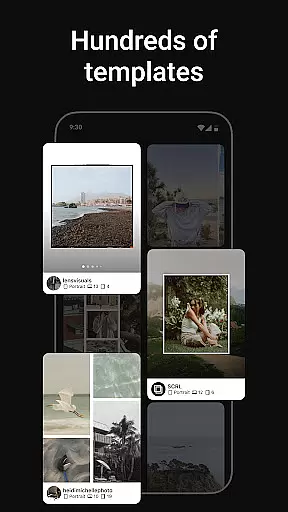
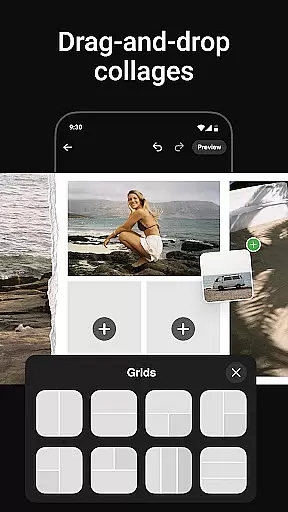
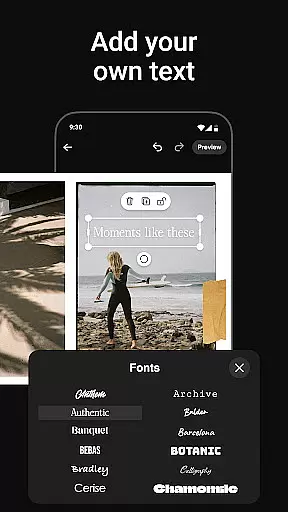
Photo Collage Maker by SCRL is the leading app in the US for creating stunning photo collages and seamless Instagram carousels. Designed for influencers, artists, and photography enthusiasts, this app offers a complete suite of tools to make your social media posts stand out. With hand-picked templates, an intuitive freeform canvas, and advanced design features, it provides everything you need to express your creativity.
The app supports unique storytelling through its swipe-through carousel posts, allowing users to merge multiple photos into captivating layouts. You can add more than 10 photos to a single post, breaking traditional Instagram limitations. Additionally, SCRL's integration with Instagram allows instant posting, streamlining your creative workflow. Trusted by Grammy winners and industry leaders, Photo Collage Maker is the ultimate tool for professional-quality designs.
Photo Collage Maker stands out with its rich set of features tailored for creative professionals. The app includes hundreds of hand-picked collage templates designed by experts, ensuring high quality and versatility for every occasion. Whether you're designing for personal memories or professional projects, these templates provide a solid foundation for your work.
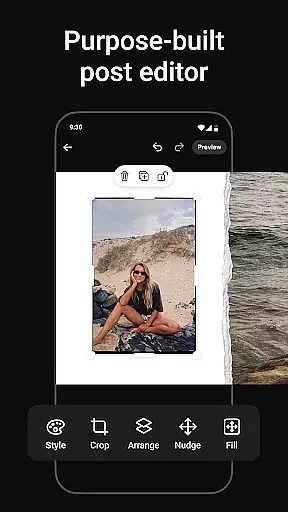
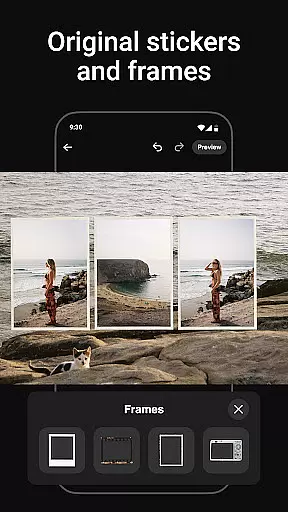
One of the app's key innovations is the freeform canvas, which allows users to zoom in and out while customizing every detail. This feature, combined with an extensive library of stickers, overlays, and text options, ensures that each collage reflects your personal style. Additionally, SCRL Premium unlocks advanced tools like gradient backgrounds and video grids, empowering users to create truly unique designs.
Another standout feature is the ability to craft seamless Instagram carousel posts. These swipe-through layouts captivate audiences by merging multiple images into one cohesive story. With instant posting capabilities, SCRL simplifies the process of sharing your creations directly to Instagram, saving time and effort.
Real-time capture and preview functionality is essential for any photography app as it allows users to see exactly what their final output will look like before they commit to taking a photo. This feature ensures that users can make necessary adjustments on the fly, thus improving the overall quality of their images.
Photo Collage Maker offers an intuitive real-time preview system that lets users experiment with different collage templates and instantly see how their photos will appear within those layouts. The app's design tools provide immediate visual feedback, allowing users to tweak their creations until they are satisfied with the result.
With this capability, users can confidently create stunning Instagram carousels and collages knowing that what they see in the preview is what they will get in their final post. This saves time and effort by eliminating guesswork and the need for multiple revisions after capturing images.
The value of real-time capture and preview extends beyond convenience; it empowers users to produce professional-quality work consistently. By offering precise control over the creative process, Photo Collage Maker helps users elevate their social media presence with visually appealing content tailored to their unique style.
AI beauty and enhancement features have become increasingly popular in photography apps, providing users with tools to refine and perfect their images effortlessly. The naturalness of these enhancements is crucial, as overly processed photos can appear artificial and detract from the authenticity of the content.
In Photo Collage Maker, AI-driven beauty and enhancement tools are designed to deliver subtle yet effective improvements. These tools intelligently adjust elements such as brightness, contrast, and color balance while preserving the original essence of the photos. Users can enhance their images without fear of losing the genuine feel that makes their content relatable and engaging.
This approach not only boosts the aesthetic appeal of collages and carousels but also maintains the integrity of the user's artistic vision. By ensuring that enhancements look natural, Photo Collage Maker supports creators in producing high-quality visuals that resonate with their audience.
Ultimately, the AI beauty and enhancement features in Photo Collage Maker empower users to achieve polished results that stand out on platforms like Instagram. This capability enhances user satisfaction and encourages continued use of the app for all their photo editing needs.
User-friendly interface
Extensive template library
Freeform canvas flexibility
Instant Instagram posting
Premium design tools
Premium subscription required
Advanced tools have learning curve
Limited offline functionality
Instagram-focused only
Some features feel repetitive

Professional video recording application with manual controls for filmmakers!
 2.80
2.80
Photobooth mini FULL app will allow you to add more fun to your parties
4.00
What celebrity do you look like? Celebs will find your celebrity match!
4.10
Create collages easily! Nice pic collage maker & background eraser for Instagram
4.50
Movie camera, supports pro recording settings for filming. Try it and be amazed!
4.50
Create AI photos & videos with Enhancer; restore, fix, beautify, enhance photos
4.50
Pro version: AR sun/moon tracker for any date. Tool for photographers & planners
4.90
Discover How to Plan any Sun, Moon and Milky Way Photo You Imagine in Seconds
4.70
Try an anime version, cartoon yourself, and generate AI hug or aging videos!
3.70
Photo prints, cards, & gifts at Walgreens. Easy ordering & fast local pickup !
4.80
See your baby AI baby face generator AI baby maker Face generator babymaker fun!
4.70
Photo editor & gallery. Crop pictures & edit photos offline, no wifi!
4.50
AI portrait generator and polaroid AI selfie, fun AI generated AI photo creator!
4.30
Shooting photos and records video easily and efficient with professional Camera
4.30
Professional photography on your mobile phone
4.20
How would you look like with a differently shaped nose, chin or lips?
3.90
GCamera allows all GCam features on all phone models! Better photos with GCamera
3.30
Superimpose one photo on top of another using the original Superimpose app!
3.20
Long exposure camera with computational photography
2.60


User Reviews