
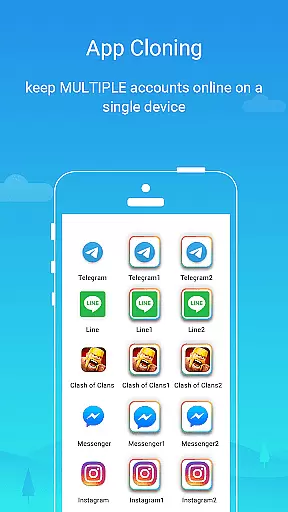
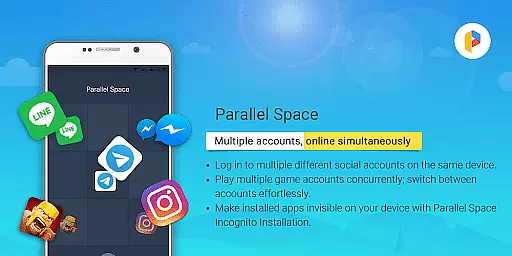
Parallel Space is a powerful Android tool that allows users to clone and run multiple accounts of the same app simultaneously. With over 200 million users, it offers a seamless experience for managing multiple accounts on a single device while enhancing privacy through its Incognito Installation feature. This makes it possible to keep certain apps invisible on your device, protecting sensitive information from unauthorized access.
The app supports 24 languages and is compatible with most Android applications, making it versatile for various user needs. Whether you're looking to separate personal and work accounts, explore different gaming paths, or safeguard private apps, Parallel Space provides an efficient solution. Its unique multiDroid technology ensures stability and ease of use, allowing users to switch between accounts effortlessly with just a single tap.
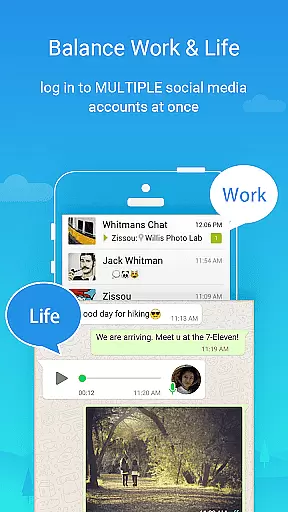
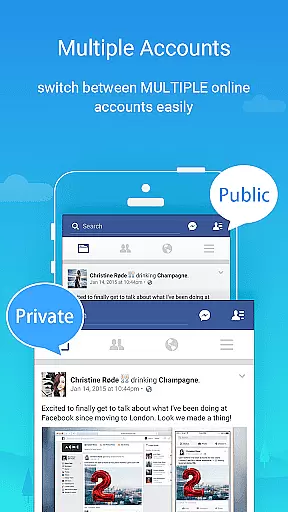
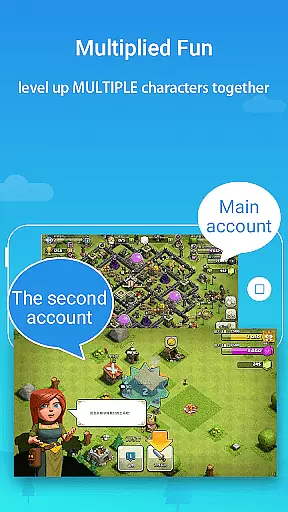
Parallel Space stands out due to its innovative features designed to enhance user experience. One of its core functionalities is the ability to log in to multiple accounts simultaneously, which helps maintain separation between personal and professional lives. Users can also level up multiple gaming accounts at once, keeping each account's data organized and distinct.
Privacy protection is another highlight, with options like hidden apps and secure lock features ensuring sensitive information remains private. The Incognito Installation feature allows specific apps to be invisible on the device, providing an extra layer of security. Additionally, Parallel Space's resource management capabilities ensure optimal performance by attributing most resource usage to the apps running inside it. Detailed resource usage can be viewed within the app settings, offering transparency and control over device performance.
Parallel Space offers a wide array of customization options that allow users to tailor their experience according to personal preferences. This leading Android tool enables over 200 million users worldwide to manage multiple accounts on one device seamlessly.
The app provides features such as Incognito Installation, which makes apps invisible on your device, thus enhancing privacy protection. Users can also safeguard sensitive apps in their private space and secure them with an additional lock feature for increased security.
Moreover, Parallel Space supports 24 languages and is compatible with most Android apps, ensuring that it caters to a diverse user base. With the ability to maintain separation between personal and work accounts, users can explore different game paths or level up multiple gaming profiles simultaneously while keeping each account's data separate and organized.
Theme compatibility within Parallel Space ensures that users enjoy a consistent visual experience across all cloned applications. As an innovative tool built on multiDroid, the first application virtualization engine for Android, it delivers powerful performance with stability and ease of use.
Users benefit from seamless switching between accounts through intuitive design and theme integration. The app allows running multiple accounts at the same time while maintaining visual coherence throughout the interface, providing both functionality and aesthetic appeal.
For optimal notification functionality of certain social networking apps within Parallel Space, consider adding it to booster or task management whitelist settings. This ensures notifications are not missed due to aggressive battery optimization by other system utilities, preserving both form and function in its operation.
User-friendly interface
Enhanced privacy controls
Supports multiple languages
Compatible with most apps
Effortless account switching
Some apps not supported
Requires necessary permissions
Resource consumption varies
Notifications may need whitelist
Free plan limitations

Beautiful realistic hybrid watch face with numerous customization options.
 4.50
4.50
Customizable flower power digital watch face for Wear OS watches.
4.00
Fingerprint Lock Screen & Live Animations with 4K Wallpapers as Live Wallpaper
4.40
Shimeji adds cute animated characters to your screen, lively and fun.
4.70
Want to make your phone more special than ever?
4.60
Turn text & photos into stunning AI videos, art, and creative visual stories.
4.50
300+ Stunning and well-designed widgets inspired by NOTHING.
4.70
Customize phone with anime themes, 3D icons, aesthetic widgets & wallpapers
4.80
Custom ringtones songs, music ringtones for Android phones
4.60
Only for Wear OS devices!
4.90
100+ Stylish Fonts, Emojis, Symbols keyboard for Instagram & TikTok!
4.80
Vertically oriented rectangular icons
4.70
Nothing Icon pack with more than 3750+ highly crafted icons.
4.70
Yandex Browser — stylish and secure, with voice search and data compression
4.40
Organize and manage your photos and videos effortlessly with Photo Gallery
4.20
Realistic animated snow on your wrist, with 10 images landscapes to choose from
4.00
Ultimate widget creator. Design custom widgets for a truly unique home screen!
3.90
Interactive Miniature Painting Catalogue
3.30
Adorable pets roam and play right on your phone screen!
3.30


User Reviews