






Shazam is a powerful music identification app designed for Android Wear users. With its core functionality, you can instantly recognize songs playing around you or in other apps, even while wearing headphones. The app not only identifies tracks but also provides additional features such as time-synced lyrics, artist information, and concert updates.
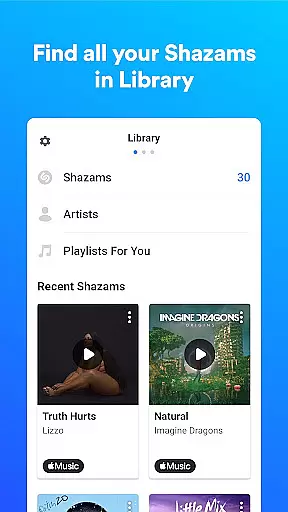
Beyond basic song recognition, Shazam offers seamless integration with popular music streaming services like Apple Music, Spotify, and YouTube Music. Whether you're commuting, attending events, or simply exploring new music, Shazam enhances your experience by saving your song history and offering personalized recommendations based on your listening habits.
This app proves invaluable when discovering trending music in your region or finding similar songs to those you love. Its offline capabilities and Auto Shazam feature ensure uninterrupted use, making it an essential tool for any music enthusiast.
Shazam stands out with its diverse range of features tailored for music lovers. One of its key highlights is the ability to identify songs from virtually any source—whether through your surroundings, social media platforms like Instagram and TikTok, or even offline when you lack an internet connection. This versatility ensures that no matter where you are, Shazam has you covered.
In addition to song recognition, Shazam provides interactive features such as time-synced lyrics, allowing users to follow along with their favorite tracks. It also integrates effortlessly with streaming platforms like Apple Music, Spotify, and YouTube Music, enabling direct playback without leaving the app. For those who enjoy live performances, Shazam's concert discovery feature helps locate nearby events based on your location preferences.
Other notable functionalities include its Wear OS compatibility, customizable themes (including Dark Mode), and personalized notifications based on your activity. These thoughtful additions make Shazam not just a music identifier but a comprehensive music discovery platform.
Shazam offers seamless companion app integration, allowing users to identify songs across various platforms effortlessly. Whether you're on Instagram, YouTube, or TikTok, the app works harmoniously with these services through its Notification Bar feature.
The integration extends to music streaming services as well. Once a song is identified, users can open it directly in Apple Music, Spotify, YouTube Music, and Deezer. This interconnected ecosystem ensures that Shazam doesn't just recognize music but also enhances your interaction with it across different apps.
Furthermore, Shazam's Auto Shazam feature continues to identify songs even when you switch between apps or leave Shazam running in the background. This persistent functionality enriches user experience by maintaining continuity and convenience.
By bridging multiple applications and services, Shazam creates a unified platform for music discovery and engagement, making it an indispensable tool for any music enthusiast.
Shazam provides robust Wear OS and device compatibility, ensuring that users can enjoy its features on their smartwatches. The dedicated Shazam app for Wear OS allows for quick song identification without needing to reach for your phone.
This compatibility is not limited to just identifying songs. Users can also view their song history and access time-synced lyrics right from their wrists. Such comprehensive support transforms how people interact with music on-the-go.
In addition to Wear OS, Shazam functions offline and supports various devices, providing flexibility regardless of connectivity. This means whether you're commuting or traveling, Shazam remains a reliable companion.
With broad device compatibility and thoughtful integration of essential features, Shazam ensures that wearable technology users never miss a beat when discovering new music.
Instant song recognition
Offline functionality
Wide platform integration
Personalized recommendations
User-friendly interface
Limited advanced features
Requires permissions
Ads in free version
Occasional inaccuracies
Region-specific limitations

Deck out your Wear OS Watch face with a beautifully decorated pine wreath!
 4.50
4.50
Beautiful, colorful and practical watch face. For Wear OS devices.
5.00
Authentic military-tactical design with ZULU time! Realistic and functional!
3.80
Stylish digital watch face for Wear OS devices with customizable features
4.1
Find EV charging stations
4.30
Get helpful reminders, take progress photos and find answers to your questions.
3.90
Real-time results, stats, schedules and player profiles for all leagues
4.60
Professional weather radar and more
3.90
Animated video-game inspired “secret agent” simulation, right on your wrist!
4.20
Diet tracker for weight loss - track calories, food and macros. Simple and easy!
4.70
Simple, helpful messaging by Google
4.60
Stylish, Energizing and Modern Watch Face crafted by Dominus Mathias.
4.50
Fast and smart typing with Emojis, GIFs, and more
4.50
Reliable phone calls with spam protection, caller ID and more helpful features
4.40
A white realistic classic analog watch face with many customization options.
4.40
Viewer for Wyze/Yi/Eufy/Arlo/ONVIF/RTSP/P2P IP cams w/ adv. features & DIY DVR
4.00
Stay in touch with your friends and family using LINE!
3.40
an Analog Watch Face for winter season with freeze winter background for Wear OS
4.3
Minimalistic design modern digital watch face.
4.5


User Reviews