
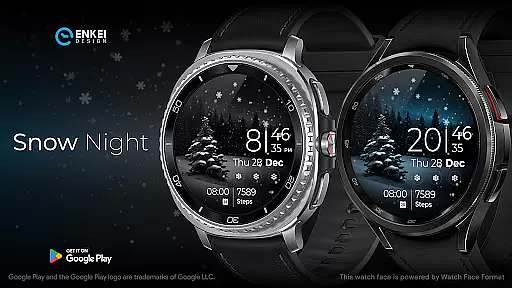
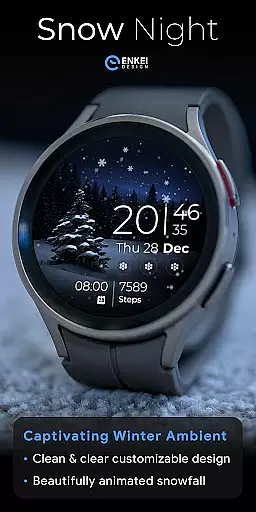
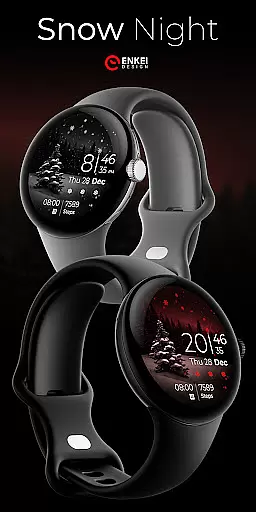
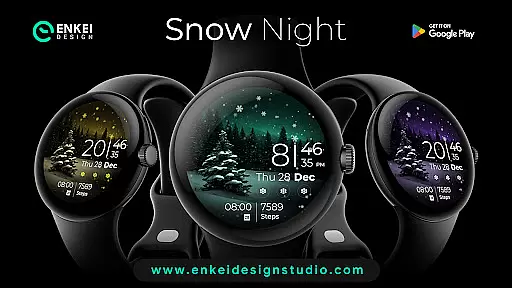
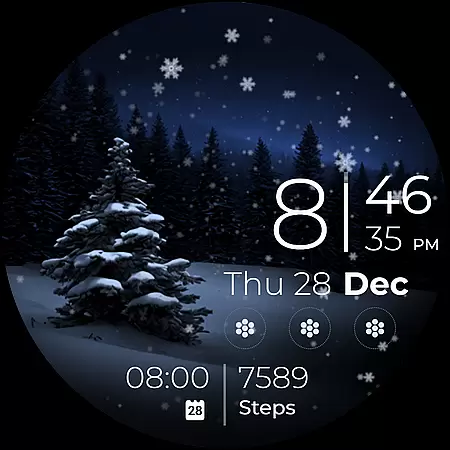
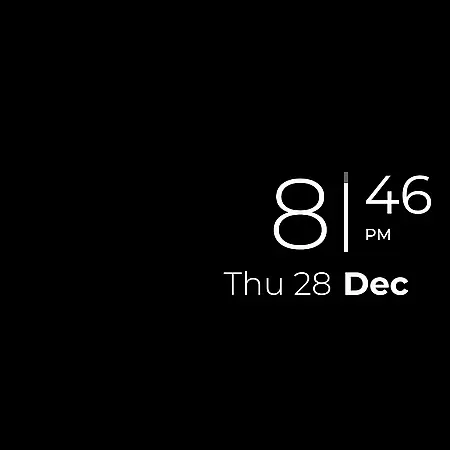
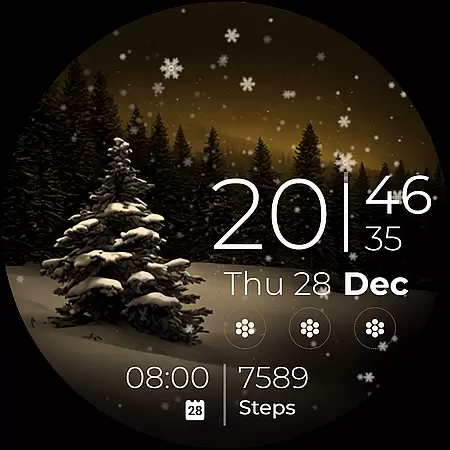
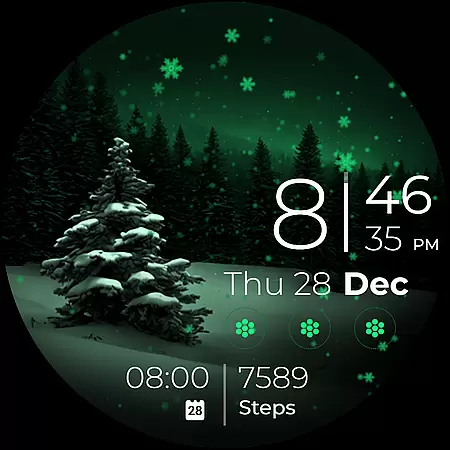
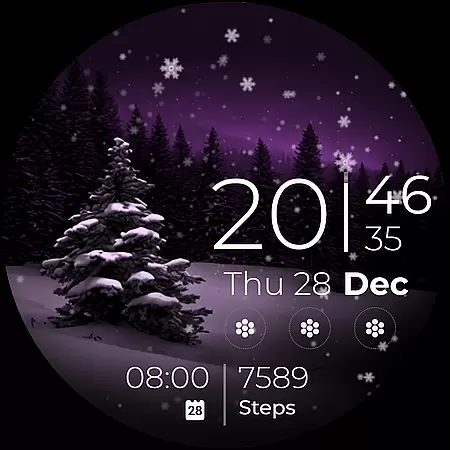
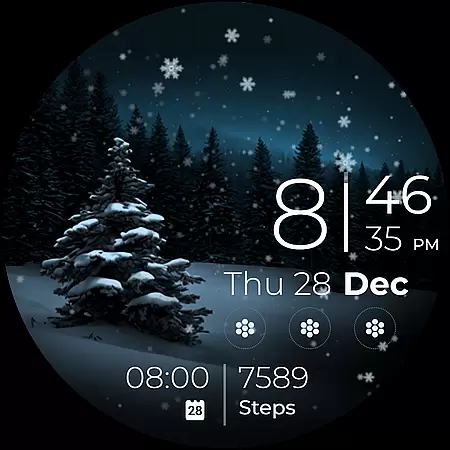
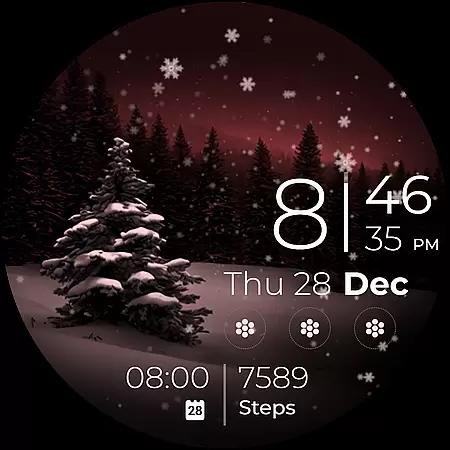
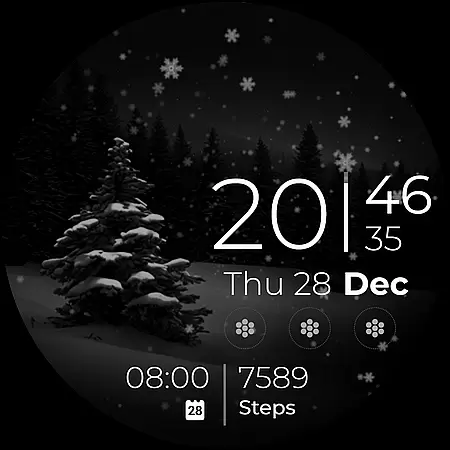
Snow Night is an artistic watch face designed for Wear OS devices, offering a captivating winter-themed experience. Featuring ambient snowfall animation and customizable options, it provides both aesthetic appeal and functional utility.
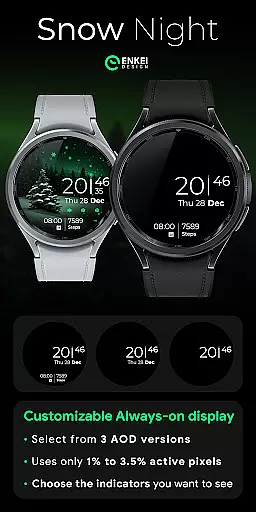
The watch face includes clear indicators for time, date, battery, and more, with tap interactions for quick access to essential apps. Users can personalize colors, Always-On Display styles, and complications to create their ideal layout.
Optimized for Wear OS 5.0 and newer, this app is perfect for users seeking a visually pleasing yet highly functional smartwatch interface that works seamlessly throughout the day.
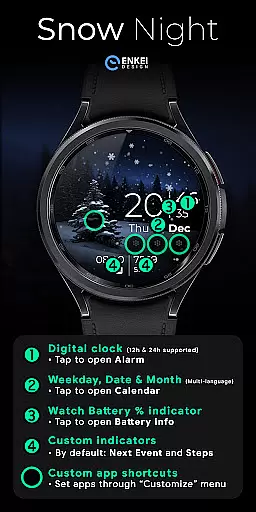
Snow Night stands out with its rich feature set tailored for customization enthusiasts. The digital clock supports 12h/24h formats and allows tapping minutes to open the Alarm app, while weekday, date, and month indicators are multilingual and interactive.
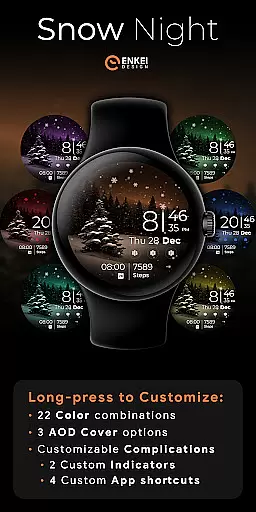
Additional features include a battery percentage bar, two customizable short-text indicators (e.g., next event or steps), and four app shortcuts displayed as icons. A unique long-press function opens a comprehensive Customize menu where users can adjust colors, AOD styles, and complication settings.
This level of personalization ensures Snow Night adapts perfectly to individual preferences, making it one of the most versatile watch faces available on Wear OS.
Companion app integration is a crucial feature for Android Wear applications like Snow Night. This functionality ensures seamless synchronization between the watch face and its companion mobile application.
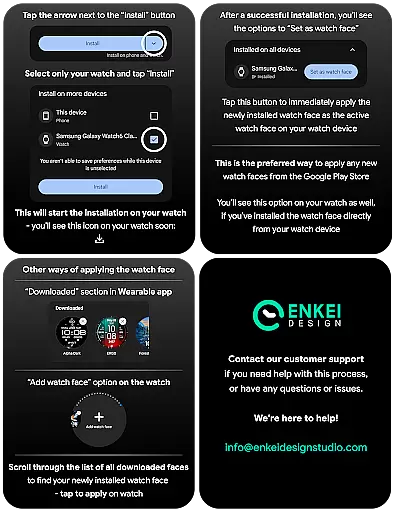
The Snow Night watch face utilizes its companion app to facilitate direct installation to the user's watch device. This simplifies the setup process, allowing users to easily access and enjoy the watch face's features without needing to manually configure settings on their wearable device.
Through this integration, users can conveniently manage their watch face settings from their mobile device. The companion app serves as a bridge, enabling users to customize the appearance and functionality of the Snow Night watch face with ease.
This streamlined integration enhances user experience by providing a hassle-free way to access all the customization options and useful features that Snow Night has to offer, ensuring that customers can fully enjoy their artistic winter-themed watch face.
Device compatibility is an essential aspect of any Android Wear application, including Snow Night. This watch face is specifically optimized for devices running Wear OS 5.0 and newer versions (API 34+), ensuring optimal performance and visual quality.
By targeting newer versions of Wear OS, Snow Night can take full advantage of the expanded customization options and features offered by the latest platform capabilities. This includes support for advanced animations, interactive elements, and enhanced battery efficiency.
The strict compatibility requirements guarantee that users will experience the watch face exactly as intended, with all features functioning properly on supported devices. This deliberate design choice helps maintain high standards of quality and reliability.
While limiting installation to compatible devices, Snow Night ensures that all customers receive the best possible experience, with clear indicators, customizable elements, and smooth animations that showcase the beautiful winter theme and artistic design of this captivating watch face.
Visually stunning design
Highly customizable interface
Interactive tap functions
Optimized for Wear OS
Quick customer support
Limited to Wear OS
Requires newer API
Premium pricing
Complex setup process
Battery usage concerns

Highly customizable hybrid watch face for Wear OS, perfect for everyday use.
 4.60
4.60
Embrace the festive spirit with our Christmas Countdown watchface for Wear OS
4.10
The most customizable minimal watch face. For Wear OS 5.0, API 34+ and later
4.70
Stylish digital watch face for Wear OS devices with customizable features
4.0
Period, ovulation & pregnancy tracker. Fertility insights & menstrual calendar.
4.90
Get helpful reminders, take progress photos and find answers to your questions.
3.90
Professional weather radar and more
3.90
Viewer for Wyze/Yi/Eufy/Arlo/ONVIF/RTSP/P2P IP cams w/ adv. features & DIY DVR
4.00
From periods to pregnancy & perimenopause, Flo helps you track it all. Try now.
4.70
Digital, flexibly customizable watch face. For Wear OS 5.0, API 34+ and later.
5.00
Diet tracker for weight loss - track calories, food and macros. Simple and easy!
4.70
Current temperature, weather hourly, weather radar by the weather forecast app
4.40
A white realistic classic analog watch face with many customization options.
4.40
"PER27 Galaxy Digital" is a digital Wear OS watch face designed by PERSONA
4.10
sleep, alarm, snoring, stress, healing, focus, sound therapy, circadian rhythm
4.10
A full-featured Amazon Alexa voice assistant that can show you things.
3.70
A heartwarming Christmas scene featuring a cute image of Santa and Rudolf
4.5
A watch face that fuses motorsport precision with contemporary smartwatch design
4.4
Hybrid Vibrant Health Watch Face for Wear OS
4.4


User Reviews