
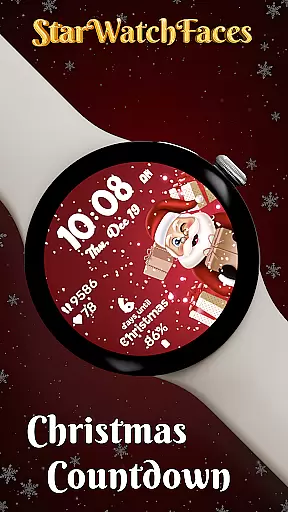
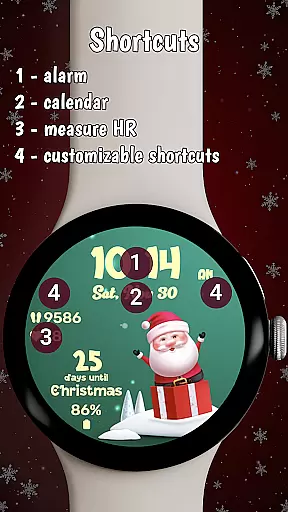
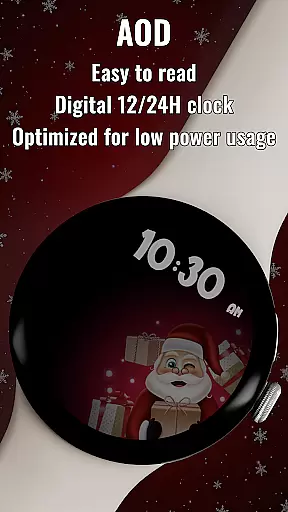


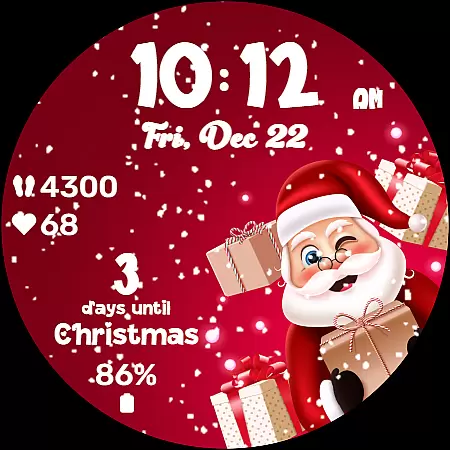
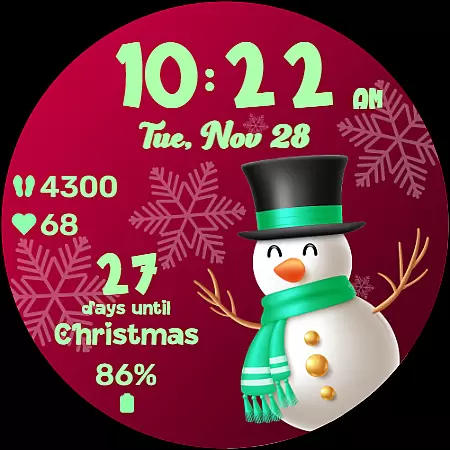
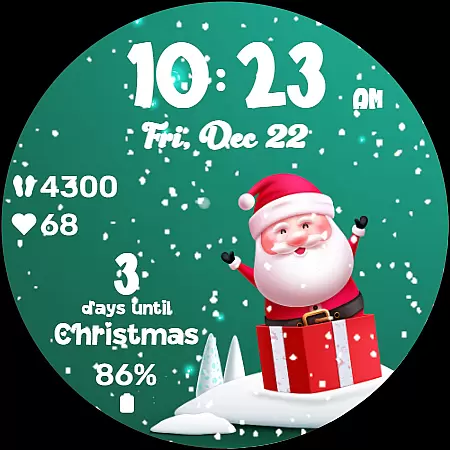
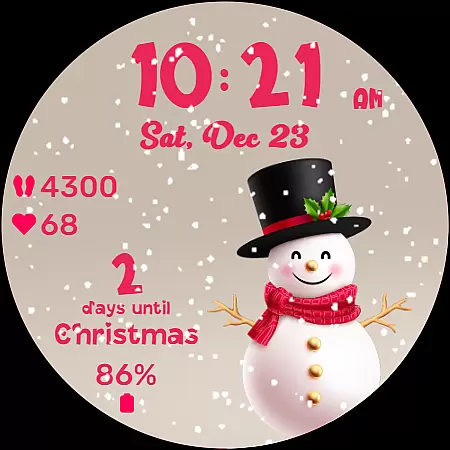
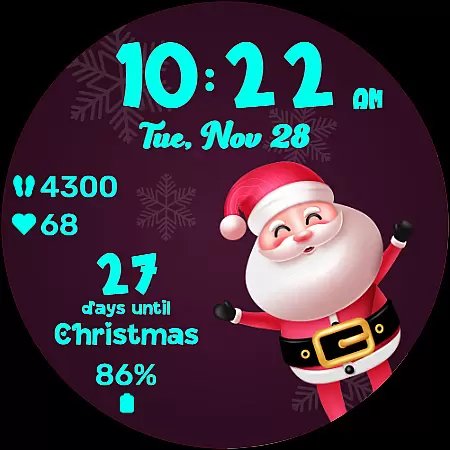
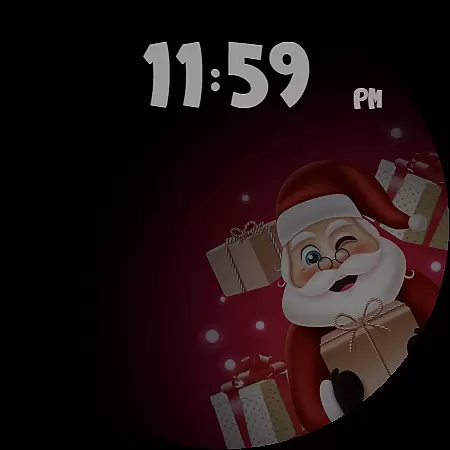
Christmas Countdown is a festive watchface for Wear OS devices, designed to bring holiday cheer directly to your wrist. This unique app combines the excitement of the Christmas season with advanced customization options, making it more than just a timepiece. Users can enjoy a delightful countdown to Christmas Day while personalizing their watchface with enchanting background images and color themes.
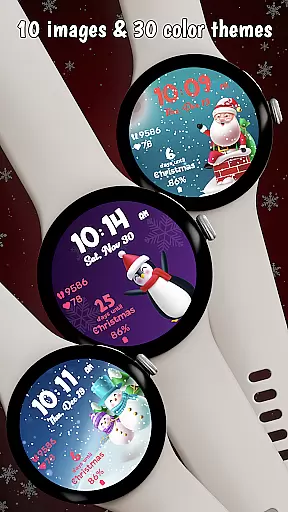
The watchface features a collection of 10 holiday-themed backgrounds, each showcasing a cute character like Santa or a snowman. With 30 color themes available, wearers can tailor the appearance to match their holiday spirit perfectly. The centerpiece of the app is its Christmas Countdown feature, which provides a daily reminder of the approaching festivities, ensuring that users remain immersed in the holiday excitement.
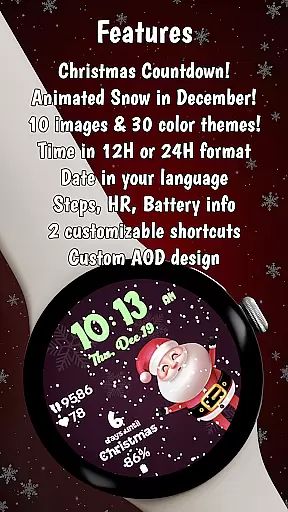
Beyond its seasonal charm, Christmas Countdown also offers practical utility by displaying key statistics such as heart rate, steps taken, and battery life. Its always-on display mode ensures essential information remains accessible while conserving energy. Whether you're customizing your watchface or enjoying the whimsical animations, this app enhances the holiday season with charm and connectivity.
Christmas Countdown stands out with its rich array of features tailored for the holiday season. One of the most notable aspects is the ability to personalize nearly every element of the watchface. Users can choose from 10 enchanting background images featuring festive characters, creating a miniature gallery of holiday cheer right on their wrists.
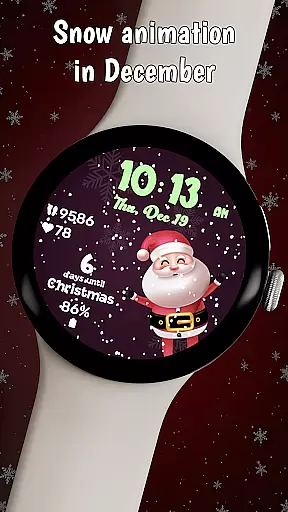
In addition to the delightful visuals, the app offers 30 different color themes, allowing users to customize the clock, date, stats, and countdown itself. This level of personalization ensures that each user's watchface reflects their unique style and mood during the holidays. The magical snow animation adds an extra layer of enchantment but is reserved exclusively for December, enhancing the anticipation for Christmas.
Practicality meets festivity with the inclusion of health statistics such as heart rate and step count, alongside battery life indicators. Two customizable shortcuts provide quick access to frequently used apps without disrupting the festive facade. Furthermore, the optimized always-on display mode maintains functionality while conserving power, ensuring that the time and selected color theme persist even when the watch is in low-power mode.
Companion app integration is essential for wearable devices as it enhances the functionality of watchfaces by connecting them with smartphone apps. The Christmas Countdown watchface leverages this feature by offering users an extended platform to explore additional customization options and discover other festive designs.
Through the companion app, users can access the Watchface Shop where they can browse and acquire various seasonal watchfaces. This seamless connection between the watchface and its companion app ensures that users have a centralized location for managing their holiday-themed watch displays.
The integration provides convenience by allowing users to make adjustments and apply settings directly from their smartphones. Whether changing color themes or setting up custom shortcuts, the process is streamlined and user-friendly, making personalization both accessible and enjoyable.
This connectivity not only enriches the user experience but also encourages engagement with the wider ecosystem of watchfaces created by the developers. By linking the wearable to a smartphone app, users are more likely to remain engaged with their devices during the festive season.
Compatibility with Wear OS and various devices is a critical aspect of any watchface, ensuring that users can enjoy a seamless experience across different hardware. The Christmas Countdown watchface is designed to be universally compatible with Wear OS devices, providing a consistent level of quality and performance regardless of the smartwatch model.
This watchface takes full advantage of Wear OS features, such as always-on display (AOD) mode, which allows the time and selected color theme to remain visible even when the device is in power-saving mode. Such optimization demonstrates the watchface's commitment to maintaining functionality without compromising battery life.
Moreover, the watchface supports key statistics like heart rate, step count, and battery status, which are displayed in the user's device language for intuitive understanding. This localization effort enhances accessibility and ensures that users from different regions can interact with their watchface effortlessly.
By focusing on broad device compatibility and native feature support, the Christmas Countdown watchface guarantees that every user can partake in the holiday cheer, regardless of their specific Wear OS device, thus maximizing reach and customer satisfaction.
Festive holiday theme
Highly customizable
Delightful countdown feature
Includes health stats
Optimized always-on display
Snow animation limited to December
Customization requires multiple steps
Premium purchase required
Limited to Wear OS
No real-time updates

Christmas Theme Watch Face for Wear Os
 5.00
5.00
Animated Watch Face and Customizable with 24 Backgrounds. Perfect for Christmas!
3.90
Locate your family members by GPS phone location tracker everywhere and anytime
4.30
Reliable phone calls with spam protection, caller ID and more helpful features
4.40
Professional weather radar and more
3.90
Hybrid Vibrant Health Watch Face for Wear OS
4.2
A white realistic classic analog watch face with many customization options.
4.40
Fitbit is dedicated to helping people lead healthier, more active lives.
4.10
Track airplanes and follow flights with our real-time flight tracker
4.50
Hyperlocal rain alerts by MyRadar using patent-pending technology, radar & more
4.80
Real-time weather radar with temperatures, warnings, hurricanes, and widgets
4.80
Nutrition, Macro tracker: Food, fitness & healthy diet tracking for weight loss
4.60
Current temperature, weather hourly, weather radar by the weather forecast app
4.40
Let's celebrate Thanksgiving - Wear Os watch face
4.20
Wear Os Watch Face - Animated Snow - Sesonal for Christmas & Winter
4.0
A watch face that fuses motorsport precision with contemporary smartwatch design
4.1
Stunning modern digital watch face with 7 complications and strong contrast
4.2
Artistic Digital Watchface
4.0
Sleek, highly customizable watch face inspired by Galaxy Watch Circle Dashboard.
4.0


User Reviews