
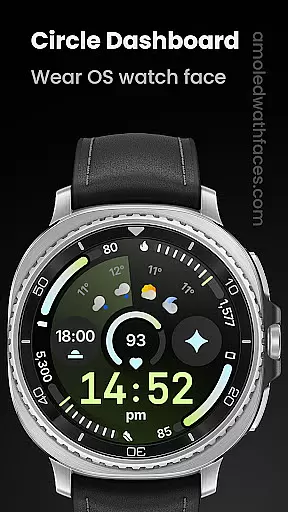
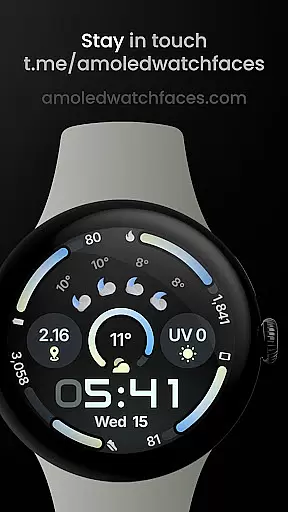
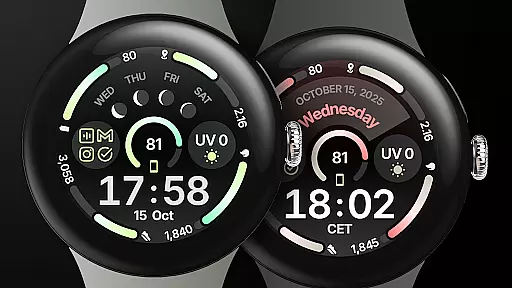
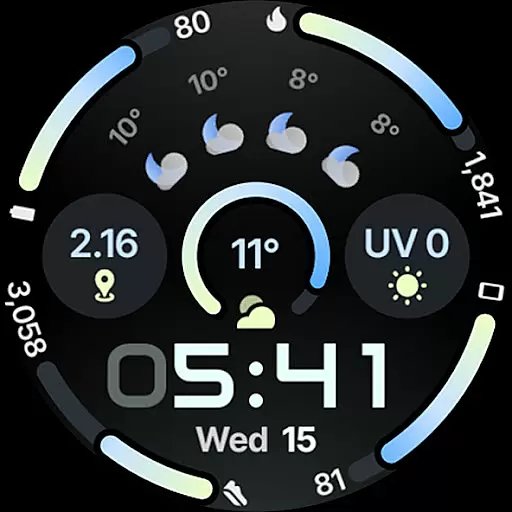
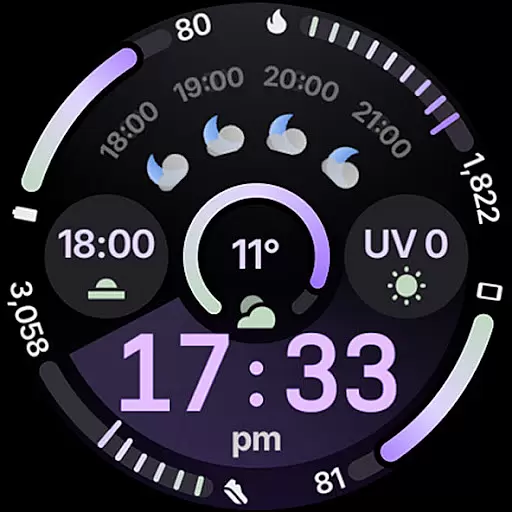
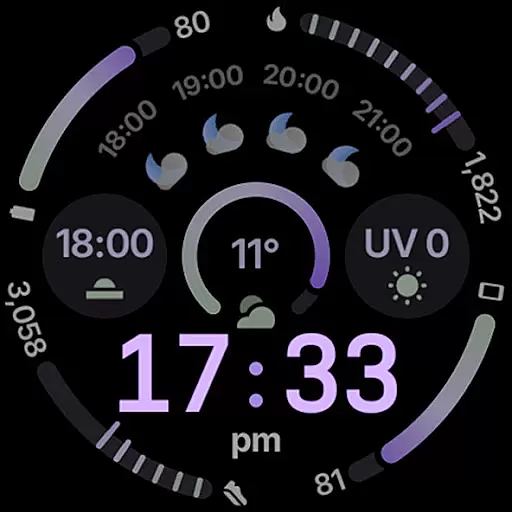
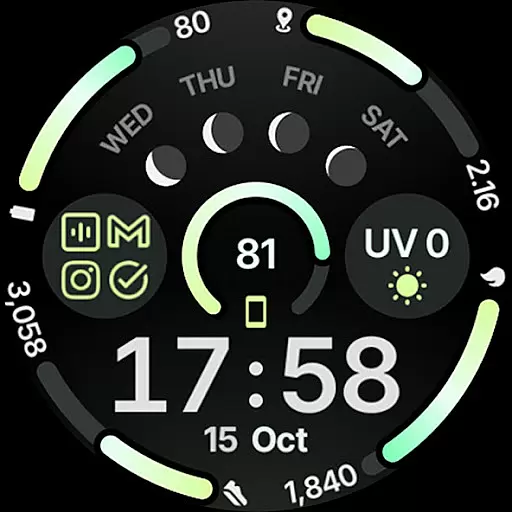
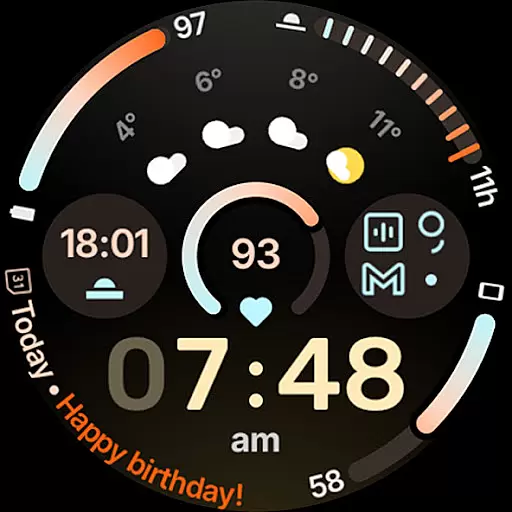
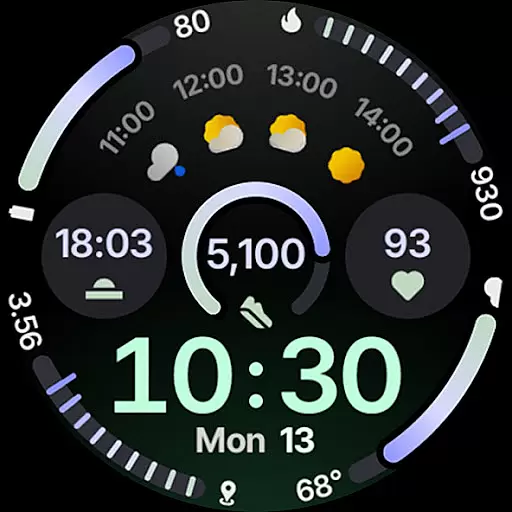
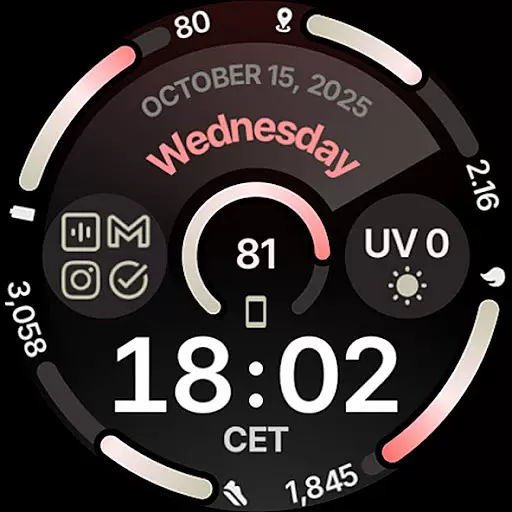
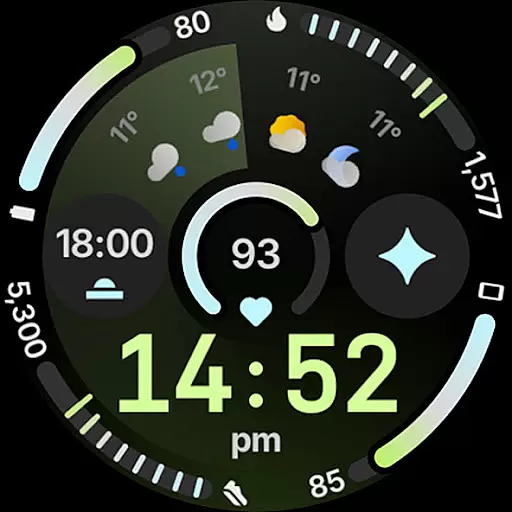
Circle Dashboard Watch Face is a feature-rich watch face designed exclusively for Wear OS 4+ devices. Inspired by the Galaxy Watch 8 series, it offers advanced customization options and supports multiple complications. The watch face provides users with an interactive and visually appealing interface that enhances their smartwatch experience.
With support for custom complications, adaptive text sizes, and various display styles, this watch face ensures both functionality and aesthetics. Its compatibility with upcoming Wear OS versions makes it future-proof, while features like battery-friendly operation and animated AOD entering provide practical benefits for everyday use.
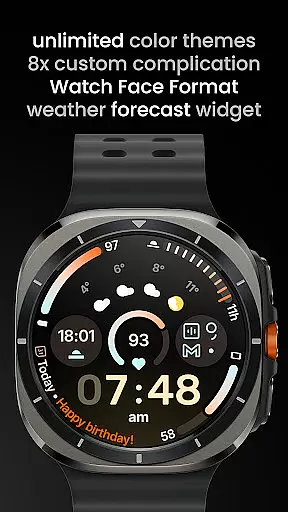
Circle Dashboard stands out with its comprehensive feature set tailored for power users. It supports up to 8 custom complication slots, allowing integration of diverse data sources such as weather forecasts and moon phases. The implementation of Watch Face Format 4 ensures optimal performance and compatibility with latest Wear OS standards.
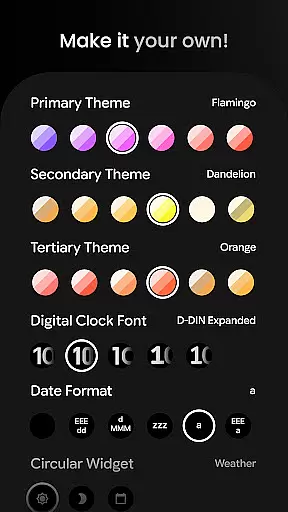
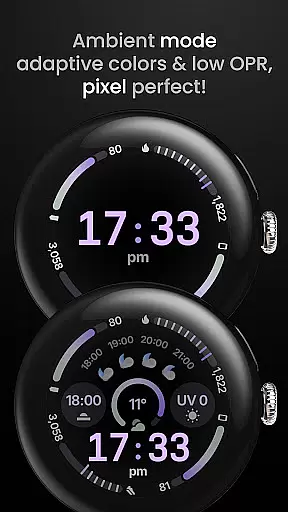
Users can personalize their experience through extensive configuration options including 60+ theme choices, multiple date formats, and various always-on display styles. Advanced features like material 3 progress bars, digital clock effects, and adaptive complication text size demonstrate the developer's attention to detail and commitment to delivering a premium wearable experience.
Companion app integration is essential for wearable devices as it ensures seamless synchronization between the watch face and its mobile counterpart. Circle Dashboard Watch Face offers a robust companion app that allows users to configure various settings directly from their phone.
The app provides over 60 theme options, multiple date formats, and customizable complications. Users can choose from different weather icon packs and providers, ensuring accurate and personalized information display. This level of customization enhances user experience by allowing individual preferences to be met with precision.
Additionally, the companion app supports advanced features like animated always-on display entering and adaptive complication text size. These functionalities ensure that the watch face remains both visually appealing and practical, adapting to different usage scenarios while maintaining optimal readability.
By offering comprehensive configuration options through its companion app, Circle Dashboard Watch Face empowers users to tailor their wearable experience fully. This integration not only simplifies setup but also enriches daily interactions with the device, making it an indispensable tool for Wear OS 4+ users.
Ensuring broad Wear OS and device compatibility is crucial for any watch face application. Circle Dashboard Watch Face is designed specifically for Wear OS 4+ devices, guaranteeing optimal performance across a wide range of smartwatches running this operating system.
The application leverages Watch Face Format 4, which is compatible with Wear OS 5+ devices, providing enhanced features such as watch face presets known as flavors. This compatibility ensures that users benefit from the latest advancements in wearable technology while enjoying consistent functionality regardless of their specific device model.
Circle Dashboard supports eight custom complication slots with various supported types including SHORT_TEXT, LONG_TEXT, and RANGED_VALUE among others. Such extensive support demonstrates the application's commitment to delivering versatile and adaptable solutions tailored for diverse Wear OS environments.
Furthermore, additional features like optional seconds indicators, multilanguage support, and true black backgrounds are optimized for battery efficiency without compromising aesthetics or usability. This balance makes Circle Dashboard Watch Face a reliable choice for users seeking both innovation and reliability in their wearable tech accessories.
Highly customizable
Feature-rich design
Future-proof compatibility
Battery efficient
Visually appealing
Wear OS 4+ only
Some features require newer OS
Paid complications needed
Complex setup process
Limited basic features

Animated Watch Face and Customizable with 24 Backgrounds. Perfect for Christmas!
 3.90
3.90
Snowflake Rose Gold Watch Face - Digital, modern, & sleek with GYRO effect.
4.10
A heartwarming Christmas scene featuring a cute image of Santa and Rudolf
4.0
A modern premium sporty hybrid watch face for Wear OS by Ballozi
4.70
Let's celebrate Thanksgiving - Wear Os watch face
4.20
The #1 source of faces for your smartwatch!
4.00
Viewer for Wyze/Yi/Eufy/Arlo/ONVIF/RTSP/P2P IP cams w/ adv. features & DIY DVR
4.00
Hybrid watch face for Wear OS with customizable complications by Matteo Dini MD
4.70
Fast and smart typing with Emojis, GIFs, and more
4.50
Hyperlocal rain alerts by MyRadar using patent-pending technology, radar & more
4.80
Diet tracker for weight loss - track calories, food and macros. Simple and easy!
4.70
WTW M17 is a premium and luxurious hybrid watch face
4.70
Walking app for weight loss: walk & step tracker, pedometer, indoor treadmill
4.60
Nutrition, Macro tracker: Food, fitness & healthy diet tracking for weight loss
4.60
MyNISSAN® lets you remotely control your car from your phone.*
4.50
Beautiful artistic animated digital watch face, with a customizable layout!
4.40
Reliable phone calls with spam protection, caller ID and more helpful features
4.40
A white realistic classic analog watch face with many customization options.
4.40
sleep, alarm, snoring, stress, healing, focus, sound therapy, circadian rhythm
4.10


User Reviews