
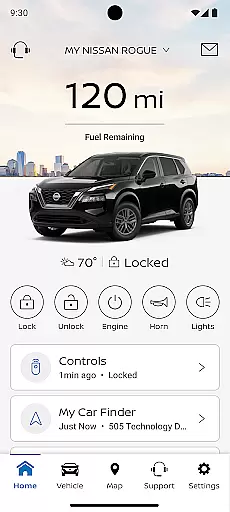
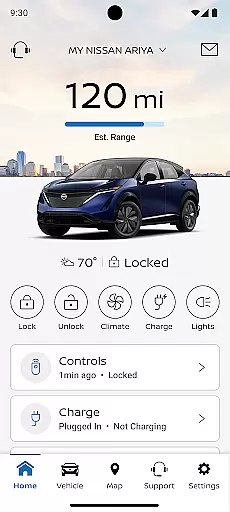
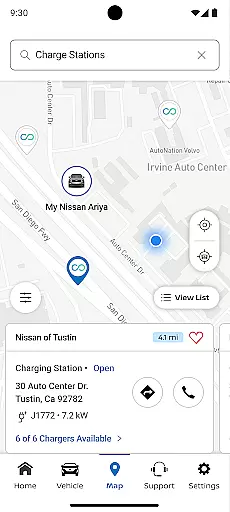
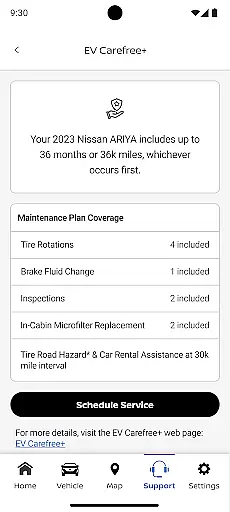
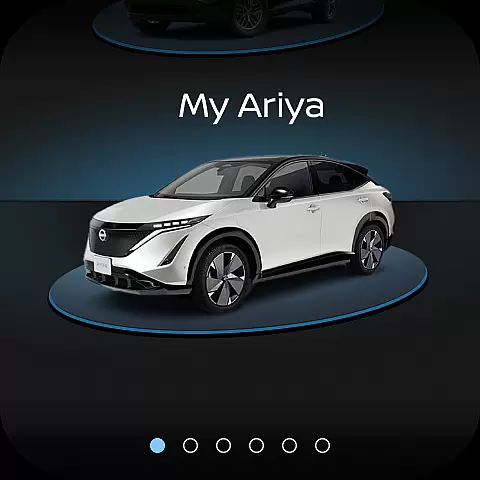
The MyNISSAN App is a comprehensive vehicle management tool designed to enhance the ownership experience for Nissan owners. It provides remote access, security features, personalization options, and maintenance tracking through a compatible Android phone or Wear OS device.
While all Nissan owners can benefit from basic features like service scheduling and recall notifications, owners of vehicles from 2014 onwards enjoy an optimized experience. Those with a NissanConnect Services Premium package on select models from 2018 have access to advanced functionalities such as remote start, vehicle status checks, and customizable alerts.
This app is particularly valuable for modern vehicle owners who want to stay connected to their cars, manage maintenance schedules, and receive real-time updates, making vehicle ownership more convenient and secure.
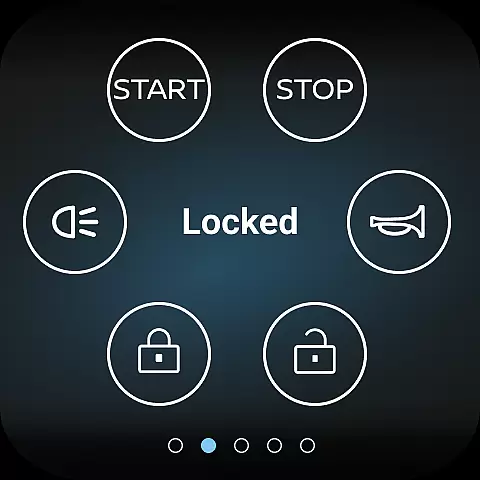
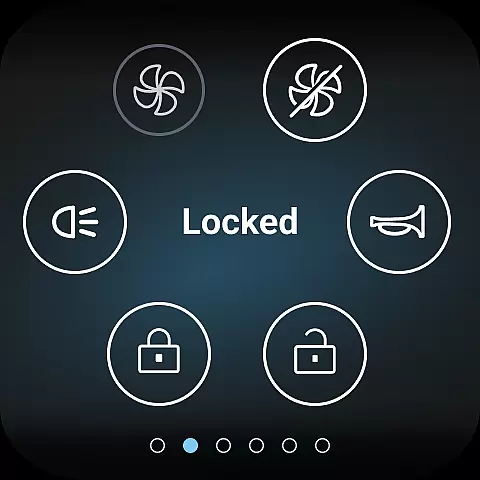
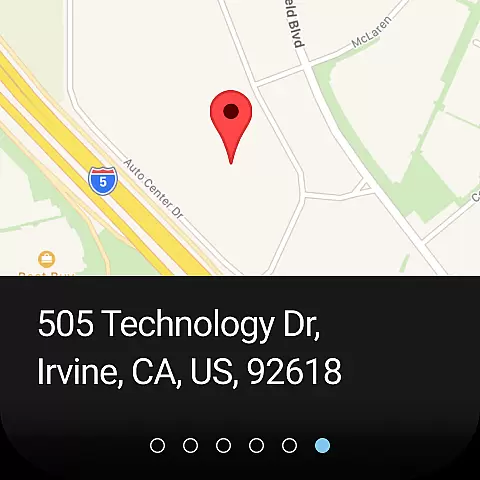
The MyNISSAN App offers a wide array of features that cater to both convenience and security. Users can remotely control their vehicles by starting or stopping the engine, locking or unlocking doors, and activating the horn and lights. The app also allows searching for points of interest and sending them directly to the vehicle's navigation system.
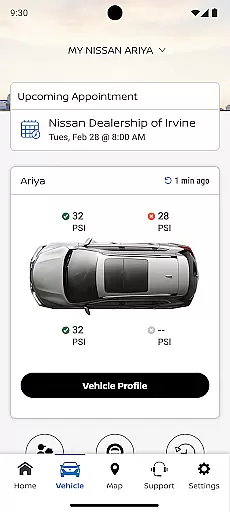
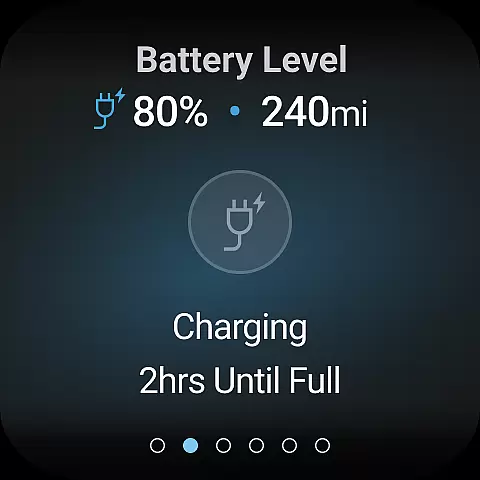
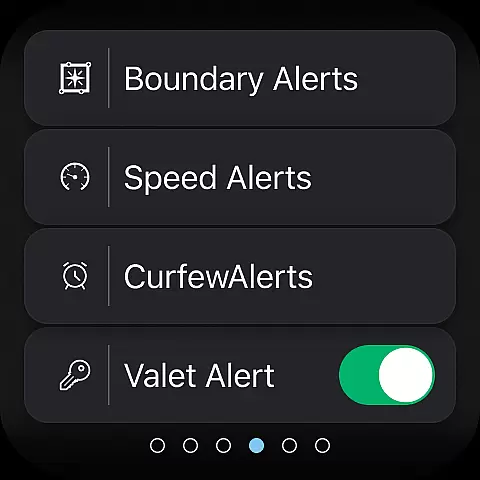
For vehicle monitoring, users can check the status of doors, engine, mileage, fuel range, tire pressure, and more. Customizable alerts for boundaries, speed, and curfews help keep track of vehicle usage. Additionally, vehicles equipped with Google built-in technology offer enhanced features like remote climate adjustment and real-time repair shop updates.
These features collectively ensure that Nissan owners have a seamless and integrated experience, allowing them to manage their vehicles efficiently and stay informed about necessary maintenance and security alerts.
Companion app integration is essential for wearable devices to function seamlessly with their primary applications. The MyNISSAN App excels in this area by offering Nissan owners the ability to access key vehicle features directly from their compatible Android phone or Wear OS device.
This integration allows users to remotely start and stop their vehicle, lock and unlock doors, and even activate the horn and lights. These capabilities ensure that you can conveniently manage your vehicle from your wrist or phone without needing to physically interact with it.
Additionally, the app provides real-time alerts and notifications about your vehicle's status, including boundary, speed, and curfew alerts. This ensures that you are always informed about your vehicle's location and condition, enhancing both security and peace of mind.
By leveraging the power of companion app integration, the MyNISSAN App delivers a cohesive and efficient user experience, making vehicle management more accessible and convenient than ever before.
Ensuring compatibility with various devices is crucial for any application targeting the wearable technology market. The MyNISSAN App supports a wide range of Android phones and Wear OS devices, providing Nissan owners with flexibility and convenience.
For vehicles equipped with Google built-in features, users gain additional functionalities such as remote climate adjustment and engine start. These features enhance comfort and usability, allowing drivers to prepare their vehicle environment before they even step inside.
The app also sends notifications if the vehicle has been left with doors unlocked or windows cracked, adding an extra layer of security. Such timely alerts help prevent potential issues and ensure the vehicle remains safe and secure at all times.
Overall, the MyNISSAN App's robust Wear OS and device compatibility make it a versatile tool for modern Nissan owners, ensuring they can enjoy the full benefits of their vehicle's connected features regardless of their chosen device.
User-friendly interface
Comprehensive vehicle control
Real-time updates and alerts
Remote access capabilities
Customizable settings
Limited to Nissan vehicles
Requires compatible hardware
Subscription fees may apply
Dependent on network availability
Varied feature availability

Wear Os Watch Face - Animated Snow Effect & Christmas Lights
 4.5
4.5
sleep, alarm, snoring, stress, healing, focus, sound therapy, circadian rhythm
4.10
Real-time results, stats, schedules and player profiles for all leagues
4.60
The Chevron App allows you to pay for fuel from the comfort of your car!
4.80
Bold weather Digital watchface with forecast & optional animated background
4.40
Retro digital watch face with customizable colors and a unique lighting effect
4.60
Hybrid Vibrant Health Watch Face for Wear OS
4.2
Daily Weather forecast with 15 weather images for Day & Night plus Big Bold time
4.10
Download full tracks, listen to music offline, make unlimited playlists.
4.80
Real-time weather radar with temperatures, warnings, hurricanes, and widgets
4.80
To-Do List: daily schedule planner, task organizer, to do reminder app, calendar
4.60
Gym & home workout plans with strength training, exercise tracking, HIIT & more.
4.60
Fast and smart typing with Emojis, GIFs, and more
4.50
Bold, Modern Hybrid Watch Face for Wear OS. 10 Colors, Rich Info Display.
4.30
A digital watch face that celebrates Christmas.
4.00
A full-featured Amazon Alexa voice assistant that can show you things.
3.70
Christmas and New Year - Themed Watchface
4.1
A watch face that fuses motorsport precision with contemporary smartwatch design
4.4
Sleek, highly customizable watch face inspired by Galaxy Watch Circle Dashboard.
4.0


User Reviews