
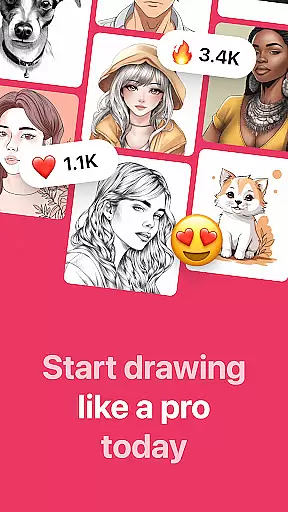
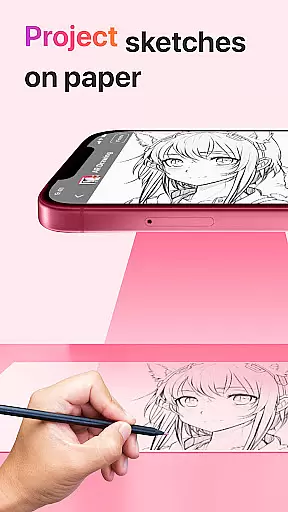
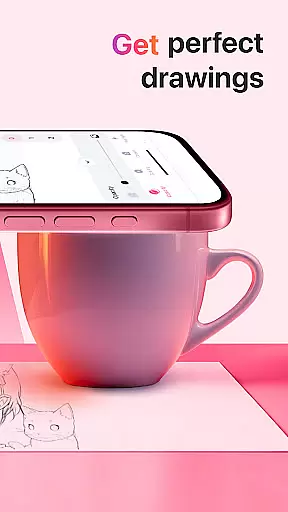
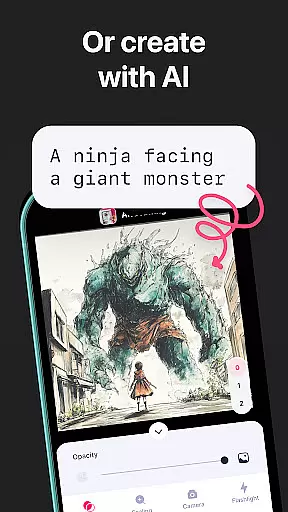
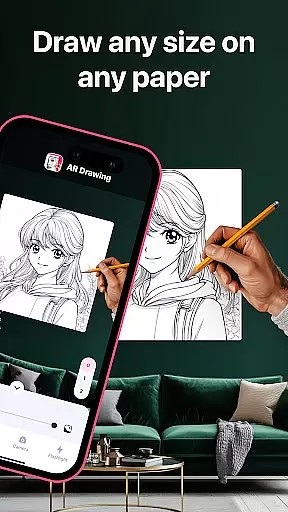
AR Drawing: Sketch & Paint is an innovative mobile application designed to help users learn drawing and create impressive artworks using augmented reality technology. The app projects images onto paper through the phone camera, allowing users to trace and color these projections easily. With a wide variety of tracing templates ranging from animals to anime, it caters to both beginners and experienced artists.
The app includes practical features such as a built-in flashlight for better visibility, video recording of the drawing process, and a gallery to save completed works. Whether you're looking to improve your skills or unleash your creativity, AR Drawing offers a versatile platform to sketch, paint, and create on any surface. Its unique approach makes learning to draw accessible within just a few days.
This app is perfect for art enthusiasts who want to explore new possibilities in their craft. By combining traditional drawing methods with modern AR technology, AR Drawing ensures an engaging and educational experience that helps users develop their artistic abilities while having fun.
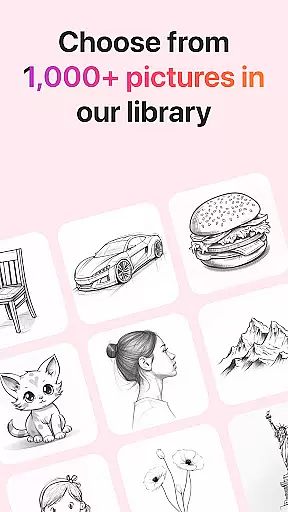
AR Drawing stands out due to its rich feature set tailored for artists of all levels. One of its key features is the ability to use your phone's camera to project images onto paper, making it easy to trace and create detailed drawings. The app provides numerous tracing templates across various categories like animals, cars, nature, food, and anime, catering to diverse interests.
In addition to its extensive template library, AR Drawing includes several tools to enhance the user experience. A built-in flashlight ensures optimal lighting conditions, while the option to record videos captures the entire drawing and painting process. Users can also save their finished pieces in an in-app gallery and share them directly with friends or on social media platforms.
These features collectively offer significant value by simplifying the drawing process and encouraging creativity. The combination of augmented reality and traditional techniques not only aids in skill development but also makes art more accessible and enjoyable for everyone.
In the realm of digital artistry, having a comprehensive suite of creative tools is essential for unleashing an artist's full potential. AR Drawing: Sketch & Paint offers a robust selection that caters to both budding and experienced artists. The app provides various tracing templates including Animals, Cars, Nature, Food, and Anime, which serve as a catalyst for creativity and learning.
Moreover, the built-in flashlight feature enhances the drawing experience by allowing users to work in low-light conditions without any hassle. This attention to detail ensures that artists can focus on their creations without being hindered by environmental constraints.
The ability to save drawings in a gallery within the app not only helps in organizing one's artwork but also encourages artists by showcasing their progress over time. Additionally, the option to record videos of the drawing and painting process adds an educational dimension, enabling users to share techniques or showcase their artistic journey.
Flexibility in canvas and format options is crucial for artists who wish to explore different mediums and styles. AR Drawing: Sketch & Paint embraces this need by enabling users to draw anything they want on any surface using augmented reality technology. This innovative approach breaks free from traditional digital art boundaries, offering unparalleled freedom of expression.
Artists can utilize their phone cameras to project images onto paper, thus combining classical drawing methods with modern tech enhancements. This hybrid technique allows for experimentation with diverse textures and backgrounds, expanding the horizons of conventional sketching.
Furthermore, sharing capabilities empower artists to distribute their masterpieces with friends easily. By integrating social features, the app fosters a community where creativity thrives through collaboration and feedback, ensuring that each piece receives recognition it deserves while maintaining high standards of quality across all shared formats.
User-friendly interface
Variety of templates
Built-in flashlight
Video recording feature
Augmented reality support
Limited free templates
Requires good lighting
Premium subscription needed
Occasional bugs
High storage usage

Apply cartoon, caricature, and portrait effects to make your photos stand out!
 3.60
3.60
Passport size photo maker, create ID photo and visa photo in seconds
4.80
Draw anime easily with AR guidance, sketch templates & trace tools!
3.10
Novices can also easily complete diamond painting masters
4.70
Turn your drawings into flipbook-style animations with simple creative tools
4.60
Mobile pixel art editor. Simple. Fast. Portable.
4.80
Photo stitcher for automatically screenshot stitching into a long screenshot
4.70
Video AI: Revolutionize Your Content Creation with Advanced Video Generation
4.50
Explore future self face age filter & remove background image for a unique look.
3.50
The ultimate tool for creating animations
4.60
Create Logos, Tattoos, AI Art & more with our AI Photo Generator & Design Editor
4.20
Sketch and paint on your device with the feel and freedom of drawing on paper
4.00
Design your dream room with AI. Get decor ideas & plan home interiors
3.90
Art of Combination Wear OS Watch faces (for Wear OS 5+ devices)
3.90
Turning simple sketches into captivating tales filled with life and motion
3.90
Your homescreen as an elegant glass with customized blur, lighting, and visuals.
3.70
Meet the magic aı 3d photo generator and smart AI video generator app.
3.20
Pose and morph realistic male and female models! 3D poser app
3.00
A luxurious gold watch face for an elegant and refined look.
4.4


User Reviews