
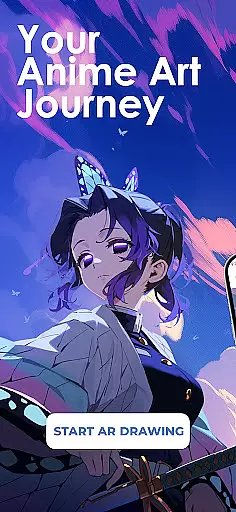
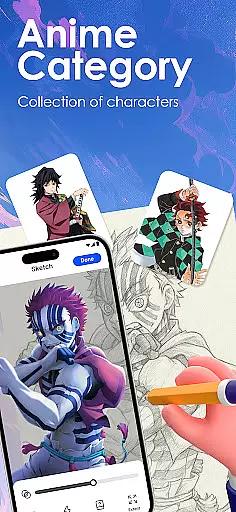
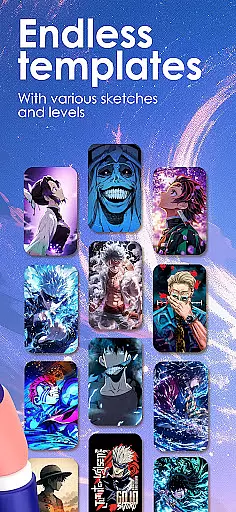
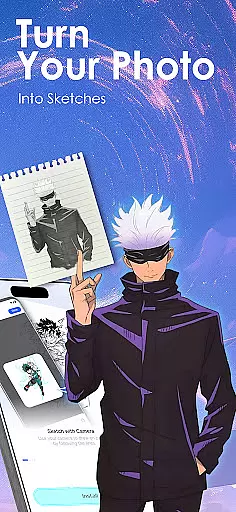
Draw Anime: AR Sketch & Trace is a revolutionary drawing application that combines anime-style art with cutting-edge Augmented Reality (AR) technology. Designed for both beginners and professional artists, this app allows users to trace, sketch, and create anime artwork with precision and ease.
The app's standout feature is its AR Guidance tool, which projects clear outlines onto paper through the device’s camera, enabling confident sketching of anime characters, real objects, or custom designs. With access to an extensive library of templates including manga, chibi, and fanart styles, users can explore various forms of anime art while improving their skills through structured tutorials tailored to different expertise levels.
Whether you're looking to learn anatomy, practice proportions, or simply bring creative ideas to life, Draw Anime: AR Sketch & Trace provides all the tools necessary to enhance your artistic journey. Its innovative approach makes it an invaluable resource for anime enthusiasts worldwide.
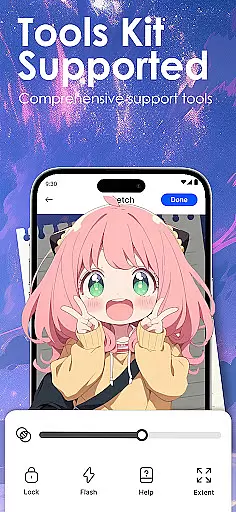
One of the most compelling aspects of Draw Anime: AR Sketch & Trace is its diverse set of features designed to cater to every artist's needs. The app offers AR-based tracing functionality, allowing users to follow projected outlines on paper in real-time. This ensures accuracy and boosts confidence when sketching complex designs or anime characters.
In addition to AR tools, the app includes a comprehensive learning system with step-by-step tutorials covering beginner to expert techniques. Users can convert images into simplified outlines for easy tracing, import personal photos as references, and adjust settings like opacity and zoom for a customized experience. Advanced options such as recording your drawing process further enhance usability.
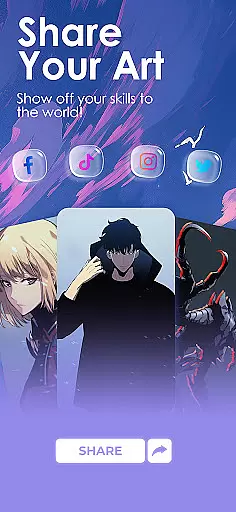
Another key highlight is the community-driven aspect, where users can share their finished artwork, save progress videos, and engage with fellow creators. These collaborative elements foster inspiration and growth within the anime art community, making Draw Anime: AR Sketch & Trace not just a drawing tool but also a platform for creativity and connection.
In the realm of digital artistry, having a comprehensive set of creative tools is paramount. Draw Anime: AR Sketch & Trace offers an extensive suite designed to cater to anime enthusiasts and artists alike. This app provides functionalities ranging from AR-guided drawing to importing personal photos for tracing, ensuring that creators have everything they need at their fingertips.
The application stands out by offering a growing library of templates covering various styles such as anime, manga, and chibi. These resources are crucial for users looking to expand their artistic repertoire or find inspiration in existing works. Additionally, features like adjusting opacity and zoom enhance the user's control over their creations, making it easier to achieve precision in their artwork.
For those eager to learn and improve, Draw Anime: AR Sketch & Trace includes video tutorials tailored specifically for anime art techniques. Users can follow step-by-step guidance on anatomy and proportions, which is invaluable for artists at any skill level. The ability to record one's drawing process also adds an educational layer, allowing users to review and refine their methods.
Flexibility in canvas and format options is essential for artists who wish to explore different mediums and styles. Draw Anime: AR Sketch & Trace excels in this area by providing versatile solutions that adapt to the user's needs. Whether you're sketching on paper through AR guidance or digitally manipulating images within the app, the platform supports a seamless transition between physical and digital art forms.
One of the standout features is the capability to convert complex pictures into simplified sketch outlines. This function not only aids beginners in understanding the basics of form and structure but also allows experienced artists to experiment with new ideas without being constrained by traditional formats. Furthermore, the option to personalize learning paths ensures that each artist can pursue their unique style while still benefiting from structured lessons.
Sharing and showcasing completed pieces is made effortless with integrated community features. Artists can save their progress, rewatch videos of their work, and even share their masterpieces with fellow creatives. Such capabilities foster a supportive environment where feedback and inspiration flow freely, enhancing both individual growth and collective creativity.
User-friendly interface
Extensive template library
Real-time AR guidance
Customizable drawing tools
Active creative community
Requires compatible device
Premium content locked
Steep learning curve
Limited offline features
Occasional bugs reported

Art of Combination Wear OS Watch faces (for Wear OS 5+ devices)
 3.00
3.00
Create trending AI photos & videos with powerful effects and 3D styles.
3.20
Design your dream room with AI. Get decor ideas & plan home interiors
3.90
Unleash your drawing and painting potential
4.50
See Color, Paint Color
4.90
Art of Combination Wear OS Watch Faces
4.4
Android 14 style widgets and wallpapers app.
4.3
Art of Combination Wear OS Watch faces (for Wear OS 5+ devices)
3.90
Experience next-gen icons with a modern liquid glass look.
3.60
Turn your drawings into flipbook-style animations with simple creative tools
4.60
Draw glowing spinners, relax, and spin your creative art
4.60
Draw anime & manga drawing, art with templates to create stunning picture!
4.50
Create neon drawing with magic doodle and fun doodle art effects!
4.50
AI generated images & photos, turn your words into drawing, painting & pictures.
4.30
Trace, draw, and create art with AR - from memes to masterpieces!
4.30
Bring One UI 8.5 Icons to life -elegant dark icons with a modern, premium touch.
4.30
Unleash Your Creativity with Draw Cartoon - AR Drawing App
4.10
Vidu is an AI video generator made for creators and aspiring makers.
3.30
Pose and morph realistic male and female models! 3D poser app
3.00


User Reviews