
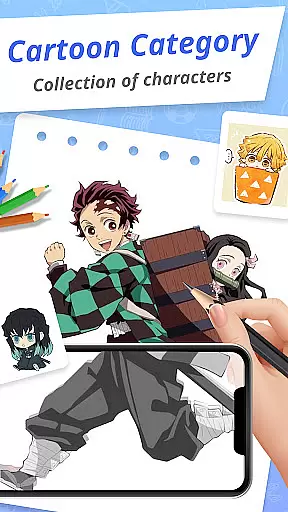
Draw Cartoon - AR Drawing App is an innovative art application that allows users to create stunning augmented reality drawings. The app utilizes your device's camera to project real-world elements into your sketches, offering a unique blend of digital and physical art creation.
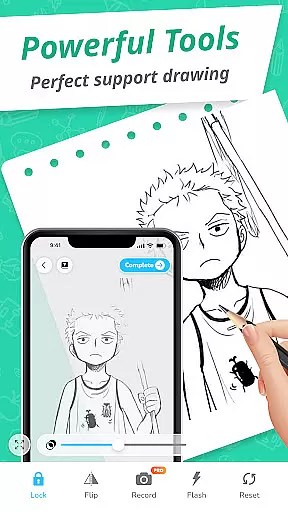
With features like adjustable opacity, flashlight control, and image locking, the app caters to both amateur artists and seasoned creatives. Whether you're sketching for fun or honing your artistic skills, Draw Cartoon provides all the tools necessary to express your creativity.
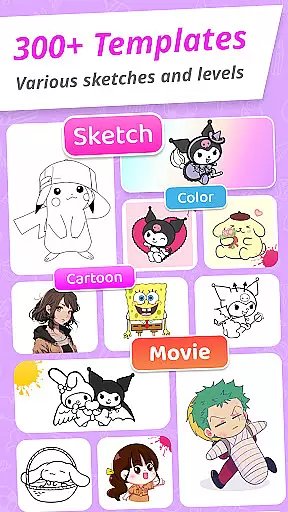
This app is perfect for aspiring cartoonists who want to practice drawing popular characters like Pikachu and Scooby-Doo through provided templates. Users can also track their progress in the My Artwork section, making it a comprehensive tool for artistic growth.
Draw Cartoon offers a complete suite of features designed to enhance the drawing experience. The app's standout feature is its powerful AR drawing capability, which lets users trace and sketch over real-world objects using their phone's camera.
The app includes amazing AR sketch templates featuring popular cartoon themes such as Pikachu and Scooby-Doo. These free samples help beginners learn basic techniques while providing fun challenges for experienced artists.
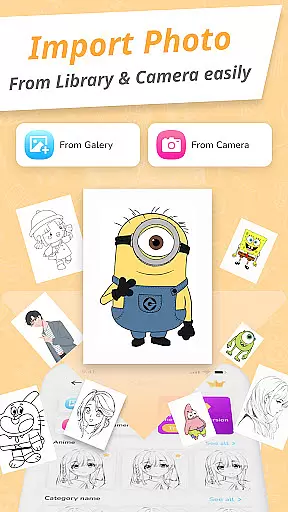
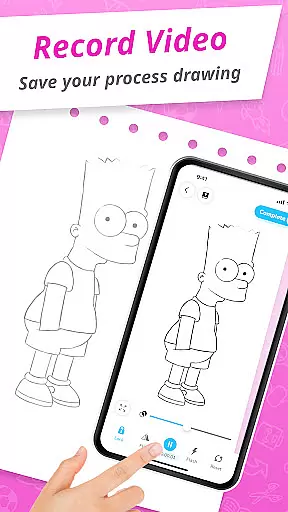
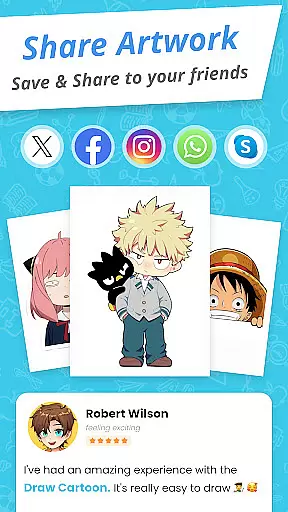
Additional features include video recording of the drawing process, photo capture functionality, and an artwork gallery where users can save and share their creations. The simple yet functional design makes these professional-grade tools accessible to artists of all skill levels.
In the realm of digital art, having a comprehensive set of creative tools is essential for artists to fully express their visions. Draw Cartoon - AR Drawing App rises to the occasion by offering an impressive suite of features tailored for both amateur and professional artists.
The app's powerful AR Cartoon Drawing functionality allows users to incorporate real-world elements into their sketches through their device's camera. This feature not only enhances creativity but also adds a layer of depth and realism to each piece created within the app.
Additionally, the app provides advanced options such as recording videos, taking photos, adjusting opacity, controlling the flashlight, and locking or resetting your work. These functionalities ensure that artists have all they need to refine their artwork with precision and ease.
Moreover, the availability of various cartoon themes like Pikachu and Scooby-Doo offers a rich template library that inspires users and jumpstarts their creative process. With these complete and accessible tools, Draw Cartoon empowers artists to push the boundaries of augmented reality art.
A versatile canvas is a cornerstone of any art application, allowing creators the freedom to experiment with different formats and styles. Draw Cartoon - AR Drawing App embraces this principle by providing flexible canvas options that cater to a wide range of artistic needs.
Users can easily adjust their drawing space using intuitive controls such as setting image opacity, which is crucial when tracing physical objects or images. This flexibility ensures that whether you're sketching from life or working on a digital masterpiece, the app adapts to your unique workflow.
Furthermore, the ability to save or share artworks directly from the app enhances its format compatibility. Artists can document their progress in 'My Artwork' section, gaining valuable insights into their development over time while also being able to distribute their creations effortlessly.
By prioritizing an adaptable design without compromising functionality, Draw Cartoon makes certain that every artist has the necessary flexibility to explore new horizons in augmented reality drawing.
User-friendly interface
Innovative AR features
Wide selection of templates
Progress tracking system
Active community support
Limited free content
Device compatibility issues
Occasional app crashes
Premium subscription required
Steep learning curve

Transform photos into amazing monochrome dither art with professional algorithms
 4.5
4.5
Custom Character Creator & PFP Maker!
4.20
Unleash your drawing and painting potential
4.50
Art of Combination Wear OS Watch faces
4.2
Create stunning video, photo & magic from text with FlixAI GPT video generator.
3.10
Novices can also easily complete diamond painting masters
4.70
Art of Combination Wear OS Watch faces (for Wear OS 5+ devices)
3.90
Inky runs Inkscape on Android devices and Chromebooks
2.90
Retouch photos. Create or edit images. Endless capabilities.
2.70
The ultimate tool for creating animations
4.60
Castle is social media for creating and playing games!
4.60
Create color palette from Image, RGB & RYB Color wheel harmonies, Color Scheme
4.50
AI generated images & photos, turn your words into drawing, painting & pictures.
4.30
Trace, draw, and create art with AR - from memes to masterpieces!
4.30
Bring One UI 8.5 Icons to life -elegant dark icons with a modern, premium touch.
4.30
Experience next-gen icons with a modern liquid glass look.
3.60
Create trending AI photos & videos with powerful effects and 3D styles.
3.20
Meet the magic aı 3d photo generator and smart AI video generator app.
3.20
Download now for a stylish and functional timepiece
4.5


User Reviews