
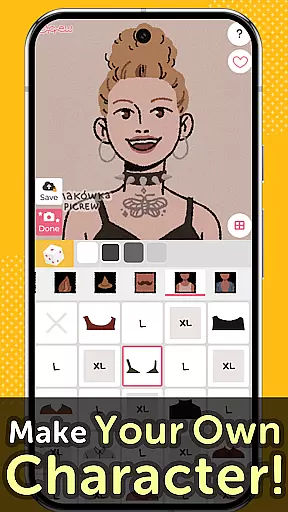
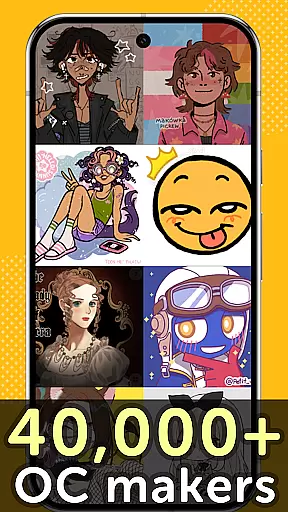
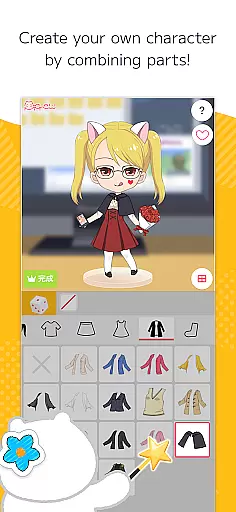
Picrew PFP & OC Maker is a versatile avatar and character creation platform that allows users to design unique avatars, profile pictures, and icons for free. With over 10,000 Image Makers available, the app caters to various tastes including cute, cool, stylish, and more. Users can customize their creations by selecting facial features, clothing parts, and other elements to reflect their personal style.
The app also supports social media integration, enabling users to share their creations on platforms like Facebook, X, and LINE. Additionally, Picrew offers tools such as Dress-up Maker, Random Maker, and bookmarking features, making it easy to create, save, and discover new designs. Whether you're looking to make an anime-style avatar or an aesthetic profile picture, Picrew provides all the necessary tools in one place.
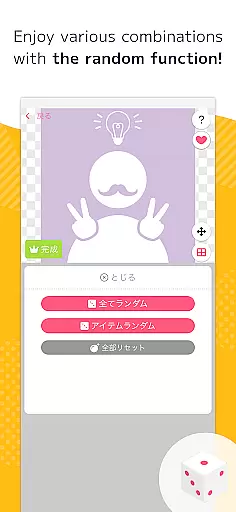
Picrew stands out with its diverse range of creative tools designed to enhance user experience. The Dress-up Maker lets users manually select parts to create personalized images, while the Random Maker generates images based on luck, adding an element of surprise and fun. These features cater to different preferences, whether users want full control or enjoy unexpected outcomes.
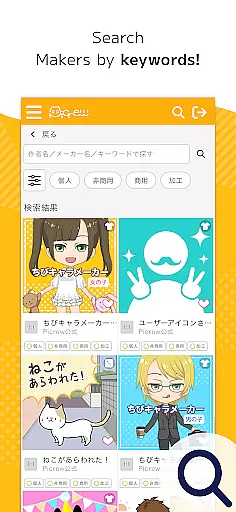
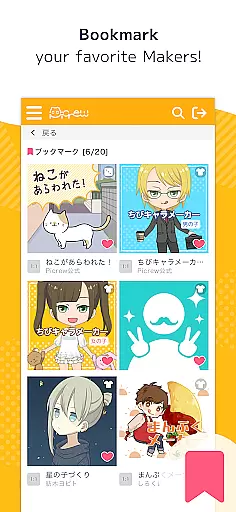
Another notable feature is the ability to search and filter Image Makers using keywords, categories, and tags set by creators. This ensures users can easily find specific styles or themes. Furthermore, Picrew emphasizes community engagement by allowing users to bookmark favorite Image Makers, report inappropriate content, and block unwanted designs. All these functionalities contribute to a dynamic and interactive platform where creativity thrives.
Picrew PFP & OC Maker offers an extensive suite of creative tools that cater to a wide range of artistic needs. The application provides users with over 10,000 Image Makers, enabling the creation of personalized profile pictures, characters, and icons without any charge. This vast selection includes various styles such as cute, cool, and even a little scary, ensuring that every user can find something that resonates with their personal aesthetic.
The app's Dress-up Maker allows for meticulous customization by letting users select and combine different parts to create unique avatars. Whether it's mixing and matching facial features or experimenting with stylish clothing options, Picrew supports the creation of avatars that can either reflect the creatoru2019s own likeness or embody an entirely fictional character. Additionally, the Random Maker adds an element of surprise and fun, generating images based on chance which can be likened to a digital form of fortune-telling.
For those interested in crafting original content, Picrew's versatile toolkit facilitates the design of anime-style avatars, social media icons, and even complex original characters. With easy-to-use tools at their disposal, users can effortlessly bring their imaginative concepts to life. The platform also encourages creativity by allowing images to be downloaded for free or shared across social media platforms, thus broadening the reach and impact of each creation.
Flexibility in canvas and format options is a standout feature of Picrew PFP & OC Maker, empowering users to tailor their creations to specific requirements or preferences. The application supports a diverse array of image formats suitable for various uses, from social media profile pictures to gaming icons. This adaptability ensures that no matter the intended use, creators can rely on Picrew to deliver an output that fits seamlessly into their digital presence.
Picrew's platform enables users to customize not only the visual elements of their designs but also the technical specifications. Creators have the freedom to adjust dimensions and resolutions, accommodating everything from small-scale icons to larger, more detailed portraits. This level of control is crucial for users who require precision in their digital artwork, whether for professional projects or personal satisfaction.
Moreover, the ability to save and share creations in multiple formats enhances the overall utility of Picrew. Users can download their finished works in formats that best suit their needs, ensuring compatibility across different devices and platforms. By providing such comprehensive flexibility, Picrew positions itself as an indispensable tool for anyone looking to express their creativity digitally, regardless of their preferred medium or style.
User-friendly interface
Extensive customization options
Free to use
Active creator community
Social media sharing capabilities
Limited advanced editing tools
Some features only available on website
Dependent on creator guidelines
No offline functionality
Occasional inappropriate content

Discover Cartoon Dream : Unleash Your Creativity with CuttingEdge AI
 4.50
4.50
Pose and morph realistic male and female models! 3D poser app
3.00
Create sweet, cool and unique couple avatars easily, in just a few steps!
3.40
Art of Combination Wear OS Watch faces (for Wear OS 5+ devices)
3.00
Digital, Abstract, Classic - all types of color wheels in one app!
4.60
Unleash Your Creativity with Draw Cartoon - AR Drawing App
4.10
AI Art Generator transforms your words into AI generated art & paintings.
3.70
Art of Combination Wear OS Watch Faces
3.30
An intuitive, high-performance painting app that lets you focus on creating
4.40
Mobile pixel art editor. Simple. Fast. Portable.
4.80
Logo Generator powered by AI: Create stunning logos effortlessly!
4.70
Minecraft & Roblox Clothes
4.70
2D animation studio for Android tablets - unlimited layers, infinite timeline
4.70
Turn your drawings into flipbook-style animations with simple creative tools
4.60
Image resizer to resize, crop, rotate, flip, change dpi photo or picture in bulk
4.60
Video AI: Revolutionize Your Content Creation with Advanced Video Generation
4.50
Beauty Camera - Selfie Camera is the ultimate beauty camera and selfie app
4.30
AI Assistant, powered by ChatGPT GPT-4 & GPT-4o. Your intelligent companion.
3.50
Inky runs Inkscape on Android devices and Chromebooks
2.90


User Reviews