
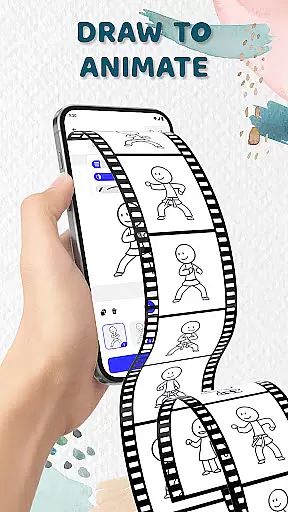
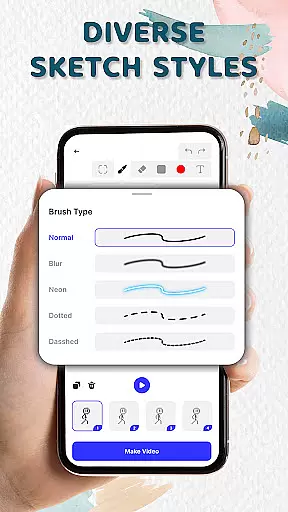
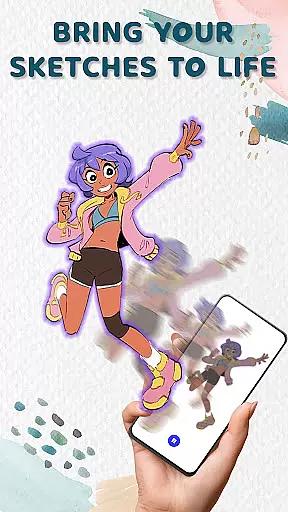
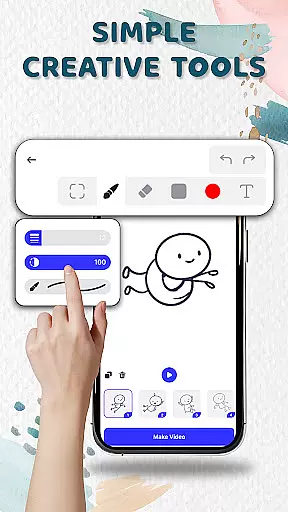
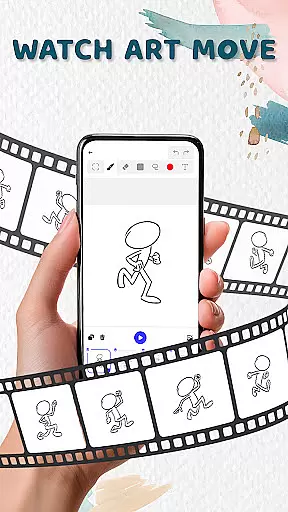
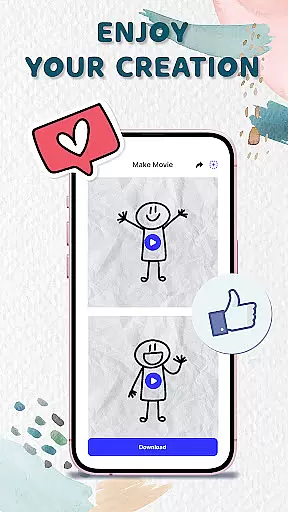
Animation Draw: Flip Maker is a creative app designed for artists and hobbyists who want to bring their sketches to life through animation. This pocket-sized studio allows users to transform simple drawings into dynamic, moving animations with ease. Whether you're crafting short comics, experimenting with stickman adventures, or creating playful cartoons, the app offers all the tools you need to express your creativity.
The app features intuitive drawing tools that cater to both beginners and experienced animators. With options like onion skinning, pen size adjustment, and color customization, Animation Draw ensures smooth motion and professional-quality results. Its flipbook-style animation style captures the charm of classic hand-drawn animations while leveraging modern digital capabilities. From doodles to storytelling, this app provides endless possibilities for artistic exploration.
Perfect for creators who value self-expression, Animation Draw lets you save your animations in popular formats such as GIF or MP4. Share your work with friends, family, or a global audience online. Whether you're learning animation techniques or producing fun content, this app makes the process enjoyable and rewarding.
Animation Draw: Flip Maker stands out with its robust set of features tailored for animators. The app supports frame-by-frame animation, allowing users to build movement step by step. Each frame adds fluidity to static sketches, creating lively scenes that range from simple gestures to complex actions. This approach mimics traditional flipbooks but enhances them with digital precision.
Creative tools are at the heart of this app's functionality. Users can adjust pen thickness, apply colors, and utilize onion skinning to ensure smooth transitions between frames. These features make it easy to control every aspect of your animation while maintaining simplicity for newcomers. Additionally, the app's user-friendly interface ensures that even those new to animation can quickly grasp its mechanics.
Exporting and sharing options further enhance the app's versatility. Finished animations can be saved in widely-used formats like GIF or MP4, making it convenient to distribute your creations across social media platforms or messaging apps. By combining powerful design tools with accessible workflows, Animation Draw empowers users to tell stories visually and share their art with the world.
In the realm of digital art and design, having access to comprehensive creative tools is essential for unleashing one's artistic potential. Animation Draw: Flip Maker offers a robust suite of features that cater to both beginners and seasoned artists. The app includes adjustable pen sizes, color options, and onion skinning capabilities, which are critical for creating smooth and professional animations.
Onion skinning allows users to see multiple frames at once, providing a guide for maintaining consistency and fluidity in their animations. This feature is particularly beneficial when working on complex projects that require precision and attention to detail. By offering such advanced tools, Animation Draw empowers users to experiment with different styles and techniques without limitations.
The inclusion of these creative instruments ensures that artists can bring their ideas to life with accuracy and flair. Whether crafting short comics or elaborate animated stories, users have everything they need within this pocket studio. As a result, creators can focus more on their artistic expression rather than being hindered by technical constraints.
Flexibility in canvas size and format options is crucial for accommodating various project requirements and artist preferences. Animation Draw: Flip Maker excels in providing versatile canvas settings that adapt to individual needs. Users can customize dimensions and resolutions, ensuring their creations are optimized for specific platforms or mediums.
This adaptability extends beyond mere sizing; it encompasses compatibility with popular export formats like GIF and MP4. Such versatility enables seamless sharing across social media, presentations, or personal archives. Artists can thus reach wider audiences while retaining control over how their work is displayed and consumed.
Moreover, the ability to save and share animations in diverse formats enhances workflow efficiency. Creators can swiftly transition from production to distribution without encountering unnecessary hurdles. Ultimately, Animation Draw champions user-centric design by prioritizing canvas and format flexibility, thereby fostering an environment where creativity thrives unimpeded.
User-friendly interface
Powerful creative tools
Supports multiple formats
Great for beginners
Fun and engaging
Limited advanced features
Occasional bugs
No collaborative tools
Basic export quality
Few tutorials

Discover Cartoon Dream : Unleash Your Creativity with CuttingEdge AI
 4.50
4.50
Meet the magic aı 3d photo generator and smart AI video generator app.
3.20
Create neon drawing with magic doodle and fun doodle art effects!
4.50
Remove Background, Magic Eraser, Photo Enhancer, Story Templates, Collage Maker
4.30
See Color, Paint Color
4.90
800+ Drawing, Painting Lessons App to Practice, Sketch & Paint Art.
4.30
Minecraft & Roblox Clothes
4.70
Everything you need to create hand drawn animation, anywhere you go!
4.40
How to draw anime step by step for beginner easily by AR drawing sketch & paint.
3.60
Get an overview over all your embroidery threads, projects and more.
4.60
Image resizer to resize, crop, rotate, flip, change dpi photo or picture in bulk
4.60
Painting, drawing, & sketching
4.50
Kling AI is an image and video generation and editing studio powered by AI.
4.50
Nano Banana AI Image Generator, Anime Filter, AI Portrait, AI Photo Generator
4.30
Bring One UI 8.5 Icons to life -elegant dark icons with a modern, premium touch.
4.30
Digital Drawing: Draw & Paint
4.10
Sketch and paint on your device with the feel and freedom of drawing on paper
4.00
Resize photos and print photos in exact size with our powerful photo printer!
3.80
Create stunning video, photo & magic from text with FlixAI GPT video generator.
3.10


User Reviews