
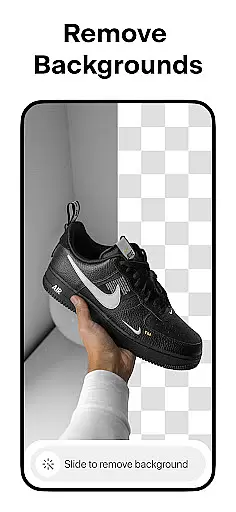
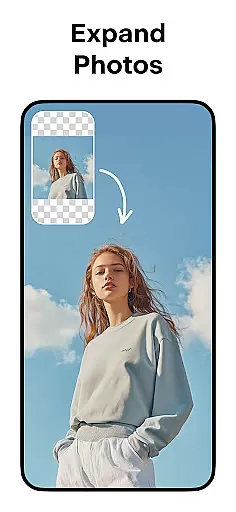
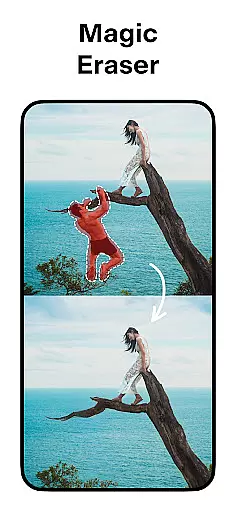

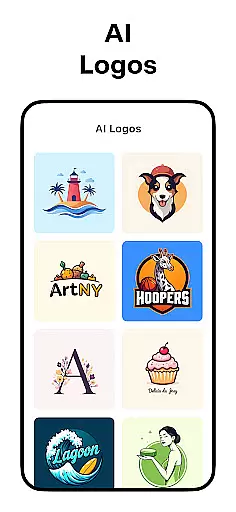
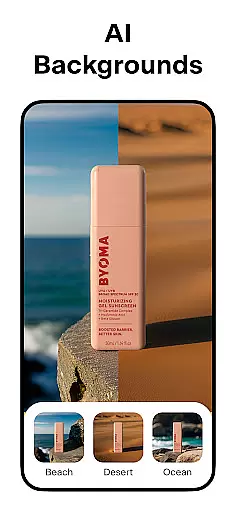
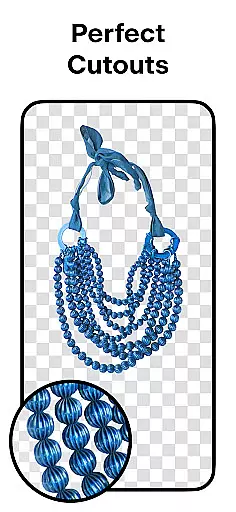
Pixelcut AI Photo Editor is a comprehensive graphic design and photo editing tool that empowers users to create stunning visuals effortlessly. With over 15 million creators already on board, this all-in-one editor leverages artificial intelligence to simplify complex tasks such as background removal, object erasure, and text overlays.
The app offers specialized features like AI Photoshoot for generating unlimited product photos, Magic Writer for crafting engaging copy, and Reels Maker for producing business videos. Whether you're an e-commerce entrepreneur or a social media enthusiast, Pixelcut provides the tools needed to enhance your online presence and captivate your audience.
Pixelcut stands out with its diverse range of AI-powered features designed to streamline photo editing and graphic design. The Background Remover allows users to instantly erase backgrounds with precision, while the Magic Eraser helps in removing unwanted objects seamlessly. AI Photoshoot revolutionizes product photography by enabling users to generate countless high-quality images for their online stores.
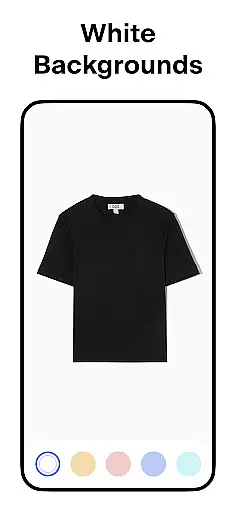
In addition, the Magic Writer acts as an AI Copywriter, assisting in creating compelling product descriptions and social media content. Users can also explore creative possibilities with Collages, Text Styles, and White & Color Backgrounds. Templates, Shadows, and community-driven Discover options further enhance customization and creativity, making Pixelcut an indispensable tool for digital marketers and designers alike.
In the realm of digital art and design, having a comprehensive suite of creative tools is essential for bringing visions to life. Pixelcut AI Photo Editor stands out by offering an extensive array of features tailored for both amateur designers and professional artists. The application includes advanced AI-driven functionalities such as background removal, object erasure, and AI photoshoot generation, which collectively ensure that users can manipulate images with precision and ease.
Moreover, Pixelcut enriches the creative process by integrating a Magic Writer tool powered by GPT technology, enabling users to generate engaging copy for their designs. This feature not only enhances productivity but also allows creators to produce cohesive visual and textual content within a single platform. With additional options like video creation, collage making, and an extensive template library, Pixelcut ensures that all artistic needs are met without requiring multiple applications.
The true value of Pixelcut's complete toolkit lies in its ability to cater to diverse design requirements while maintaining user-friendliness. Artists can experiment with different styles, backgrounds, shadows, and text overlays, knowing that each tool is designed to deliver professional-grade results. By consolidating these powerful features into one editor, Pixelcut empowers users to focus on their creativity rather than technical limitations, ultimately leading to more innovative and polished designs.
Flexibility in canvas and format options is crucial for designers who need to adapt their work across various platforms and mediums. Pixelcut AI Photo Editor addresses this need by providing versatile canvas settings that allow users to customize dimensions according to specific project requirements. Whether creating graphics for social media, e-commerce listings, or print materials, Pixelcut ensures that every piece maintains optimal resolution and aspect ratio.
In addition to adjustable canvas sizes, Pixelcut supports a wide range of file formats, ensuring compatibility and ease of use regardless of where the final product will be displayed. Users can export their creations in formats suitable for web use or high-quality printing, thus preserving the integrity of their designs during transfer or publication. This adaptability extends to incorporating different background optionsu2014such as solid colors or intricate backdropsu2014which further enhances the versatility of output possibilities.
By prioritizing canvas and format flexibility, Pixelcut enables designers to seamlessly transition between projects without being constrained by technical specifications. This freedom allows creatives to explore new ideas and formats confidently, knowing that their work will consistently meet professional standards. Ultimately, Pixelcutu2019s commitment to flexible design parameters underscores its dedication to supporting limitless artistic expression.
User-friendly interface
Advanced AI features
Versatile templates
Efficient background removal
Comprehensive design tools
Paid Pro membership
Limited free features
Internet connection required
Occasional bugs
Learning curve for beginners

Download now for a stylish and functional timepiece
 4.0
4.0
Create sweet, cool and unique couple avatars easily, in just a few steps!
3.40
Design your dream room with AI. Get decor ideas & plan home interiors
3.90
Apply cartoon, caricature, and portrait effects to make your photos stand out!
3.60
Passport size photo maker, create ID photo and visa photo in seconds
4.80
Minecraft & Roblox Clothes
4.70
Art of Combination Wear OS Watch faces (for Wear OS 5+ devices)
3.90
OneUI 8.5 icons ✨ Smooth, modern & based on the latest Play Store design ??
4.10
Unleash your inner artist! Sketchar: AR Drawing for Limitless Creativity
4.40
Mobile pixel art editor. Simple. Fast. Portable.
4.80
Novices can also easily complete diamond painting masters
4.70
Draw anime & manga drawing, art with templates to create stunning picture!
4.50
Share the joy of painting with ibis Paint! Drawing anime and manga art.
4.50
Nano Banana AI Image Generator, Anime Filter, AI Portrait, AI Photo Generator
4.30
Sketch, plan, take notes and illustrate on an infinite canvas.
4.20
Digital Drawing: Draw & Paint
4.10
Design unique, funny and adorable cat stickers that reflect your own style!
3.80
Create cute cat emojis & PFPs! Fun, custom avatars for cat lovers.
3.70
Premium version of Shimeji-ee app with no ads & no limit active shimeji
4.4


User Reviews