
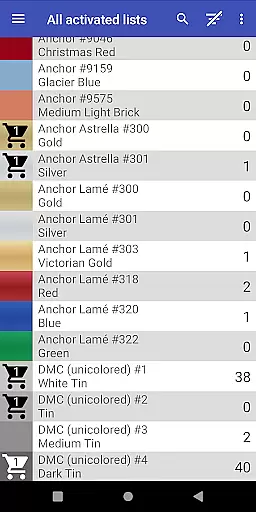
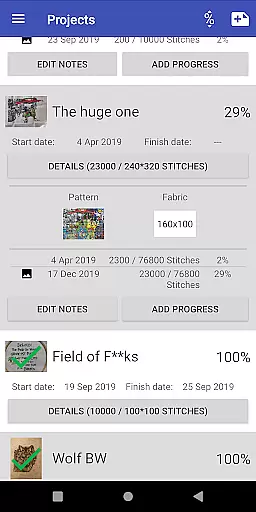
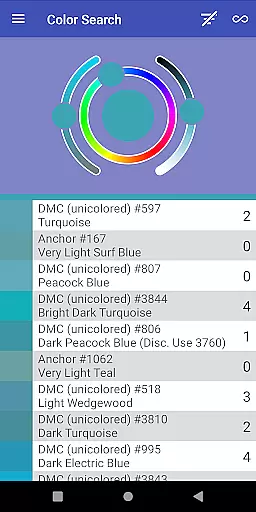
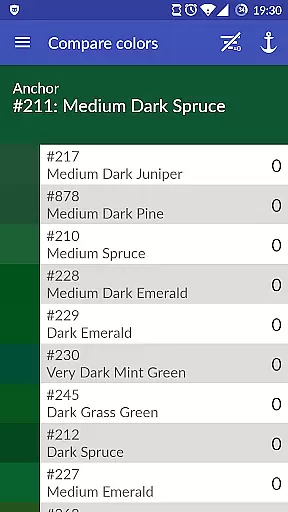
Cross Stitch Thread Organizer is a comprehensive tool designed for cross-stitch enthusiasts, providing an efficient way to manage thread collections on the go. With support for approximately 160 thread vendors, users can easily navigate through extensive lists of threads, fabrics, and patterns.
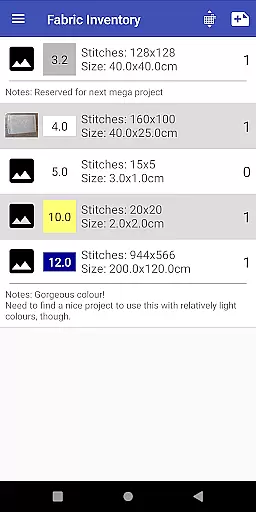
The app allows users to track inventory, search for specific colors, and find substitutes when supplies run low. Additionally, it offers project management features such as tracking daily progress and calculating final piece sizes, ensuring that every cross-stitch project is organized and successful.
One of the standout features of Cross Stitch Thread Organizer is its vast vendor support, including popular names like DMC, Anchor, and The Caron Collection, among others. This ensures that no matter your preferred brand, the app has got you covered.
Beyond just cataloging threads, the app provides practical tools such as color matching, shopping cart functionality, and project tracking. Users can also manage fabrics and patterns, making it an all-in-one solution for cross-stitch project management.
With the custom lists feature, users can add missing vendors, ensuring the app grows with the community's needs. Its ad-free and optimized performance makes it a reliable companion for both amateur and professional cross-stitch artists.
Creative tools are essential for any design application, and Cross Stitch Thread Organizer excels in this area. The app provides a comprehensive suite of features tailored to cross-stitch enthusiasts.
With support for over 160 thread vendors including DMC, Anchor, and Madeira, the app offers an extensive range of color options. Users can search for threads by specific colors or find substitutes when they run out of a particular thread.
Beyond thread management, the app allows users to manage fabrics and patterns, track project progress, and calculate final piece sizes. This holistic approach ensures that all creative needs are met within the app.
The inclusion of custom lists empowers users to add missing vendors, making it a versatile tool adaptable to individual preferences. This feature enhances the overall completeness of creative tools provided by the app.
Flexibility in canvas and format options is crucial for accommodating diverse design requirements. Cross Stitch Thread Organizer offers remarkable adaptability in managing various aspects of cross-stitch projects.
Users can work with different types of threads such as cotton, silk, variegated colors, and metallics. This variety ensures that stitchers can accurately plan their projects regardless of material preferences.
The app also supports tracking daily project progress and assigning required threads. This functionality helps maintain organization and coherence throughout complex stitching endeavors.
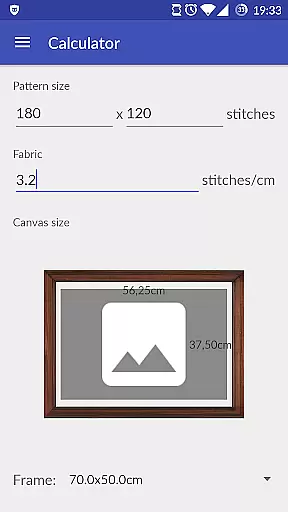
Additionally, the ability to calculate final piece sizes and choose from standard frame sizes adds another layer of practicality. These features collectively enhance the flexibility and usability of the app for both amateur and professional cross-stitch artists.
User-friendly navigation
Extensive vendor support
Ad-free experience
Custom list addition
Project tracking tools
Limited to cross-stitch
No integrated shop
Occasional bugs
Vendor list gaps
Complex for beginners

Vidu is an AI video generator made for creators and aspiring makers.
 3.30
3.30
Unleash your drawing and painting potential
4.50
Draw on screen: FP sDraw is a simple and lightweight drawing app
4.70
AI Art Generator transforms your words into AI generated art & paintings.
3.70
Novices can also easily complete diamond painting masters
4.70
Android 14 style widgets and wallpapers app.
4.0
Bring One UI 8.5 Icons to life -elegant dark icons with a modern, premium touch.
4.30
Share the joy of painting with ibis Paint! Drawing anime and manga art.
4.50
Sketch and paint on your device with the feel and freedom of drawing on paper
4.00
Kling AI is an image and video generation and editing studio powered by AI.
4.50
Photo blender app to create overlay photos & double exposure.
4.40
Draw, make movies & animate cartoons easily with our 2D animation maker app
4.40
Trace, draw, and create art with AR - from memes to masterpieces!
4.30
Create Logos, Tattoos, AI Art & more with our AI Photo Generator & Design Editor
4.20
Your homescreen as an elegant glass with customized blur, lighting, and visuals.
3.70
AI Assistant, powered by ChatGPT GPT-4 & GPT-4o. Your intelligent companion.
3.50
Sketch, trace and master AR drawing with awesome anime art!
3.30
Art of Combination Wear OS Watch Faces
3.30
Meet the magic aı 3d photo generator and smart AI video generator app.
3.20


User Reviews