
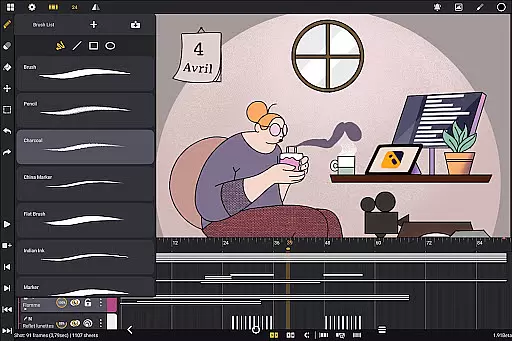
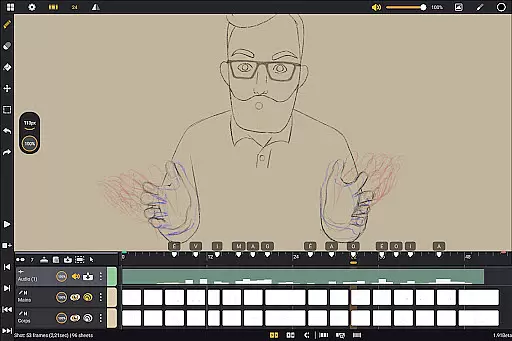
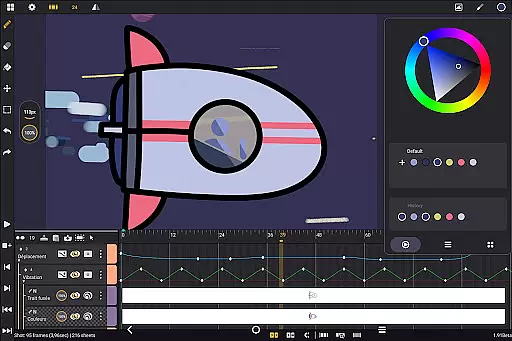
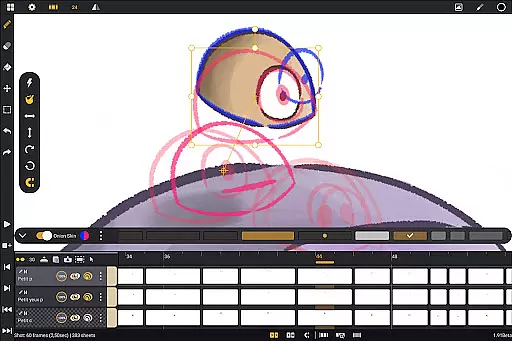
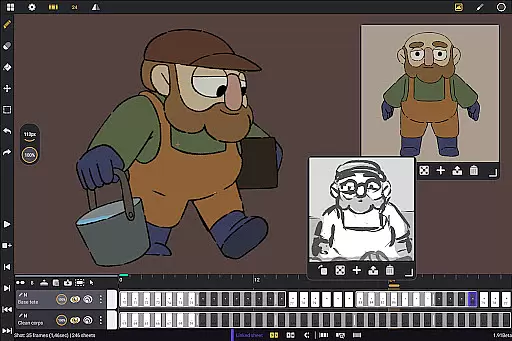
Callipeg is a professional-grade 2D hand-drawn animation app tailored for both professional animators and beginners. It offers an all-in-one solution with features typically found in full-fledged animation studios, optimized specifically for Android tablets and stylus support. The app provides users the ability to create frame-by-frame or keyframe animations, develop storyboards, and produce complete shots without requiring a subscription.
With its extensive toolset, Callipeg supports studio-like organization, adjustable frame rates up to 60 frames per second, and canvas sizes up to 4K resolution. Animators can work with unlimited layers, comprehensive drawing tools, onion skinning, and customizable workspace settings. Additionally, flexible import and export options allow seamless integration with industry-standard software, making it a versatile choice for various animation projects.
Callipeg stands out with its robust feature set designed to streamline the animation process. One of its core strengths is the studio-like organization, enabling users to arrange shots by dragging and dropping them into scenes and folders. The app's color tags, filters, and integrated search function help manage assets effectively, ensuring that users can quickly locate specific shots within complex projects.
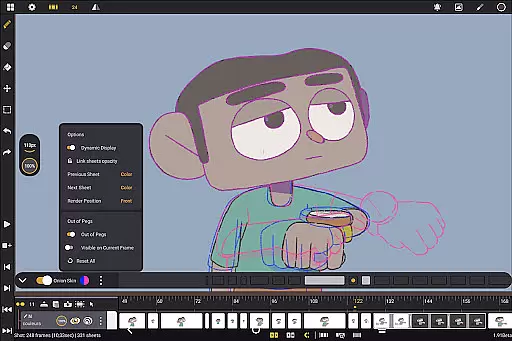
The app also excels in providing professional-grade tools such as adjustable frame rates, large canvas support, and unlimited layering capabilities. Users can customize their brushes, manage colors efficiently, and utilize onion skinning with adjustable opacity and color settings. Furthermore, Callipeg's flexible workspace customization allows users to tailor the interface to their preferences, including right- or left-handed modes and sidebar positioning, enhancing overall usability and workflow efficiency.
In the realm of 2D animation, having access to a comprehensive suite of creative tools is essential for producing high-quality work. Callipeg excels in this area by offering a complete set of features that rival professional animation studios. The app provides users with an extensive array of drawing tools including pencils, charcoal, and ink brushes, each customizable with adjustable smoothing, tip shapes, and textures.
Furthermore, animators can manage their projects with studio-like organization capabilities. This includes arranging shots through drag-and-drop functionality, organizing them into scenes and folders, and applying color tags and filters for efficient asset management. With support for unlimited layers of various types such as drawing, video, transformation, audio, or group layers, creators have the freedom to build complex animations while maintaining full control over their workflow.
The inclusion of onion skinning with adjustable opacity settings for up to eight frames before and after the current frame ensures precise frame-by-frame animation. Additionally, flexible import and export options allow users to work seamlessly across different platforms and software environments. By providing these robust tools within an intuitive interface optimized for Android tablets and stylus support, Callipeg empowers both beginners and professionals to bring their artistic visions to life without compromise.
Flexibility in canvas size and format compatibility is crucial for accommodating diverse project requirements and ensuring that animations meet industry standards. Callipeg addresses this need by supporting canvas sizes up to 4K resolution, enabling animators to create detailed visuals suitable for professional-grade productions. Users can adjust frame rates to match specific project demands, choosing from common standards like 12, 24, 25, 30, or even 60 frames per second.
Beyond just resolution and frame rate adjustments, Callipeg also offers versatile formatting options during the export process. Animations can be saved in multiple formats including .mp4, .gif, .png, .tga, .psd, and .peg, catering to various distribution channels and post-production workflows. Importing assets is equally flexible; whether it's images, video clips, or audio files, they can all be integrated into projects effortlessly.
This adaptability extends further with customizable workspace settings where sidebars can be repositioned according to user preference, making it easier than ever to tailor the environment to individual working styles. Whether you're crafting intricate storyboards or producing polished final cuts, Callipegu2019s commitment to canvas and format flexibility ensures that your creative possibilities remain boundless.
Professional-grade tools
No subscription model
Unlimited layer support
Customizable workspace
Active community support
Stylus-dependent functionality
Steep learning curve
Limited mobile device support
High system requirements
Few advanced features

Create sweet, cool and unique couple avatars easily, in just a few steps!
 3.40
3.40
Stylish letters, Stylish Keyboard, Symbols, Emojis, Cool nickname
4.40
Sketch, trace and master AR drawing with awesome anime art!
3.30
See Color, Paint Color
4.90
AI Art Generator transforms your words into AI generated art & paintings.
3.70
The perfect place to start sketching! Use Sketchbook to draw and paint sketches.
4.50
Draw Trace image sketch by, AR art projector app, Easy to trace any image.
4.50
Photo stitcher for automatically screenshot stitching into a long screenshot
4.70
Everything you need to create hand drawn animation, anywhere you go!
4.40
Make your phone cooler and have a fantastic experience
4.80
Create neon drawing with magic doodle and fun doodle art effects!
4.50
AI Tattoo Generator: Create Tattoo Designs & Get Ideas! Ink & Stencil Maker
4.50
Trace, draw, and create art with AR - from memes to masterpieces!
4.30
Text to Image, Image to Video & AI Chat
4.20
Sketch and paint on your device with the feel and freedom of drawing on paper
4.00
Turning simple sketches into captivating tales filled with life and motion
3.90
Create cute cat emojis & PFPs! Fun, custom avatars for cat lovers.
3.70
AI Assistant, powered by ChatGPT GPT-4 & GPT-4o. Your intelligent companion.
3.50
Premium version of Shimeji-ee app with no ads & no limit active shimeji
4.2


User Reviews