
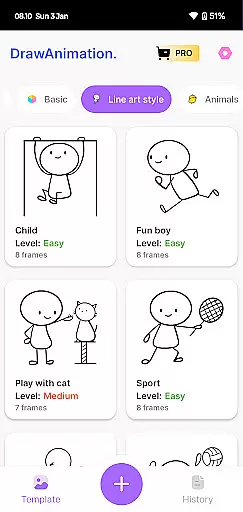
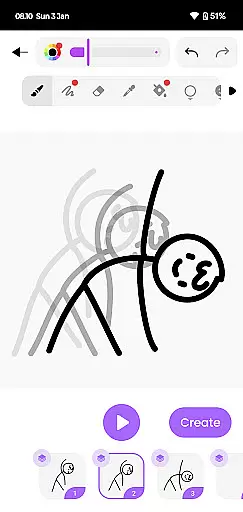
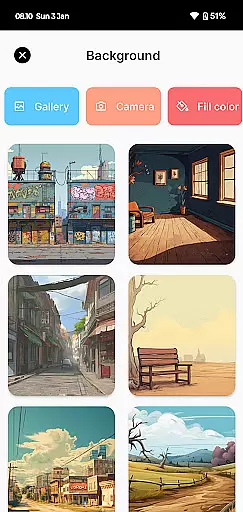
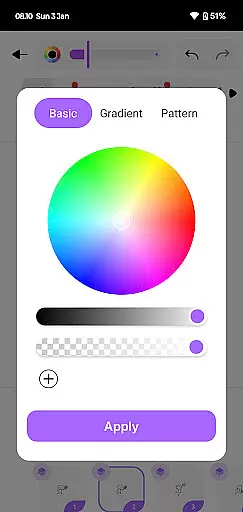
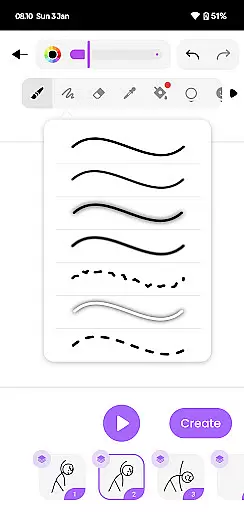
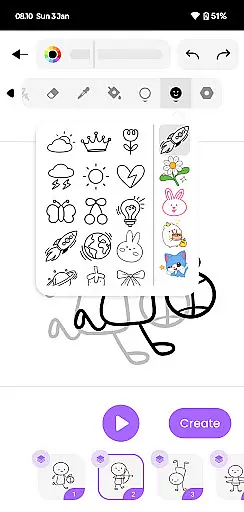
Draw Animation Maker is an innovative app in the Art & Design category that empowers users to transform simple doodles into captivating animations. The application provides a complete animation toolkit, enabling both beginners and experienced artists to create frame-by-frame flipbook-style animations directly on their mobile devices.
The app's standout feature is its user-friendly interface that makes animation accessible to everyone. Whether you're crafting humorous cartoons or developing detailed anime-like sequences, Draw Animation Maker streamlines the process through intuitive drawing tools and smooth frame transitions. Users can save their creations as GIFs or MP4 files, making it easy to share their animated stories across social platforms.
This versatile application is particularly valuable for aspiring animators and digital artists who want to practice their skills on-the-go. The ability to create professional-quality animations from anywhere provides immense value for content creators and storytellers looking to expand their creative repertoire.
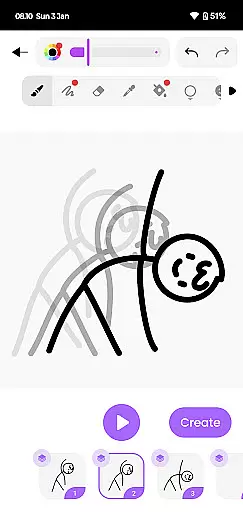
Draw Animation Maker distinguishes itself through several remarkable features that enhance the creative process. The app offers precise drawing tools that allow users to create detailed frame-by-frame animations with accuracy and control. Its onion-skinning functionality enables animators to view multiple frames simultaneously, ensuring smooth transitions between movements.
A key innovation is the app's support for both casual and professional animation styles. Users can start with simple stick figure animations and progress to more complex character designs. The application maintains high performance even with intricate projects, thanks to its optimized rendering engine that handles multiple layers and effects efficiently.
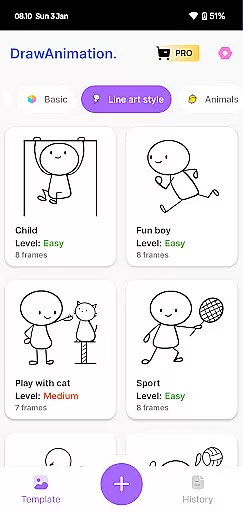
The export functionality sets this app apart from competitors, allowing creators to save their work in industry-standard formats including high-resolution GIFs and MP4 videos. Additionally, the built-in library of animation templates and character assets helps jumpstart projects while maintaining creative flexibility.
In the realm of digital artistry, having a comprehensive suite of creative tools is paramount. Draw Animation Maker stands out by offering an extensive array of features that cater to both budding and seasoned animators. The app provides everything from basic drawing tools to advanced frame-by-frame animation capabilities.
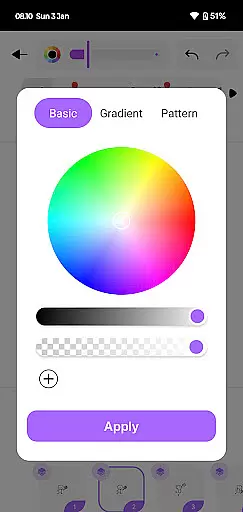
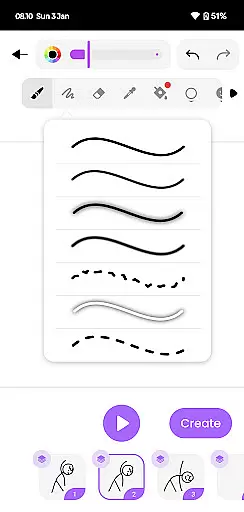
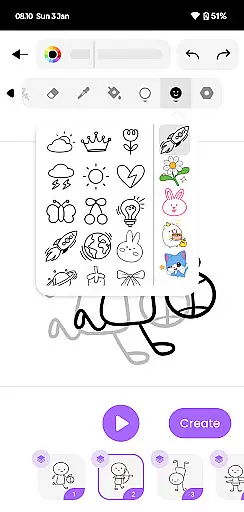
Users can access a variety of brushes, colors, and effects to bring their creations to life. This diversity ensures that whether you're crafting simple doodles or complex animated sequences, the app supports your vision with the necessary instruments. The inclusion of flipbook-style animation allows creators to build animations in a traditional yet digitized manner.
The true value lies in the app's ability to transform static images into dynamic stories. With functionalities that support detailed character development and scene creation, users can weave intricate narratives. This not only enhances the creative process but also significantly boosts the quality of the final animated content.
By integrating saving and sharing options, Draw Animation Maker ensures that artists can preserve their work in high-quality formats like GIFs and MP4 files. This feature enables easy distribution and presentation of animations, making it an indispensable tool for anyone serious about animation.
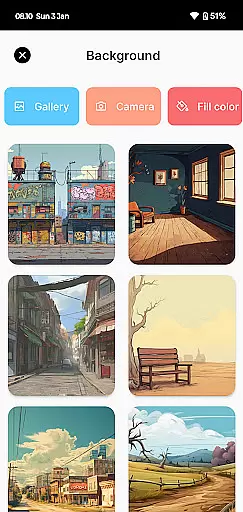
Flexibility in canvas and format options is crucial for unleashing full creative potential. Draw Animation - Anim Creator excels in this area by providing adaptable canvas sizes and format compatibilities. Artists can customize their workspace to fit the specific needs of each project, ensuring optimal creative freedom.
The app supports various aspect ratios and resolutions, accommodating different styles and requirements of modern animation. Whether creating content for social media, film, or personal archives, users can tailor their canvas settings accordingly. This adaptability extends to exporting animations in multiple formats such as GIF and MP4, catering to diverse sharing platforms.
Moreover, the ability to adjust canvas dimensions empowers creators to experiment with different visual storytelling techniques. From panoramic scenes to close-up character studies, the app facilitates a broad spectrum of artistic expressions. This versatility enhances both the creative process and the viewer's experience.
By prioritizing canvas and format flexibility, Draw Animation Maker positions itself as an essential tool for animators seeking to push creative boundaries. The seamless integration of these features ensures that artists can focus on their craft without being constrained by technical limitations.
User-friendly interface
Frame-by-frame precision
High-quality exports
Onion-skinning tool
Creative asset library
Limited advanced tools
Occasional lag
No collaboration features
Basic color options
Pro features locked

Premium version of Shimeji-ee app with no ads & no limit active shimeji
 4.5
4.5
The ultimate tool for creating animations
4.60
Image/ Text to Video Generator
4.40
Custom Character Creator & PFP Maker!
4.20
Art of Combination Wear OS Watch Faces
4.4
Mobile pixel art editor. Simple. Fast. Portable.
4.80
Art of Combination Wear OS Watch faces (for Wear OS 5+ devices)
3.90
OneUI 8.5 icons ✨ Smooth, modern & based on the latest Play Store design ??
4.10
Kling AI is an image and video generation and editing studio powered by AI.
4.50
2D animation studio for Android tablets - unlimited layers, infinite timeline
4.70
Convert image to JPG PNG HEIC PDF, support almost all kinds of image formats
4.70
Draw, fidget, and spin glow art! Relax and express your creativity with a finger
4.60
Digital illustration drawing & painting pad app to paint Anime and Manga art
4.50
Create neon drawing with magic doodle and fun doodle art effects!
4.50
Share the joy of painting with ibis Paint! Drawing anime and manga art.
4.50
Create and Design Custom Logos in Seconds with AI-Powered Tools!
4.40
Sketch, plan, take notes and illustrate on an infinite canvas.
4.20
AR Anime Drawing: How to draw anime with AR drawing & sketching apps!
4.00
Android 14 style widgets and wallpapers app.
4.1


User Reviews