
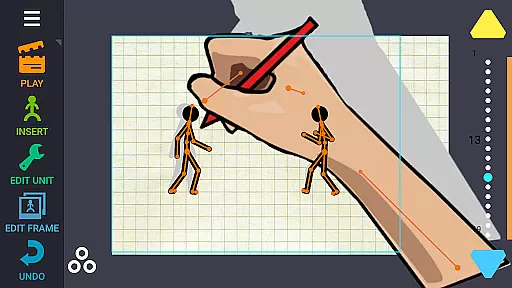
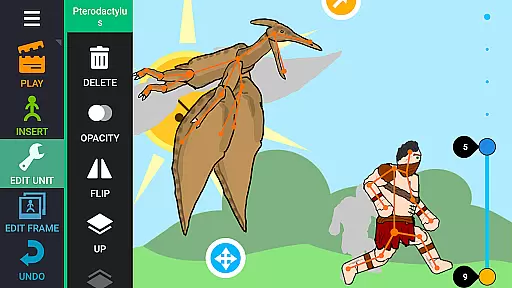
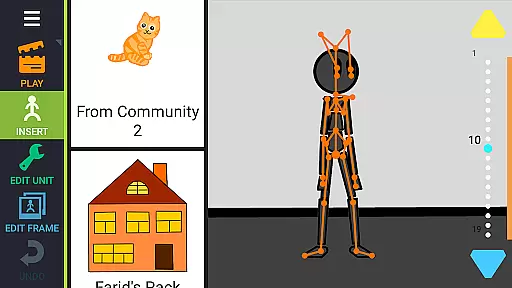
Draw Cartoons 2 PRO is a comprehensive 2D animation app designed for both beginners and advanced animators. The application simplifies the complex process of cartoon creation through innovative motion smoothing techniques, allowing users to set only the start and end positions of characters while the program generates smooth transitions automatically. With an extensive library of pre-made characters and objects ranging from dragons to cars, users can easily drag and drop elements to build their scenes.
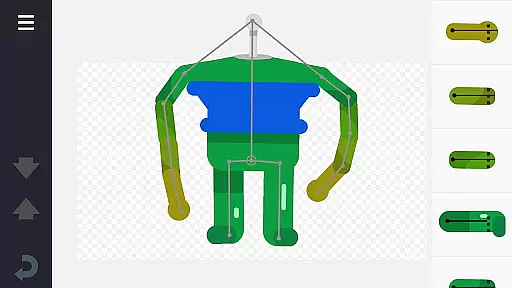
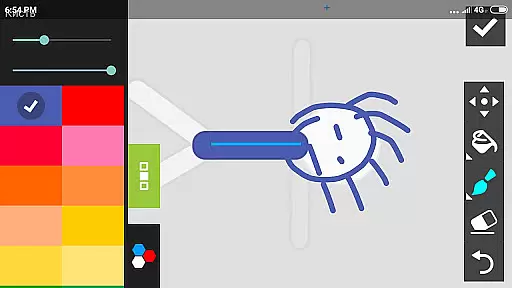
The app includes a powerful character editor that lets you create custom creatures and objects using a skeletal bone structure. You can draw directly within the app or import images to use as bones. Additional professional tools include a virtual camera for dramatic close-ups and speed effects for controlling the pace of animations. Users can also add music or voiceovers to enhance storytelling. Finished projects can be exported as MP4 videos or GIFs and shared on platforms like YouTube under the tag #drawingcartoons2.
Draw Cartoons 2 PRO offers a rich set of features tailored for creating detailed 2D animations. One standout feature is the motion smoothing technology, which significantly reduces the complexity of animating by requiring users to define only key poses. This makes the animation process more accessible, especially for beginners. The built-in library provides a wide array of ready-to-use characters and objects, streamlining the creative workflow.
For those seeking more customization, the character editor allows for the creation of unique figures by assembling bones into complex structures. Advanced tools such as the virtual camera enable dynamic shots, mimicking techniques used in professional filmmaking. Speed effects offer control over timing, perfect for crafting slow-motion sequences or fast-paced action scenes. Additionally, the ability to incorporate audio elements like music and voiceovers adds another layer of depth to your animations, making them more engaging and polished.
In Draw Cartoons 2 PRO, the comprehensive suite of creative tools empowers users to craft intricate 2D animations with ease. The application provides a library filled with diverse characters and objects, ranging from mythical creatures like dragons to everyday items such as cars.
Moreover, the inclusion of a character editor allows for the customization of unique figures assembled from 'bones', which can either be drawn directly within the app or extracted from photographs, thus offering unparalleled flexibility in creation.
Advanced features such as dramatic camera close-ups and speed effects further enhance the toolkit available to animators, enabling them to add professional touches to their work, akin to techniques used in horror films and slow-motion sequences.
The ability to incorporate music or voiceovers adds another layer of depth, ensuring that creators have all the necessary components to produce fully-fledged cartoons without needing external resources.
Draw Cartoons 2 PRO offers remarkable canvas and format flexibility, accommodating various creative needs. Users can save their animations in multiple formats, including video (MP4) and GIF, allowing for broad compatibility and ease of sharing across different platforms.
This versatility extends to exporting creations to popular sites like YouTube, where animators can showcase their work under the tag #drawingcartoons2, connecting with a community of fellow creators.
Additionally, individual elements such as character figurines can be saved and shared as separate files, promoting collaboration by enabling others to utilize these assets in their projects.
Such flexible export options ensure that whether an animator is looking to share a complete cartoon or contribute components to a larger project, Draw Cartoons 2 PRO supports their vision with adaptable solutions.
User-friendly interface
Extensive library of assets
Powerful character editor
Advanced animation tools
Active community support
Steep learning curve
Requires significant storage
Limited free content
In-app purchases necessary
Occasional bugs reported

Discover Cartoon Dream : Unleash Your Creativity with CuttingEdge AI
 4.50
4.50
Create sweet, cool and unique couple avatars easily, in just a few steps!
3.40
Art of Combination Wear OS Watch faces (for Wear OS 5+ devices)
3.00
Apply cartoon, caricature, and portrait effects to make your photos stand out!
3.60
Trace, draw, and create art with AR - from memes to masterpieces!
4.30
Minecraft & Roblox Clothes
4.70
Get creative and make art with your Sesame Friends!
4.00
Experience next-gen icons with a modern liquid glass look.
3.60
Photo stitcher for automatically screenshot stitching into a long screenshot
4.70
Passport size photo maker, create ID photo and visa photo in seconds
4.80
Convert image to JPG PNG HEIC PDF, support almost all kinds of image formats
4.70
2D animation studio for Android tablets - unlimited layers, infinite timeline
4.70
Kling AI is an image and video generation and editing studio powered by AI.
4.50
Photo blender app to create overlay photos & double exposure.
4.40
Remove Background, Magic Eraser, Photo Enhancer, Story Templates, Collage Maker
4.30
Create stylish invitation cards using templates for weddings, birthdays & RSVP.
4.20
OneUI 8.5 icons ✨ Smooth, modern & based on the latest Play Store design ??
4.10
AR Anime Drawing: How to draw anime with AR drawing & sketching apps!
4.00
A luxurious gold watch face for an elegant and refined look.
4.5


User Reviews