
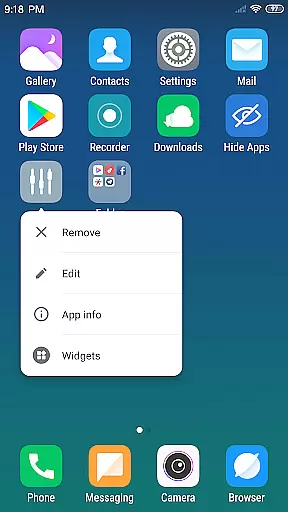
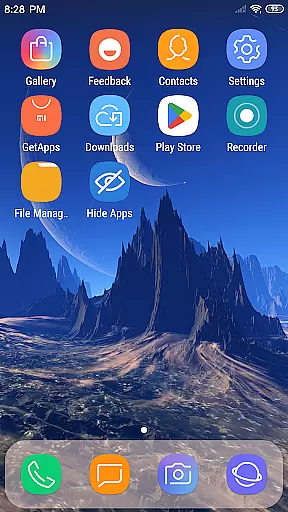
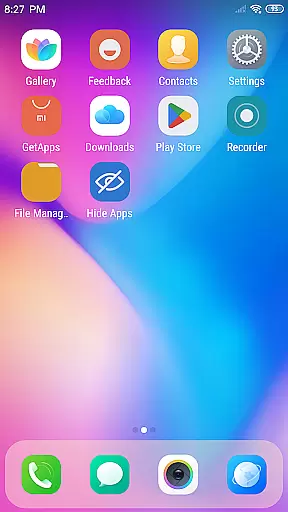
X Launcher Pro is a premium launcher app designed for Android users who appreciate minimalist flat design and customization. This app transforms the entire appearance and operation of your phone, offering a clutter-free experience with its ad-free interface. The sleek design not only enhances visual appeal but also ensures smooth navigation.
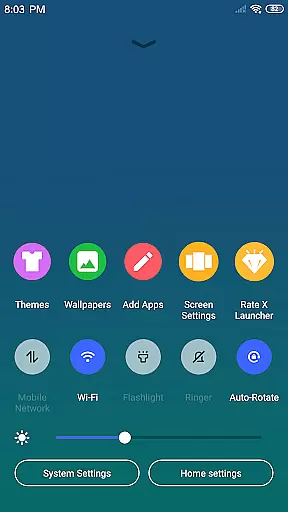
One of the standout features is the App Manager, which allows you to quickly organize and access local apps by simply swiping up. Additionally, the Control Center provides quick access to essential settings like WiFi, brightness, and volume control. With various themes and the latest wallpapers, X Launcher Pro delivers a personalized and immersive user experience that adapts to your preferences.
Whether you want to hide certain apps for privacy or modify app icons and names for a unique touch, this launcher offers extensive customization options. It's ideal for users looking to revamp their phone's interface while maintaining optimal performance and aesthetics.
X Launcher Pro stands out with its rich set of features tailored for both functionality and personalization. The app offers an ad-free experience, ensuring no interruptions while you navigate through your device. Its App Manager simplifies the process of organizing apps by allowing you to swipe up and quickly drop them onto your desktop.
The Control Center is another highlight, providing swift access to critical phone settings such as WiFi, network, brightness, and volume adjustments. You can even take photos directly from the Control Center. The Theme Store boasts a variety of themes that adapt seamlessly to your selections, enhancing your overall user experience.
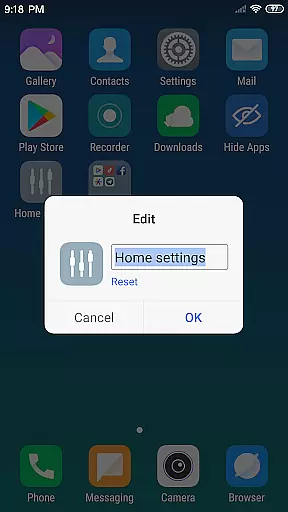
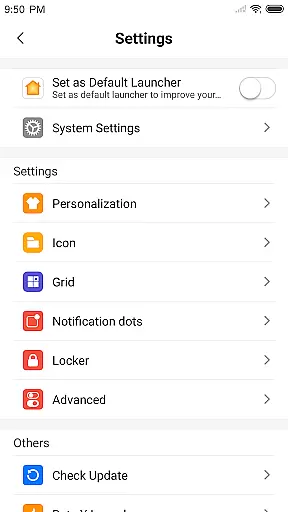
Customization reaches new heights with options to modify app icons and names, choose from the latest wallpapers, and adjust the layout by changing the number of rows and columns. Privacy-conscious users will appreciate the ability to hide apps they prefer not to display in the launcher. These features collectively ensure a highly personalized and efficient mobile experience.
In the realm of Art & Design, having a comprehensive suite of creative tools is essential for unleashing one's artistic potential. X Launcher Pro rises to the occasion by offering an extensive array of features that cater to customization and personalization. With functionalities such as App Manager, Control Center, and Theme Store, users are equipped with everything needed to tailor their smartphone experience.
The App Manager allows swift access and organization of local apps, while the Control Center provides quick settings adjustments, enhancing operational fluidity. The inclusion of a Theme Store filled with various themes ensures that users can continuously refresh the visual aspect of their device, keeping it aligned with their personal style or mood.
Moreover, X Launcher Pro goes beyond superficial customization by enabling users to modify app icons and names, choose from rich icon libraries, and apply the latest wallpapers. This level of detailed personalization empowers users to truly make their device a reflection of their individuality, thus elevating the overall creative experience.
Flexibility in canvas and format options is a cornerstone of any robust design application, allowing creators the freedom to work without constraints. X Launcher Pro embraces this principle by providing versatile design elements that adapt seamlessly to user preferences. One standout feature is its customizable grid system, which lets users alter the number of rows and columns on their launcher, effectively changing the 'canvas' upon which apps and widgets are placed.
This adaptability extends to the way users can manipulate app icons and names, granting them the liberty to use local images as app icons after cropping them to fit specific dimensions. Such a feature not only enhances aesthetic appeal but also streamlines workflow efficiency, as each element can be tailored for optimal accessibility and visibility.
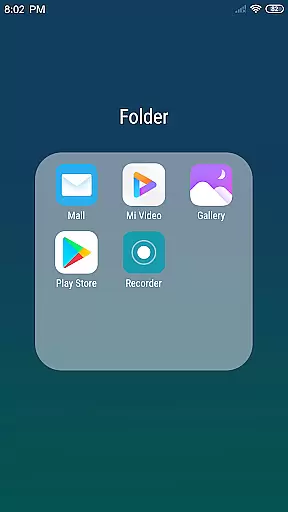
Furthermore, X Launcher Pro's Flat Style Folder adds another layer of formatting flexibility, allowing for intuitive grouping of apps without cluttering the workspace. Coupled with the ability to hide apps, these features ensure that every user's design palate remains clean and organized, adapting effortlessly to both minimalist designs and more complex, information-dense layouts.
User-friendly interface
Highly customizable
No ads
Variety of themes
Efficient app management
Storage permission required
Limited to Android
Premium cost
Occasional bugs
Learning curve

Meet the magic aı 3d photo generator and smart AI video generator app.
 3.20
3.20
Text to Image, Image to Video & AI Chat
4.20
Unleash Your Creativity with Draw Cartoon - AR Drawing App
4.10
Castle is social media for creating and playing games!
4.60
Draw anime easily with AR guidance, sketch templates & trace tools!
3.10
Nano Banana AI Image Generator, Anime Filter, AI Portrait, AI Photo Generator
4.30
The perfect place to start sketching! Use Sketchbook to draw and paint sketches.
4.50
Mobile pixel art editor. Simple. Fast. Portable.
4.80
Draw, fidget, and spin glow art! Relax and express your creativity with a finger
4.60
Digital, Abstract, Classic - all types of color wheels in one app!
4.60
Draw beautiful mandala's very easily
4.60
Photo editor for art, avatars, filters & fun transformations.
4.60
Create neon drawing with magic doodle and fun doodle art effects!
4.50
Share the joy of painting with ibis Paint! Drawing anime and manga art.
4.50
Trace, draw, and create art with AR - from memes to masterpieces!
4.30
OneUI 8.5 icons ✨ Smooth, modern & based on the latest Play Store design ??
4.10
Resize photos and print photos in exact size with our powerful photo printer!
3.80
Sketch, trace and master AR drawing with awesome anime art!
3.30
Premium version of Shimeji-ee app with no ads & no limit active shimeji
4.3


User Reviews