
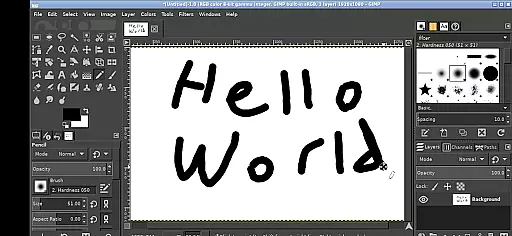
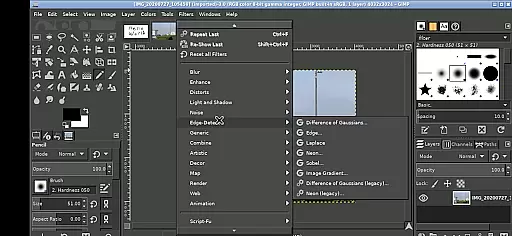
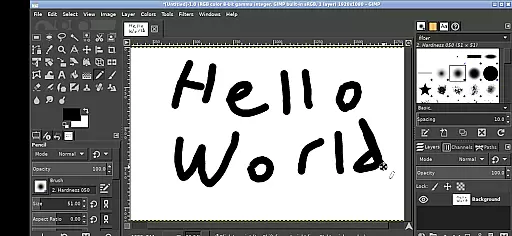
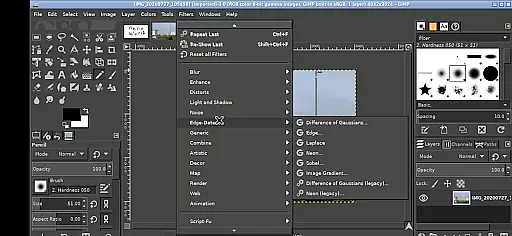
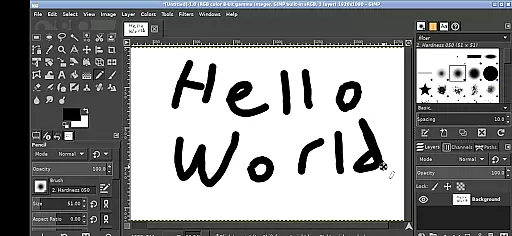
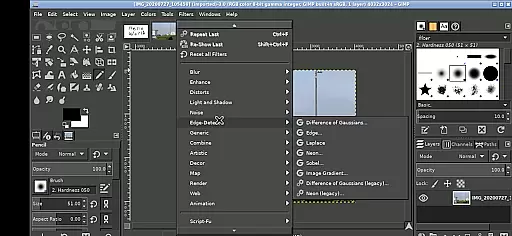
GIMP, the GNU Image Manipulation Program, brings professional-grade image editing to your mobile device. This full-featured application supports a wide array of tools and features that rival desktop photo editing software.
Designed for both creative professionals and hobbyists, GIMP on Android allows users to perform complex image manipulations directly on their devices. The app maintains the core functionality of its desktop counterpart while adapting to the mobile environment with touch-friendly controls.
Whether you're retouching photos, creating digital art, or preparing images for web and print, GIMP provides the necessary tools within a mobile-friendly interface. Its integration with Android's file system makes it easy to access and edit images from various locations on your device.
GIMP offers an impressive array of features optimized for mobile use. The application supports multiple input methods including tap-to-click, pinch zooming, and two-finger scrolling, making it adaptable to different user preferences and device types.
The program includes professional-grade tools for photo retouching, image composition, and image authoring. Users can work with layers, apply filters, and utilize advanced selection tools just as they would on the desktop version. The app also maintains compatibility with industry-standard file formats.
Specifically adapted for Android, GIMP implements innovative touch-based controls while preserving its powerful editing capabilities. The app's ability to access files directly from Android storage locations eliminates the need for cumbersome file transfers, streamlining the mobile editing workflow.
In the realm of digital art and design, having a comprehensive set of tools is paramount. GIMP, the GNU Image Manipulation Program, offers an extensive array of features that cater to both amateur artists and professional designers. With capabilities ranging from basic drawing and painting to advanced photo retouching and image authoring, this application ensures that all your creative needs are covered.
GIMP's functionality extends beyond simple edits; it provides sophisticated tools for layers, paths, filters, and even supports various plugins to expand its utility further. The ability to handle tasks such as color correction, cloning, and airbrushing with precision makes it a go-to choice for detailed work. Moreover, users can customize their workspace and toolsets, ensuring that they have access to exactly what they need when working on complex projects.
For those who demand flexibility in their workflow, GIMP does not disappoint. It allows seamless file management through direct links to Android directories like Documents and Pictures, eliminating the hassle of importing or exporting files. This integration simplifies the process of accessing resources and saving work, making it easier than ever to maintain productivity while on the move.
A canvas is more than just a space to create; it's where ideas come to life. In GIMP, users enjoy unparalleled canvas and format flexibility, which empowers them to bring their visions into reality without constraints. Whether you're designing graphics for web use or preparing high-resolution images for print, GIMP adapts effortlessly to meet diverse project requirements.
The software supports multiple file formats, including popular ones like JPEG, PNG, GIF, and TIFF, alongside specialized formats used by professionals. Such versatility ensures compatibility across different platforms and devices, allowing designers to share their work confidently knowing it will retain its quality regardless of where itu2019s viewed or printed.
Additionally, GIMP enables precise control over canvas dimensions and resolution settings, accommodating everything from small icons to large banners. Users can easily adjust these parameters during any stage of creation, giving them freedom to experiment with layouts and compositions until they achieve perfection. This adaptability enhances creativity, letting artists focus solely on expressing themselves rather than worrying about technical limitations.
Professional-grade tools
Extensive format support
Touch-optimized interface
Active community support
Regular feature updates
Steep learning curve
Interface clutter
High system requirements
Limited mobile features
Occasional bugs

Discover Cartoon Dream : Unleash Your Creativity with CuttingEdge AI
 4.50
4.50
The ultimate tool for creating animations
4.60
Text to Image, Image to Video & AI Chat
4.20
Create color palette from Image, RGB & RYB Color wheel harmonies, Color Scheme
4.50
Draw beautiful mandala's very easily
4.60
Art of Combination Wear OS Watch faces (for Wear OS 5+ devices)
3.90
Experience next-gen icons with a modern liquid glass look.
3.60
Kling AI is an image and video generation and editing studio powered by AI.
4.50
Just trace a projected picture on paper and color! Draw & Paint with AR drawing
4.40
Photo stitcher for automatically screenshot stitching into a long screenshot
4.70
Your AI soulmate — meaningful chats, and unique emotional moments
4.70
Photo editor for art, avatars, filters & fun transformations.
4.60
Share the joy of painting with ibis Paint! Drawing anime and manga art.
4.50
800+ Drawing, Painting Lessons App to Practice, Sketch & Paint Art.
4.30
AI Art Generator transforms your words into AI generated art & paintings.
3.70
Your homescreen as an elegant glass with customized blur, lighting, and visuals.
3.70
Draw anime easily with AR guidance, sketch templates & trace tools!
3.10
Pose and morph realistic male and female models! 3D poser app
3.00
Art of Combination Wear OS Watch Faces
4.2


User Reviews