
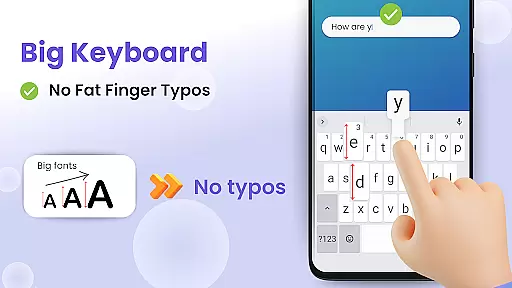
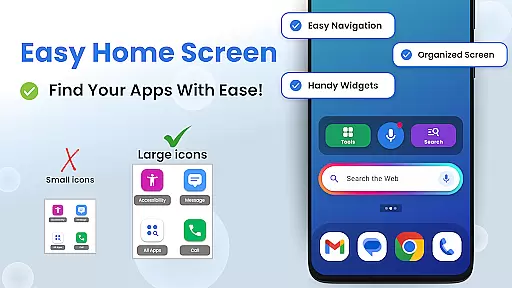
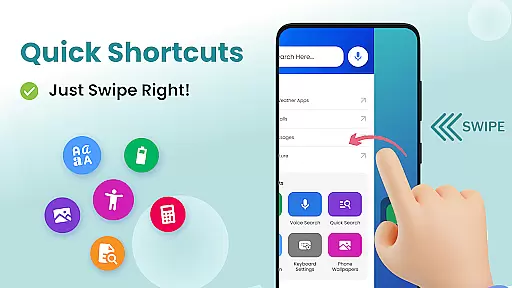

Big Keyboard is a personalization app designed to enhance your smartphone experience through an intuitive home screen layout and larger keyboard options. The app offers a clean interface with quick-swipe shortcuts, making it easier for users to access their favorite features without hassle. Its standout feature is the enlarged keyboard, which reduces typos and makes typing more comfortable, especially for those who struggle with smaller keys.
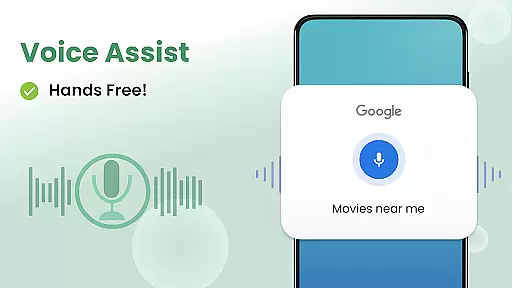
In addition to its core functionality, Big Keyboard provides helpful tools such as a magnifier for reading small text, voice assistant integration for hands-free search, and customizable wallpapers to personalize your device. These features collectively create a more accessible and enjoyable user experience, particularly beneficial for individuals seeking simplicity and ease of use in their daily phone interactions.
Big Keyboard stands out with its innovative approach to simplifying smartphone usage. The app's redesigned home screen offers an intuitive layout with swipe-based shortcuts, enabling users to quickly access essential functions like calling, messaging, and searching. Powered by Yahoo, the search feature allows users to find information faster while suggested searches improve efficiency. This seamless navigation ensures that even novice users can operate their devices with confidence.
The enlarged keyboard is another key highlight, offering up to 70% more space than standard keyboards. This design minimizes errors and enhances typing speed, catering to users who find small keys challenging. Additionally, the app includes practical utilities such as a magnifier and flashlight, perfect for reading menus or other fine print in low-light environments. With free customizable wallpapers and easy access to accessibility settings, Big Keyboard combines functionality with personalization, ensuring a tailored experience for every user.
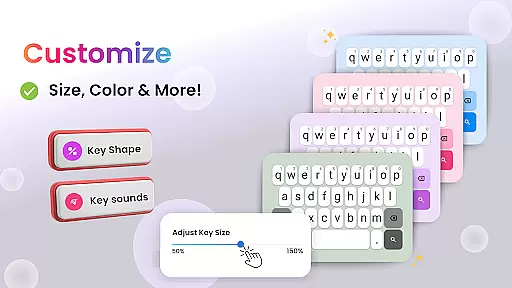
Customization is at the heart of enhancing user experience on any mobile device. The Big Keyboard: Easy Homescreen app excels in providing a wide array of customization options that cater to individual preferences and needs. With features ranging from an intuitive home screen layout to quick-swipe shortcuts, this app ensures that users can tailor their smartphone experience precisely how they like it.
The app offers a unique home screen experience with an emphasis on accessibility and ease of use. Users can enjoy larger keyboard settings, which can be adjusted up to 70% more than the standard size, making typing easier and reducing errors. This level of personalization extends to integrating helpful tools such as a magnifier and flashlight, ensuring that users have everything they need at their fingertips without having to search through multiple apps.
Moreover, the app provides built-in free wallpaper options, allowing users to personalize their phone backgrounds according to their tastes. Coupled with easy access to display and accessibility settings, these features make the smartphone not only more functional but also more reflective of the user's personality and style.
By offering such a diverse set of customization options, The Big Keyboard: Easy Homescreen app empowers users to create a mobile environment that feels comfortable and personalized. Whether it's adjusting the keyboard size for better typing or using the magnifier to read small text, these features collectively enhance the overall usability and enjoyment of the smartphone experience.
Theme compatibility is crucial for users who wish to maintain a consistent look and feel across their devices. The Big Keyboard: Easy Homescreen app understands this need and offers extensive theme compatibility to ensure that users can synchronize their device's appearance seamlessly. This feature allows individuals to express their personal style while maintaining visual harmony throughout their smartphone interface.
With the ability to personalize your phone background using free wallpapers provided within the app, users can select themes that resonate with their aesthetic preferences. These wallpapers are designed to be visually appealing and versatile, fitting various moods and occasions. Additionally, the app ensures that these themes do not compromise functionality, allowing users to enjoy both form and function simultaneously.
Beyond just wallpapers, the app integrates smoothly with other system settings, ensuring that all visual elements work together cohesively. Users can easily adjust display settings and accessibility options without disrupting the thematic consistency of their device. This seamless integration enhances the overall user experience by providing a unified and aesthetically pleasing environment.
Ultimately, the theme compatibility offered by The Big Keyboard: Easy Homescreen app adds significant value by allowing users to customize their devices extensively. By ensuring that all visual components align well with each other, the app helps create a cohesive and enjoyable digital space that reflects the useru2019s unique identity and preferences.
Intuitive home screen
Enlarged keyboard
Voice assistant tool
Magnifier utility
Customizable wallpapers
Limited advanced options
Potential performance issues
Basic design aesthetics
Fewer customization tools
Occasional bugs reported

Make your phone look simple & luxury, like iDevice
 4.60
4.60
Shimeji adds cute animated characters to your screen, lively and fun.
4.70
Customize glowing edges, wallpapers, and caller screen with EdgeAura.
3.50 4.50
4.50
Struggling to find apps? Use this app to locate and open any app on your phone!
2.20
400+ Beautifully crafted widgets inspired by NOTHING.
4.70
Your home screen, just the way you like it.
3.80
Create stunning widgets with Widget 2026: Aesthetic Widgets for Android!
4.60
Install amazing sticker packs: endless styles, always cool.
4.70
Only for Wear OS devices!
4.90
100+ Stylish Fonts, Emojis, Symbols keyboard for Instagram & TikTok!
4.80
Nothing Icon pack with more than 3750+ highly crafted icons.
4.70
Glass style colourful icons with a One UI look and feel
4.60
Add cute Shimeji pets to screen, interact with them and relax with cute motions
4.60
3D, live, and moving wallpapers & themes in 4K and HD for your device.
4.50
Realistic animated snow on your wrist, with 10 images landscapes to choose from
4.00
Ultimate widget creator. Design custom widgets for a truly unique home screen!
3.90
Transform your phone with stunning video wallpapers and a unique, personal touch
3.80
Custom edge gestures for volume control, brightness, apps, and shortcuts.
4.4


User Reviews