
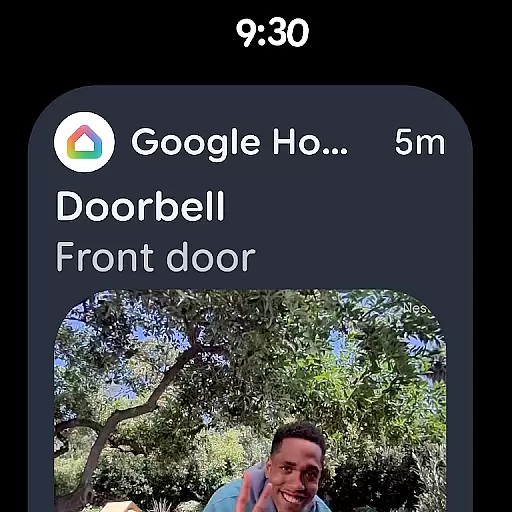
Google Home is a comprehensive smart home management application that allows users to control and monitor their connected devices effortlessly. Designed specifically for Android Wear, this app provides real-time updates and status checks of your home environment directly on your smartwatch. With its intuitive interface, you can easily navigate through various settings and manage your smart devices.
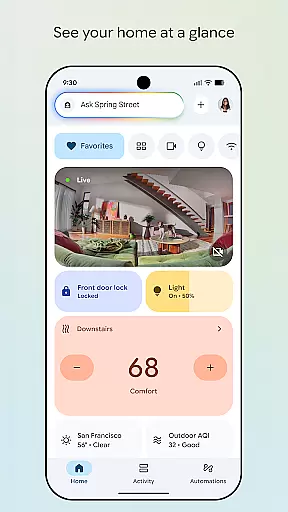
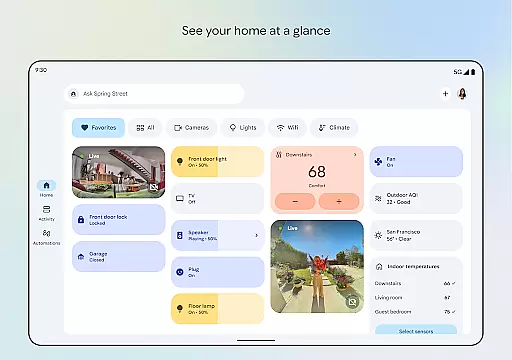
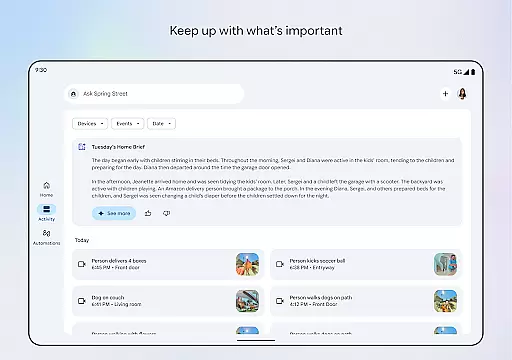
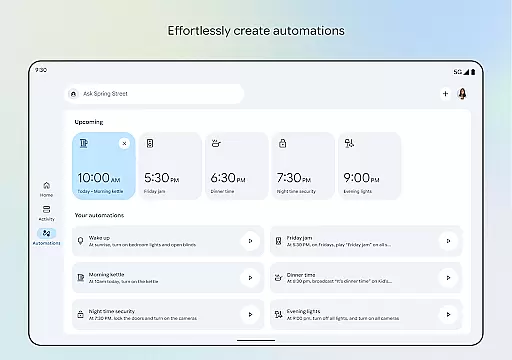
The app features an updated design that organizes your devices into easy-to-manage dashboards, ensuring you stay informed about your home's status at a glance. Whether you're checking in on missed events or scanning camera histories, Google Home offers a seamless experience tailored for smart home enthusiasts who value convenience and efficiency.
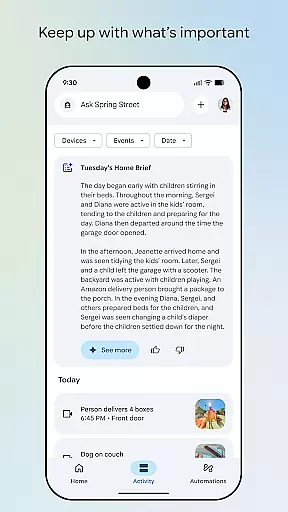
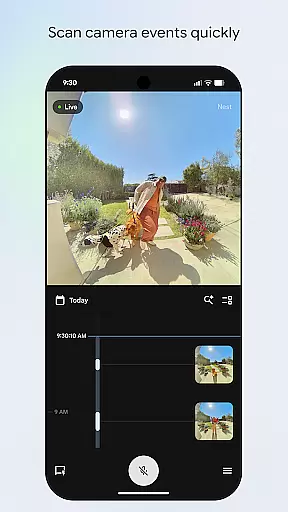
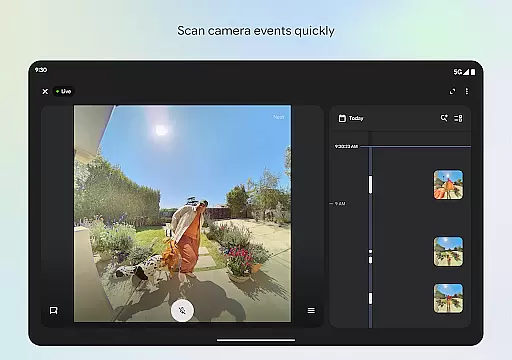
One notable use case is the ability to quickly scan camera events and view live feeds from supported security cameras. This functionality not only enhances home security but also provides peace of mind by allowing users to monitor their property remotely. The integration with Gemini for Home further elevates user experience by enabling voice commands to control smart devices, making it an indispensable tool for modern smart homes.
Google Home stands out with its rich array of features designed to enhance smart home management. One of the key highlights is the ability to see your home's status at a glance, thanks to the app's well-organized dashboard. This feature groups your devices logically, allowing for quick access and efficient management.
Another significant feature is the streamlined camera live view and history interface. This makes it easier than ever to review past events and monitor current activities within your home. By providing quick access to camera feeds, the app ensures that users are always aware of what's happening in their home, even when they're not there.
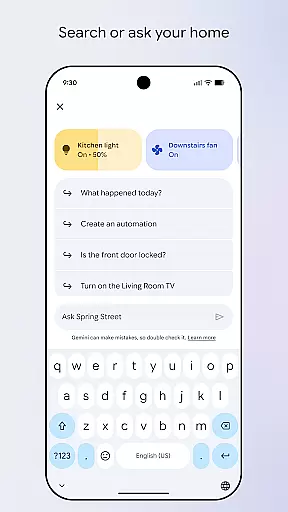
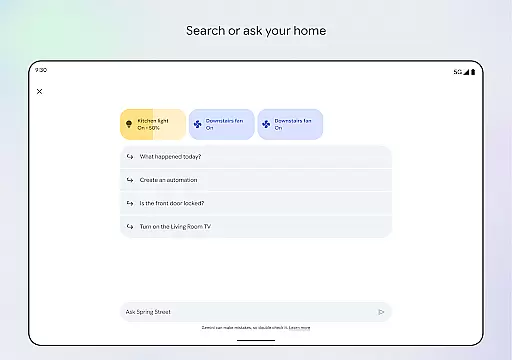
Moreover, the integration with Gemini for Home introduces a revolutionary way to interact with your devices. Using simple voice commands, you can control multiple aspects of your home environment, from adjusting thermostats to turning off lights. This hands-free approach not only simplifies daily tasks but also enhances accessibility for users with different needs, setting Google Home apart from other smart home applications.
Companion app integration is a crucial feature for Android Wear devices as it ensures seamless synchronization between the wearable and its paired mobile device. Google Home excels in this area by offering real-time data sharing and coordination with your smart home devices.
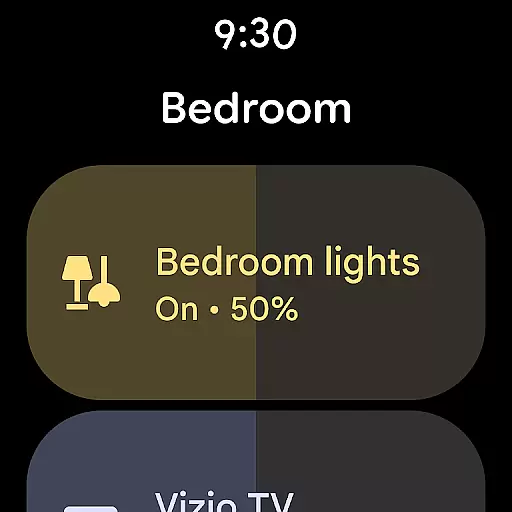
The app allows users to control their smart home setup directly from their wearable, ensuring that all devices are accessible at a glance. This includes managing thermostats, lights, cameras, and other connected devices without needing to take out their phone.
Users benefit from having complete control over their smart home ecosystem right from their wrist. Whether you're checking the status of your security system or adjusting the thermostat, everything is streamlined through the Google Home app.
This level of integration not only enhances convenience but also provides peace of mind, knowing that your home is always within reach no matter where you are.
Wear OS and device compatibility is essential for ensuring that an application functions optimally across various Android Wear devices. Google Home supports a wide range of devices running on Wear OS, making it versatile and adaptable to different hardware specifications.
The app's compatibility extends to numerous smart home products, allowing users to manage multiple devices from different manufacturers effortlessly. This broad support ensures that whether you own a smart speaker, camera, or light bulb, they can all be controlled via the Google Home app.
For users, this means freedom and flexibility in choosing which smart home devices to integrate into their ecosystem. The assurance that Google Home will work seamlessly with their existing tech stack adds significant value.
Ultimately, robust compatibility translates to a more cohesive and reliable smart home experience, empowering users to create a personalized and efficient living environment.
User-friendly interface
Real-time updates
Voice command support
Comprehensive device management
Remote monitoring capabilities
Limited regional availability
Requires compatible devices
Premium features may require subscription
Occasional connectivity issues
Steep learning curve for beginners

Gym Log & Workout Tracker | Fitness Journal, Training & Weight Lifting Planner
 4.90
4.90
Walking app for weight loss: walk & step tracker, pedometer, indoor treadmill
4.60
Christmas and New Year - Themed Watchface
4.2
Snowflake Rose Gold Watch Face - Digital, modern, & sleek with GYRO effect.
4.10
Wear Os Watch Face - Animated Snow Effect & Magic Spark - 6 Scenes
4.10
Authentic military-tactical design with ZULU time! Realistic and functional!
3.80
Locate your family members by GPS phone location tracker everywhere and anytime
4.30
Hybrid watch face for Wear OS with customizable complications by Matteo Dini MD
4.70
Fitbit is dedicated to helping people lead healthier, more active lives.
4.10
Christmas Theme Watch Face for Wear Os
5.00
Hyperlocal rain alerts by MyRadar using patent-pending technology, radar & more
4.80
A modern hybrid informative watch face for Wear OS designed by BALLOZI
4.80
Connect to your Bluelink equipped Hyundai vehicle from your smartphone.
4.50
Current temperature, weather hourly, weather radar by the weather forecast app
4.40
Bold weather Digital watchface with forecast & optional animated background
4.40
"PER27 Galaxy Digital" is a digital Wear OS watch face designed by PERSONA
4.10
Structured watch face with seven complications and modular UI elements
3.90
Contemporary digital watch face with five complications
4.4
Stunning modern digital watch face with 7 complications and strong contrast
4.3


User Reviews