
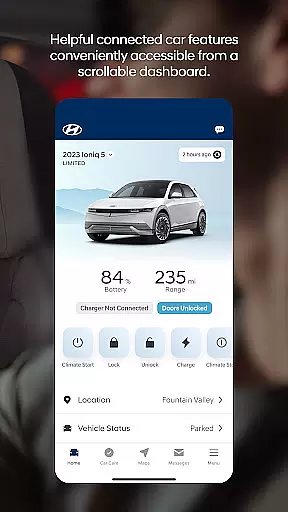
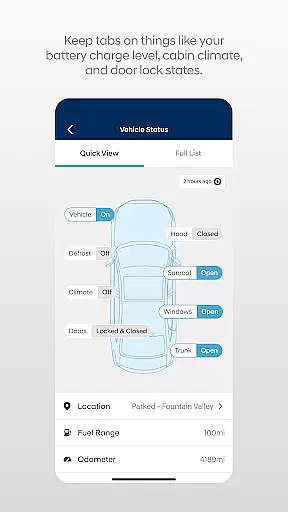

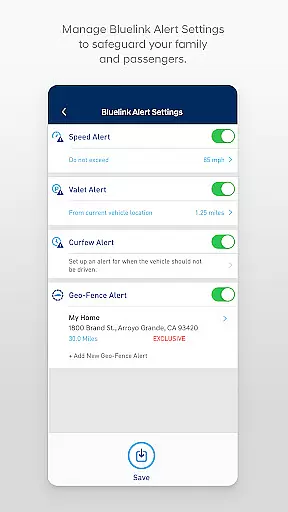
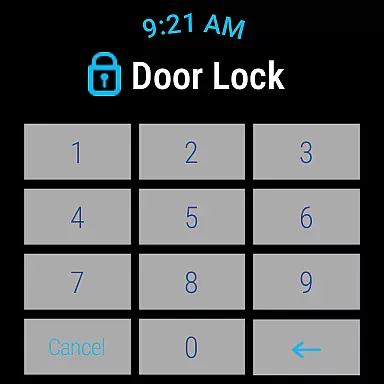
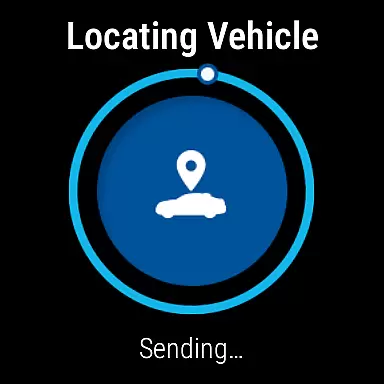
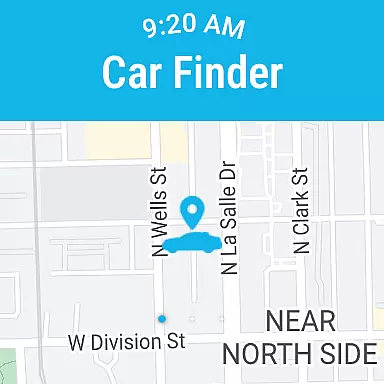
The MyHyundai app with Bluelink is a comprehensive vehicle management solution designed specifically for Hyundai car owners. This innovative application allows users to remotely interact with their Bluelink-enabled vehicles directly from their mobile devices, providing unprecedented convenience and control.
Key features include remote start/stop functionality, door lock/unlock capabilities, horn and light activation, and vehicle location services. For electric and plug-in hybrid vehicles, the app offers advanced charging management options. The application also integrates with Wear OS smartwatches, extending its functionality to wearable devices while maintaining robust security through biometric authentication.
This app proves particularly valuable for busy professionals who need to manage their vehicles efficiently while on the go. Whether it's pre-heating your car in winter, checking its location in a crowded parking lot, or scheduling maintenance appointments, the MyHyundai app streamlines these tasks through intuitive digital interfaces.
The MyHyundai app distinguishes itself through an impressive array of features that cater to both vehicle management and user convenience. Its core functionality revolves around remote vehicle control, where users can execute commands such as engine start/stop, door locking/unlocking, and even activate horn and lights - all from their mobile device or compatible Wear OS smartwatch.
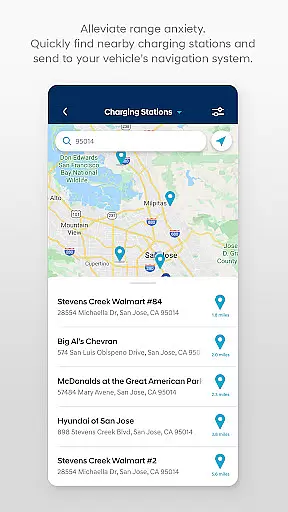
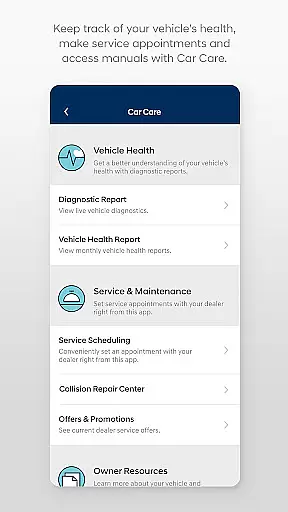
For eco-conscious drivers, the app provides specialized tools for managing electric vehicle charging schedules and settings. The integration with Google Maps enables users to search and send Points of Interest directly to their vehicle's navigation system. Maintenance tracking becomes effortless with automated service reminders and easy appointment scheduling through the Car Care feature.
Security and accessibility are enhanced through multiple layers of protection, including biometric authentication (fingerprint and facial recognition) alongside traditional password protection. The app's widget system offers quick access to frequently used functions, while push notifications keep users informed about their vehicle's status and important alerts.
Companion app integration is essential for users who want seamless connectivity between their smart devices and vehicles. The MyHyundai app excels in this area by offering a comprehensive suite of features that sync with your Bluelink-enabled Hyundai vehicle.
Through the MyHyundai app, users can remotely start their vehicle, lock or unlock doors, activate the horn and lights, and even locate their car, all from their smartphone. These functionalities are further extended to Wear OS smartwatches, allowing voice commands or menu selections to perform key actions.
The benefit to users is undeniable convenience and control. Whether you're at home, in the office, or on the go, the ability to interact with your vehicle through familiar devices enhances the overall ownership experience. This level of integration ensures that critical vehicle functions are always within reach.
By leveraging companion app integration, MyHyundai not only simplifies vehicle management but also sets a benchmark for connected car experiences. Users can enjoy peace of mind knowing they have full control over their vehicle's security and functionality at their fingertips.
Wear OS and device compatibility is crucial for ensuring that smartwatch users can fully utilize the MyHyundai app's capabilities. The app supports a range of Wear OS smartwatch features, making it versatile and adaptable to various devices.
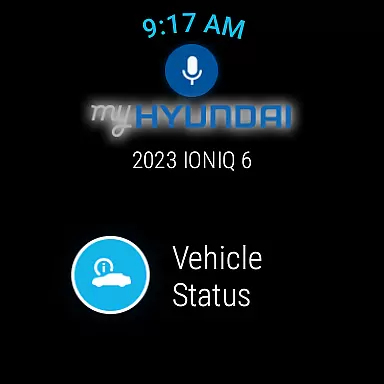
With MyHyundai for Wear OS, users can remotely start their vehicle, lock or unlock doors, activate the horn and lights, and locate their car directly from their smartwatch. This compatibility extends the app's utility beyond smartphones, catering to tech-savvy individuals who prefer wearable technology.
The advantage of this compatibility is the enhanced accessibility it provides. Users can execute commands quickly and effortlessly, without needing to take out their phones. This hands-free approach is particularly beneficial in situations where convenience and speed are paramount.
Overall, the MyHyundai app's compatibility with Wear OS devices showcases its commitment to innovation and user-centric design. By embracing the latest in wearable technology, the app ensures that Hyundai owners remain connected to their vehicles in the most efficient and modern ways possible.
User-friendly interface
Comprehensive vehicle control
Advanced security features
Wear OS compatibility
Convenient maintenance tracking
Subscription required
Limited vehicle support
Feature restrictions
Occasional connectivity issues
Device compatibility limitations

Calming & relaxing sounds for sleeping and stress relief. Stay focused all day!
 4.20
4.20
Christmas Theme Watch Face for Wear Os
5.00
Christmas and New Year - Themed Watchface
4.5
3 Complications. All shadow on/off. 30 Themes color palette...
4.0
The most customizable minimal watch face. For Wear OS 5.0, API 34+ and later
4.70
To-Do List: daily schedule planner, task organizer, to do reminder app, calendar
4.60
A modern hybrid informative watch face for Wear OS designed by BALLOZI
4.80
Start and succeed with PAP
4.10
Spam call blocker and caller ID for automatic call protection!
4.40
Your second brain for organizing your life: to-do, calendar, reminder.
4.70
Ideal for surviving in the wasteland left after nuclear fallout
4.50
Beautiful artistic animated digital watch face, with a customizable layout!
4.40
Christmas watch face. For Wear OS devices.
4.30
Bold, Modern Hybrid Watch Face for Wear OS. 10 Colors, Rich Info Display.
4.30
The ultimate destination for kids ages 3-8 to explore the Marvel Universe!
4.30
Snowflake Rose Gold Watch Face - Digital, modern, & sleek with GYRO effect.
4.10
Daily Weather forecast with 15 weather images for Day & Night plus Big Bold time
4.10
A full-featured Amazon Alexa voice assistant that can show you things.
3.70
Sleek, highly customizable watch face inspired by Galaxy Watch Circle Dashboard.
4.5


User Reviews