
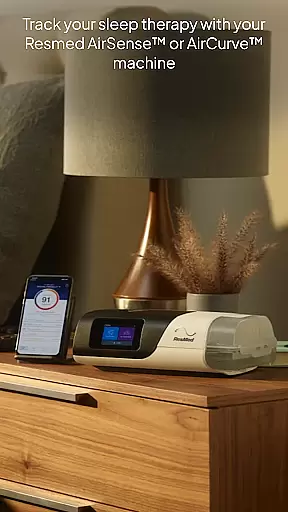
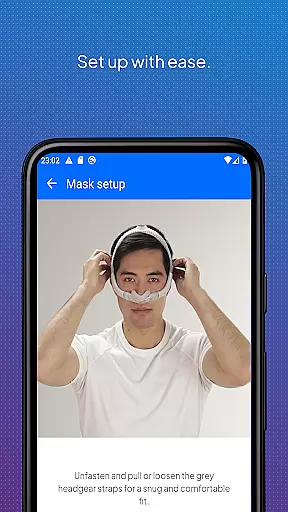
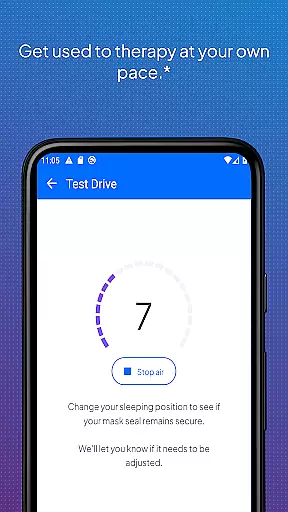
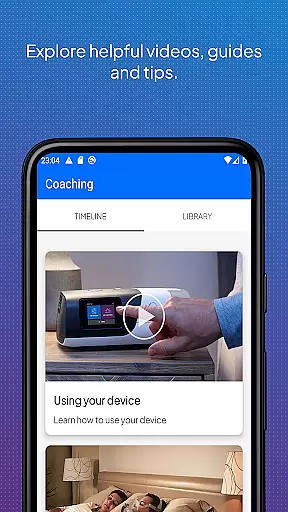
myAir by Resmed is a dedicated app for users of Resmed AirSense and AirCurve devices, designed to enhance sleep therapy success. The app offers guided setup features including interactive voice instructions and a Test Drive function to help users acclimate to therapy at varying pressure levels. It also provides a comprehensive library of instructional videos tailored to specific machines and masks.
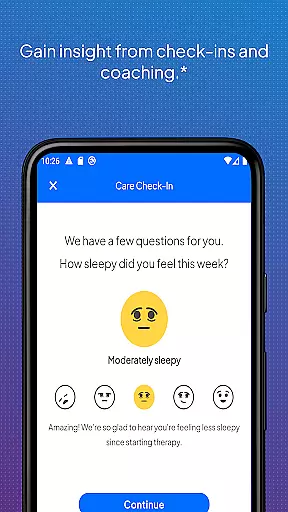
Beyond setup assistance, myAir delivers personalized support acting as a virtual sleep coach. It offers customized coaching, tips, and educational content to improve user comfort and therapy adherence. Users receive regular updates and notifications that encourage consistent use while enabling data sharing with healthcare providers for more connected care.
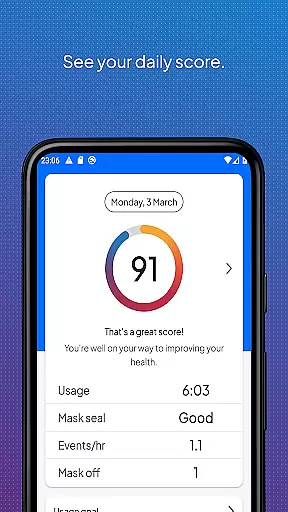
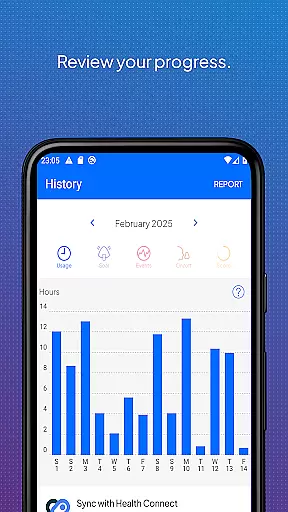
The app includes robust sleep therapy tracking capabilities, allowing users to monitor their progress through a daily myAir score and detailed metrics. Additionally, integration with health applications like Apple Health and Health Connect enables users to view their Resmed therapy data alongside other health metrics, providing a holistic view of their wellbeing.
myAir stands out with its Guided Setup functionalities, particularly the Personal Therapy Assistant and Test Drive features available exclusively for AirSense 11 machines. These tools provide step-by-step guidance and simulate therapy experiences to ensure users are comfortable from the start. The app's extensive library of videos and guides offers device-specific instructions, enhancing user understanding and confidence.
Personalized Support is another key feature, offering tailored advice based on individual therapy data. For instance, if the app detects issues with mask seal, it provides targeted solutions. Regular check-ins and proactive notifications further reinforce positive therapy habits while maintaining communication with healthcare teams when consent is given.
Sleep Therapy Tracking allows users to access detailed therapy analytics, presenting a clear picture of therapy effectiveness over time. Integration with popular health platforms extends this functionality by incorporating additional health metrics such as heart rate variability and oxygen saturation. This comprehensive approach ensures users can make informed decisions about their sleep health.
Companion app integration is crucial for users who want a seamless experience between their Resmed AirSense or AirCurve machines and the myAir app. This connection allows for real-time data syncing, ensuring that therapy progress and sleep data are always up-to-date within the app.
myAir by Resmed excels in companion app integration by offering features like Personal Therapy Assistant and Test Drive specifically for AirSense 11 users. These interactive tools guide users through equipment setup and acclimatization to therapy, enhancing user confidence and comfort.
Additionally, the app provides a library of videos and guides tailored to specific devices, making it easier for users to troubleshoot and optimize their therapy experience. With consent, therapy insights can be shared with healthcare teams, ensuring personalized support and care.
By integrating with Apple Health and Health Connect, myAir offers a holistic view of health metrics alongside sleep therapy data. This comprehensive approach empowers users to monitor various aspects of their well-being, promoting better overall health management.
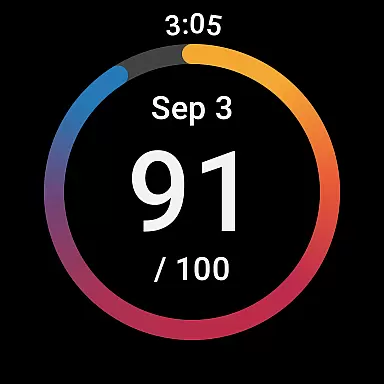
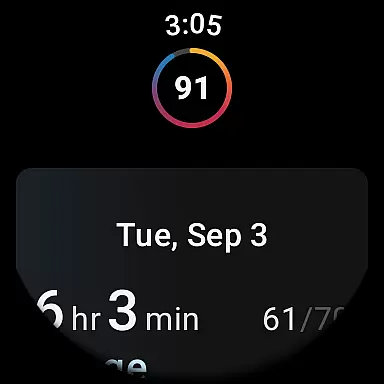
Wear OS and device compatibility ensures that users can access their sleep therapy data conveniently on their smartwatches. For those using a compatible Samsung Galaxy Watch, the myAir Wear OS app extends the functionality of the main application directly to their wrists.
This compatibility allows users to view their myAir data effortlessly, providing quick access to nightly sleep scores and other essential metrics without needing to reach for their phones. The convenience of having this information readily available enhances user engagement and adherence to therapy routines.
While the Wear OS app offers a simplified interface focused on key data points, it maintains the integrity and accuracy of the information presented. Users can stay informed about their therapy progress throughout the day, encouraging consistent use and better sleep hygiene practices.
Although certain advanced features are exclusive to AirSense 11 machines, the ability to check critical therapy data on a smartwatch underscores Resmed's commitment to accessibility and user-centric design across different platforms and devices.
User-friendly interface
Comprehensive setup guidance
Personalized therapy coaching
Detailed progress tracking
Health app integration
Limited to Resmed devices
Some features require AirSense 11
Premium features may need subscription
Dependent on wireless connectivity
Initial setup can be complex

Precision analog watch face with 7 complications and style options
 4.0
4.0
A heartwarming Christmas scene featuring a cute image of Santa and Rudolf
4.0
Stunning modern digital watch face with 7 complications and strong contrast
4.1
Easy Voice Recorder is your everyday companion to record important moments.
4.70
Ideal for surviving in the wasteland left after nuclear fallout
4.50
Monitor health with the stress test and pulse checker in the heart rate app.
4.60
Hyperlocal rain alerts by MyRadar using patent-pending technology, radar & more
4.80
To-Do List: daily schedule planner, task organizer, to do reminder app, calendar
4.60
Professional weather radar and more
3.90
Christmas Theme Watch Face for Wear Os
5.00
Diet tracker for weight loss - track calories, food and macros. Simple and easy!
4.70
Be an elegant and classy secret agent, with this carefully detailed watch face
4.70
Your second brain for organizing your life: to-do, calendar, reminder.
4.70
Fast and smart typing with Emojis, GIFs, and more
4.50
Premium hybrid watch face with many customizations for Wear OS devices.
4.40
Wear Os Watch Face - Animated Snow Effect & Magic Spark - 6 Scenes
4.10
A digital watch face that celebrates Christmas.
4.00
Watch face designed for Thanksgiving Day. 7 Background Styles included.
3.20
Artistic Digital Watchface
4.4


User Reviews