
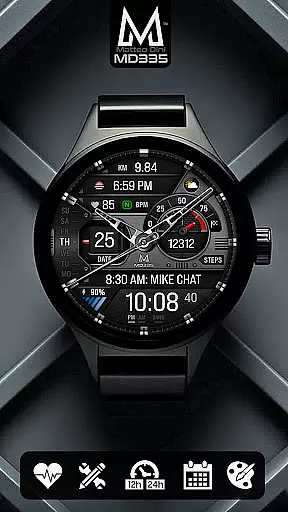
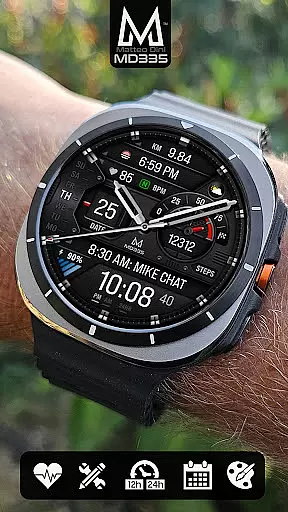
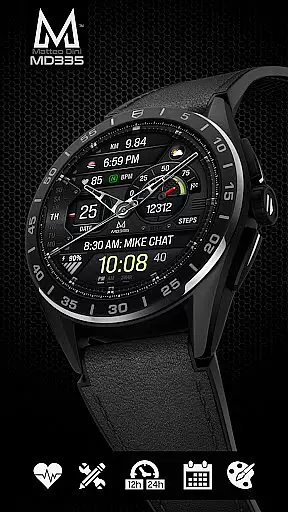
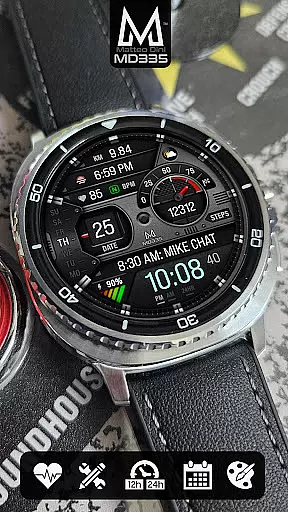
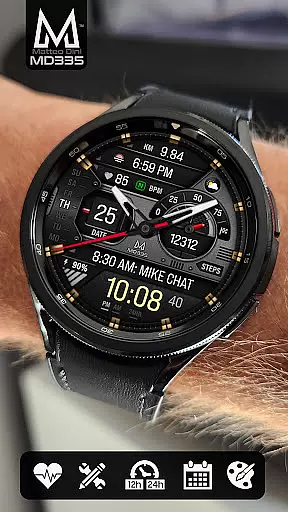
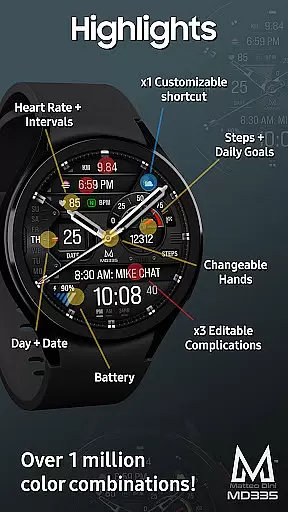
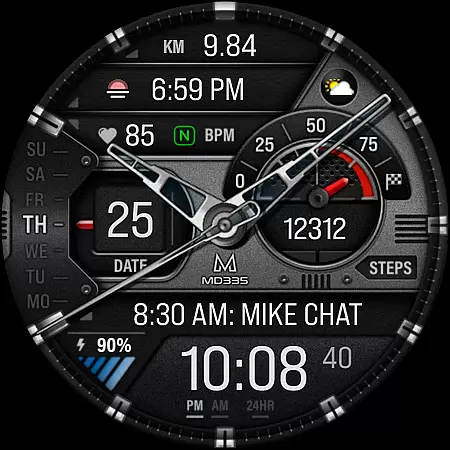
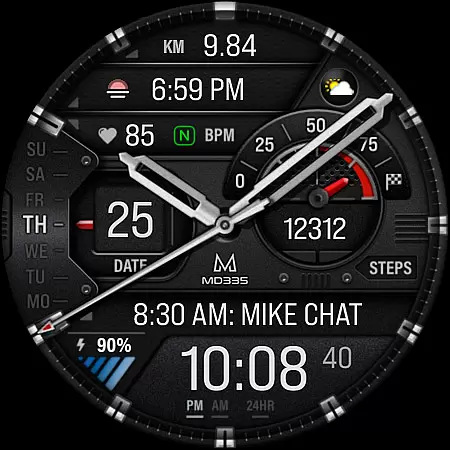
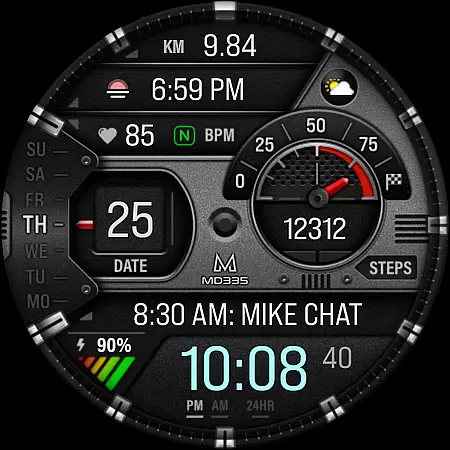
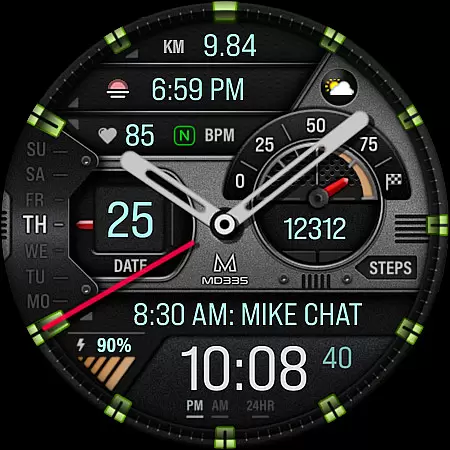
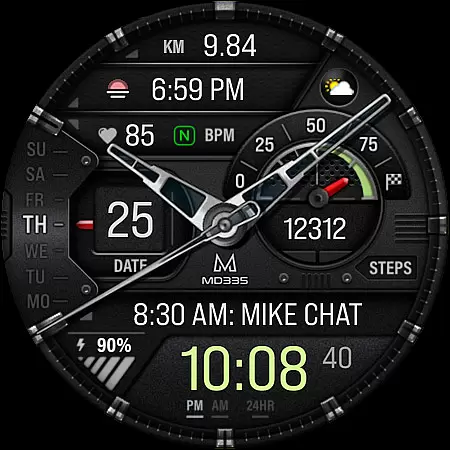
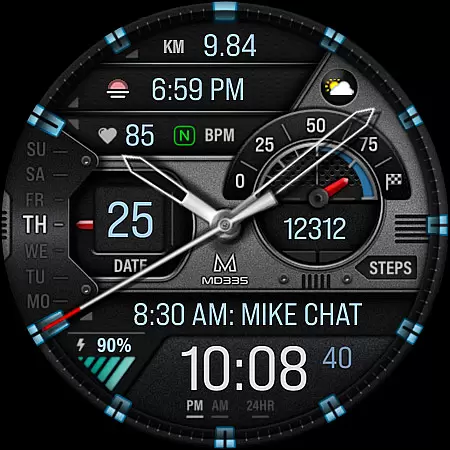
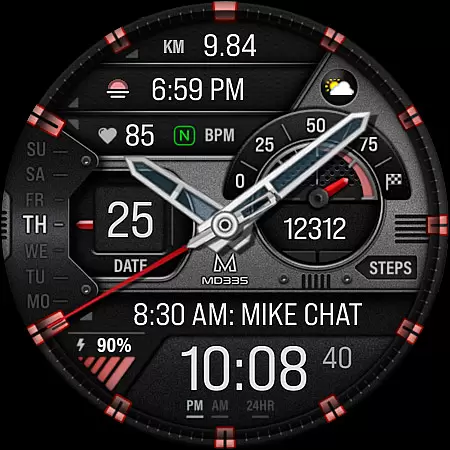
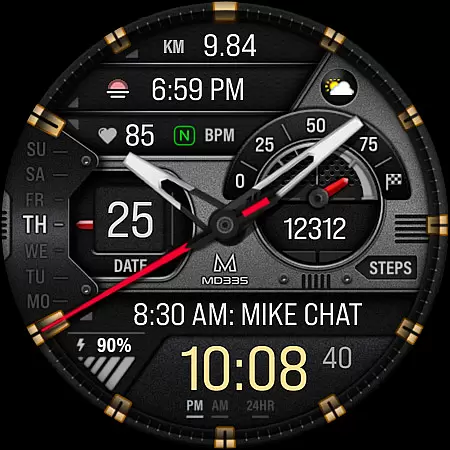
MD335 Hybrid watch face is a feature-rich, customizable watch face designed for Wear OS devices. It supports all Wear OS devices with API Level 33+ and offers users the ability to personalize their watch faces extensively. With 4 preset app shortcuts, 1 customizable shortcut, and 3 customizable complications, it provides quick access to essential functions like weather, health data, and more.
The hybrid design allows for hideable hands, changeable themes, and colors, ensuring that users can tailor the appearance to their preferences. The watch face also displays vital information such as time (12/24hr format), date, day, battery level, heart rate, and step count with daily goals. Additionally, it features both minimal and full Always-On Display (AOD) modes.
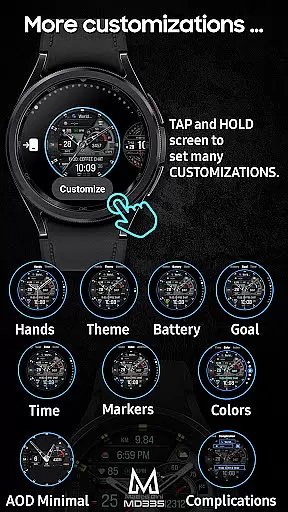
One of the standout features of MD335 Hybrid watch face is its extensive customization options. Users can modify the watch hands, choose between dark or light themes, and adjust the colors of various elements including time, battery level, goal level, markers, and general colors. This flexibility ensures that each user can create a unique and personalized experience.
The watch face includes 4 preset app shortcuts for Calendar, Battery, Measure Heart Rate, and Set Alarms, along with one customizable shortcut. Furthermore, there are 3 customizable complications where users can display data such as weather, calories burned, distance walked, UV index, and chance of rain. These complications rely on external apps, which may need to be installed separately if not already available on the watch.
Companion app integration is crucial for hybrid watch faces like MD335. This feature ensures seamless synchronization between the watch face and its companion app on your smartphone.
The MD335 Hybrid watch face allows users to customize their experience directly from their Samsung Wearable app. Despite occasional loading issues with complex designs, customization can be done directly on the watch itself. This flexibility ensures that users can adjust settings such as app shortcuts and complications without hassle.
By integrating with the companion app, users gain access to a plethora of customization options including changeable themes, colors, and data displays. This level of personalization enhances user engagement and satisfaction by allowing each individual to tailor the watch face to their specific needs and preferences.
Ultimately, effective companion app integration translates to a more personalized and functional wearable experience. Users benefit from real-time updates and extensive customization possibilities, making their smartwatch not just a timepiece but a true extension of their digital lifestyle.
Ensuring broad device compatibility is essential for any Wear OS application, including the MD335 Hybrid watch face. This compatibility guarantees that the watch face functions correctly across various devices running Wear OS 4 and later versions.
The MD335 watch face supports all Wear OS devices with API Level 33+, encompassing popular models like Samsung Galaxy Watch 4-8, Ultra, and Pixel Watch. This wide-ranging support means that regardless of the specific Wear OS device you own, you can enjoy the advanced features and sleek design of the MD335.
Device compatibility also extends to supporting both 12-hour and 24-hour time formats based on phone settings, ensuring a consistent user experience. Additionally, features like heart rate monitoring, customizable complications, and app shortcuts are optimized to work seamlessly across supported devices.
By prioritizing Wear OS and device compatibility, the MD335 Hybrid watch face delivers a versatile and reliable solution for tech-savvy users who demand both functionality and style in their wearable technology.
Highly customizable
Supports multiple Wear OS devices
Comprehensive set of features
User-friendly interface
Active developer support
Complex setup process
Requires additional apps for some features
Preset shortcuts cannot be changed
Limited AOD functionality
Some features may not work on older watches

Christmas Theme Watch Face for Wear Os
 5.00
5.00
Digital watch face. For Wear OS devices.
4.40
Gym & home workout plans with strength training, exercise tracking, HIIT & more.
4.60
Stay in touch with your friends and family using LINE!
3.40
Real-time weather radar with temperatures, warnings, hurricanes, and widgets
4.80
Bold weather Digital watchface with forecast & optional animated background
4.40
Stylish, Energizing and Modern Watch Face crafted by Dominus Mathias.
4.50
Track airplanes and follow flights with our real-time flight tracker
4.50
Back up your contacts & access them anywhere
4.30
Hyperlocal rain alerts by MyRadar using patent-pending technology, radar & more
4.80
The Chevron App allows you to pay for fuel from the comfort of your car!
4.80
Easy Voice Recorder is your everyday companion to record important moments.
4.70
Monitor health with the stress test and pulse checker in the heart rate app.
4.60
Real-time results, stats, schedules and player profiles for all leagues
4.60
Retro digital watch face with customizable colors and a unique lighting effect
4.60
MyNISSAN® lets you remotely control your car from your phone.*
4.50
A digital watch face that celebrates Christmas.
4.00
Wear Os Watch Face - Animated Snow - Sesonal for Christmas & Winter
4.2
3 Complications. All shadow on/off. 30 Themes color palette...
4.4


User Reviews