
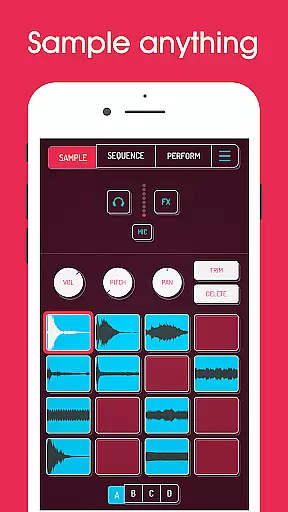
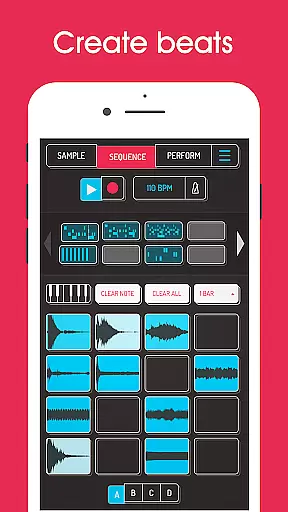
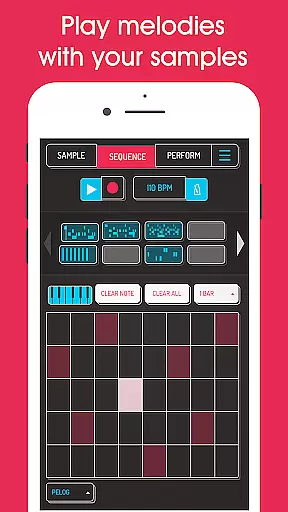
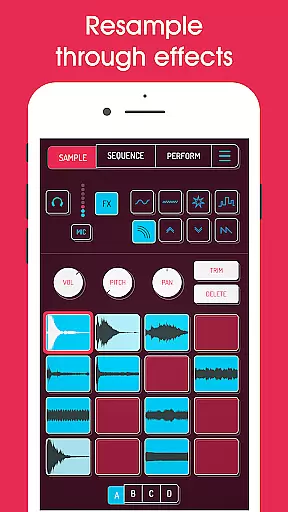
Koala Sampler is a pocket-sized music production tool designed for both amateur and professional musicians. This app allows users to record sounds through their phone's microphone or import pre-existing samples, transforming them into beats with built-in effects. With an intuitive interface, Koala helps you create tracks quickly without getting bogged down by complex parameters.
One of the standout features is its ability to resample output back into input, creating endless sonic possibilities. The app also includes AI-powered sample separation, professional WAV export, and MIDI compatibility. Whether you're making beats on-the-go or crafting intricate compositions, Koala Sampler keeps the music-making process instant, fun, and engaging.
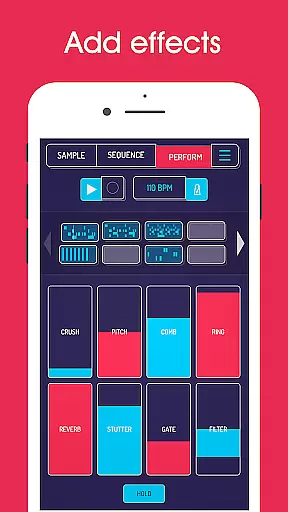
Koala Sampler offers a robust set of features that cater to various music production needs. Users can record up to 64 different samples using the phone’s mic and apply 16 built-in effects such as reverb, fuzz, and synthesizer. The high-resolution sequencer lets you create detailed beats while quantization and swing controls ensure your rhythms have the right feel.
Advanced functionalities include AI-driven sample separation into individual instruments like drums, bass, and vocals. The app supports normal, one-shot, loop, and reverse playback modes, with adjustable attack, release, and tone settings for each sample. Additionally, MIDI controllability allows integration with external devices, making it versatile for studio or live performances.
When it comes to music creation apps like Koala Sampler, the size and variety of the music library play a crucial role in user experience. Koala Sampler offers an extensive collection of built-in effects and sound samples that users can experiment with.
The app allows musicians to record up to 64 different samples using their phone's microphone. These samples form an integral part of the music library within the app, providing a rich palette for beat creation and music production.
In terms of copyright authenticity, Koala Sampler ensures that all the sounds and effects provided are free to use without legal concerns. This is essential for creators who want to share or monetize their music without infringing on copyright laws.
Additionally, the ability to import one's own samples further expands the music library, allowing for personalized and unique compositions. The AI feature that separates samples into individual instruments adds another layer of creative possibility, making Koala Sampler not just a tool but a comprehensive musical companion.
Audio quality is paramount when producing music digitally, and Koala Sampler excels in delivering professional-grade audio output. The app provides various adjustable parameters on each sample, such as attack, release, and tone, ensuring that the final track meets high-quality standards.
With the option to export loops or entire tracks as WAV files, users are guaranteed lossless audio quality that is industry-standard for music production. This feature is particularly beneficial for artists looking to distribute their music professionally.
Koala Sampler also includes 16 superb built-in effects that enhance the audio quality by adding depth and texture to raw recordings. From reverb to bit-crusher, these tools help refine the sound design process, giving producers the power to tweak their tracks to perfection.
Moreover, the MIDI controllability of the app enables integration with external devices, offering even more possibilities for achieving pristine audio quality. Whether performing live or producing in a studio setting, Koala Sampler equips musicians with the necessary features to maintain excellent sound fidelity throughout their projects.
User-friendly interface
Extensive sound effects
AI sample separation
MIDI compatibility
Professional export options
Paid pro features
Complex for beginners
Occasional bugs
Limited free content
High system requirements

Enhance the sound quality of your devices, listen to what you want
 4.50
4.50
A High-Precision Audio Spectrum Analysis App
4.20
AI Music Maker: Generate And Compose AI Tunes & AI Songs & AI Music & AI Melody!
4.60
A sleek, no-frills player designed for true music lovers.
4.20
Offline Music Player&MP3 Player with themes, equalizer, lyrics, music play mode
4.60
The original SP-1200 experience on your iPad
4.20
Versatile MP3 recorder with auto-backup to Dropbox and Google Drive
4.10
Ringtone Maker is free app create ringtone from music files or your recording.
4.40
One-tap booster for max volume - enjoy powerful sound with this audio booster
4.50
Record, Mix & Master with all n-Track effects, 64-bit audio and Stem Separation.
4.70
Recording studio w/ 10k beats, pro vocal FX and a network of 20M rappers & fans!
4.60
Fun & Easy Voice Changer – Record, Edit & Add Hilarious Effects!
4.50
Formerly known as Spotistats! View your top tracks, artists, albums and more!
4.40
The alternative folder based music player.
4.20
The official Sonos app
4.10
The only true audiophile music player with Hi-Fi audio rendering and DSP engine
3.90
Control your MIDI USB or Bluetooth devices in app and avoid some trampling
3.30
The Skullcandy App Experience
3.20
Make music anywhere. Turn your device into an instrument.
4.4


User Reviews