
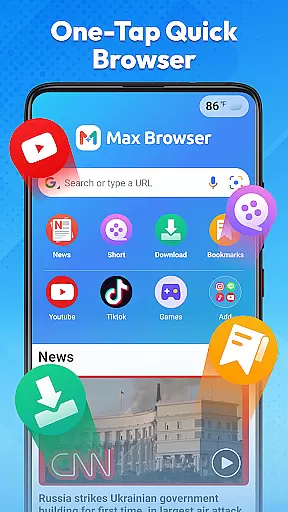

Max Browser is a versatile mobile browsing tool that combines web browsing, private search, video playback and downloading, real-time news updates, file management, and weather information. Designed for efficiency and convenience, it caters to various user needs from daily study and work to entertainment.
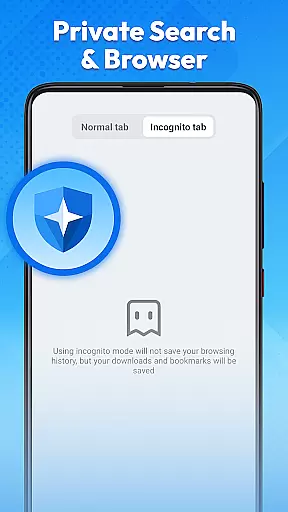
The browser features a lightweight design with optimized loading technology, ensuring smooth and reliable web browsing. Its clear interface and simple navigation allow users to quickly access desired content. Additionally, Max Browser offers a private browsing mode that does not record history, cookies, or cached data, providing a secure environment for sensitive searches.
With integrated features like multi-format video download and playback, real-time news channels, file storage management, and weather updates, Max Browser provides an all-in-one solution for efficient online activities. Whether accessing social media, managing files, or checking the weather, this app streamlines multiple tasks into one platform.
Max Browser stands out with its comprehensive feature set tailored for modern mobile users. The app's lightweight architecture and optimized loading technology ensure fast page loads, making it ideal for both casual browsing and intensive research sessions.
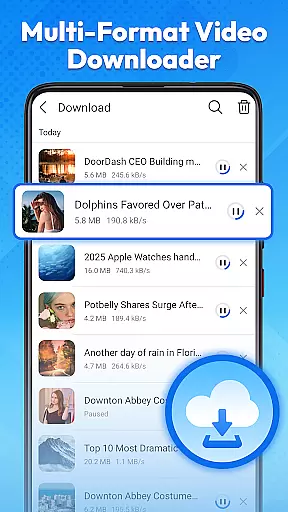
One of the key highlights is the private browsing mode, which protects user privacy by not saving any browsing history, cookies, or cached data. This feature is particularly useful when using public Wi-Fi or shared devices. Additionally, the built-in multi-format video player allows users to stream or download videos directly within the app, supporting various formats without requiring external tools.
<Real-time news updates provide users with the latest headlines across multiple categories such as technology, entertainment, and international affairs. The integrated file management system helps organize downloaded files efficiently, while the weather feature delivers current conditions and forecasts, eliminating the need for separate apps. These functionalities make Max Browser a powerful all-in-one tool for diverse online activities.
Max Browser excels in delivering core functionalities with precision and effectiveness, making it a reliable tool for mobile users. The browser's lightweight design and optimized loading technology ensure that web pages load quickly and smoothly, providing an efficient browsing experience. This optimization is crucial for users who need rapid access to information without compromising on performance.
In addition to fast browsing, Max Browser offers private search capabilities that protect user privacy. By not recording access history, cookies, or cached data in private mode, the browser ensures a secure environment, particularly useful when using public networks or shared devices. This feature highlights the application's commitment to safeguarding user information while delivering a seamless browsing experience.
Furthermore, the integrated video playback and downloading feature supports multiple formats, allowing users to watch or save videos directly within the app. This eliminates the need for additional tools and streamlines the process of accessing multimedia content. Such comprehensive functionality underscores Max Browser's dedication to meeting diverse user needs effectively.
The interface of Max Browser is designed with simplicity and intuitiveness in mind, ensuring that users can navigate effortlessly. With a clear layout and straightforward navigation, the browser allows users to reach their desired content quickly. This ease of use is essential for enhancing the overall user experience, particularly for those who prioritize efficiency in their online activities.
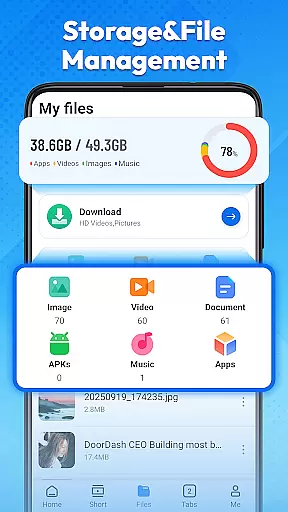
Max Browser also includes a built-in file management system that lets users organize and access downloaded files easily. Whether dealing with documents, images, or videos, the intuitive file management interface helps users find what they need without hassle. This feature not only improves productivity but also addresses common frustrations associated with scattered and hard-to-find files.
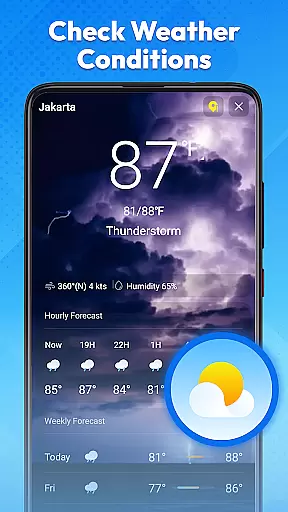
Additionally, the browser provides real-time weather updates and news channels, integrating daily information into a single platform. Users can check weather conditions and stay informed about current events without needing separate applications. By combining these features with an easy-to-use interface, Max Browser offers a streamlined solution for managing various online tasks efficiently.
Fast page loading
Private browsing mode
Video download support
Integrated news updates
File management system
Limited customization
No desktop version
Occasional bugs
Ads in free version
High memory usage

 4.10
4.10
Just swipe the edge to do something!
4.40
Quickly & easily calculate the spacing of handrail balusters
4.20
ADB support Android 4.X-Android 13(Support wireless pair mode).No root required!
4.70
Effortlessly run ADB commands directly on your device without a PC.
4.20
Fast Video Downloader, Movie Downloader, Torrent Downloader & Adblock Browser
4.70
Create your own custom widget with endless possibilities
3.90
A clean app.
4.50
fast and easy mp3 music downloader
4.80
Easily install aab(Android App Bundle) files on your Android device with our app
4.80
Play your X-Box games remotely in 1080p with any controller and zero latency
4.60
Quickly switch to an encrypted DNS server on Android TV
4.50
eXtended Permission Manager - a small app to manage permissions and AppOps
4.50
Button mapper, mouse toggle, sleep timer and a lot of another features
4.50
Mirror your screen to Fire TV - Super fast and simple
4.40
VESC Tool can monitor and configure VESC-compatible devices over BLE and Wifi
4.20
MS-DOS in your pocket. Play old DOS games anywhere you are ;)
4.10
A powerful, easy-to-use flight computer on your phone or tablet!
3.80
A recovery soft,it features photo recovery, video recovery, file recovery.
3.40


User Reviews