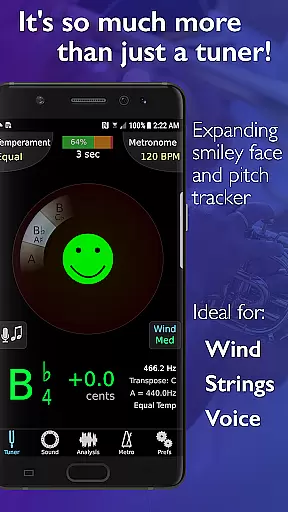
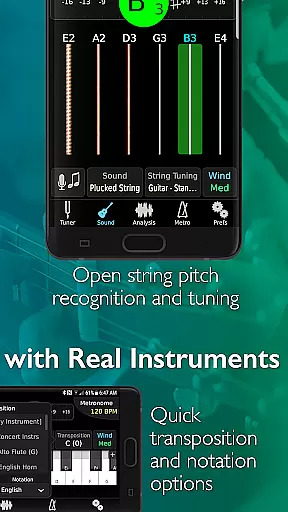
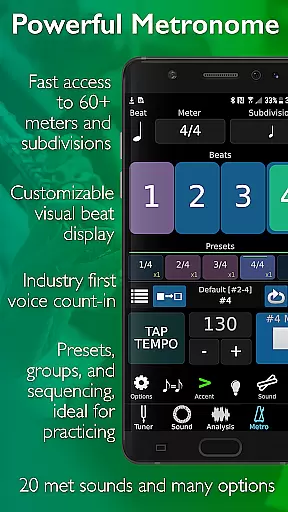
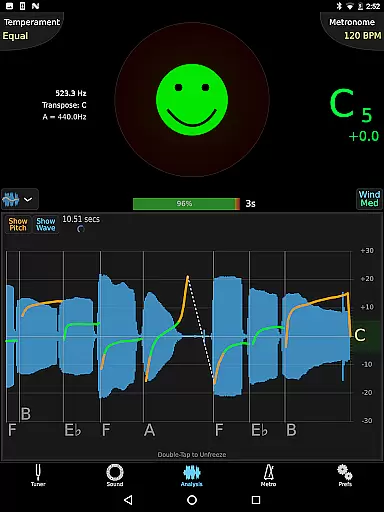
TonalEnergy Tuner & Metronome is a comprehensive music practice tool designed for musicians of all levels, from beginners to professionals. This app goes beyond basic tuning by integrating a state-of-the-art tuner, advanced metronome, orchestral strings and guitar tuning pages, a piano keyboard, sound analysis tools, and audio recording capabilities into one platform.
What sets TonalEnergy apart is its user-friendly interface and innovative features. The app provides rewarding feedback through colorful analysis data pages and unique ear training possibilities with high-quality multi-sampled instrument sounds. Additionally, the cutting-edge metronome offers unmatched flexibility in tempo settings, meters, subdivision patterns, and visual displays, making it an essential tool for performers.
Whether you sing or play a brass, woodwind, stringed instrument, or guitar, TonalEnergy enhances your practice sessions with connectivity options that allow data collection, review, editing, and sharing. This makes learning a social activity and fosters growth and development among performers.
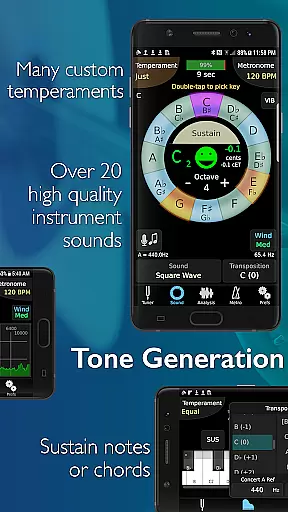
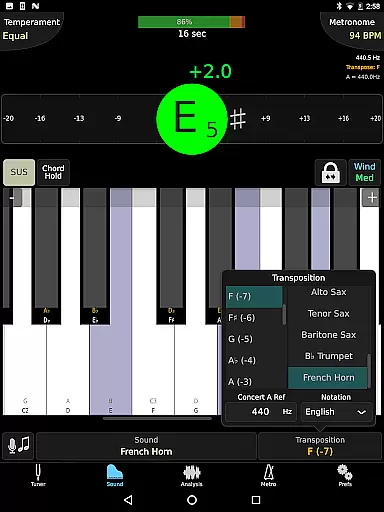
TonalEnergy Tuner & Metronome boasts a wide array of features tailored to meet the needs of musicians. It recognizes an extensive pitch range (C0 - C8), which is highly responsive to both wind and string instruments. With adjustable A=440 Hz reference and automatic or manual transposing options, users can instantly switch between equal, just, and custom temperaments, including user-defined ones.
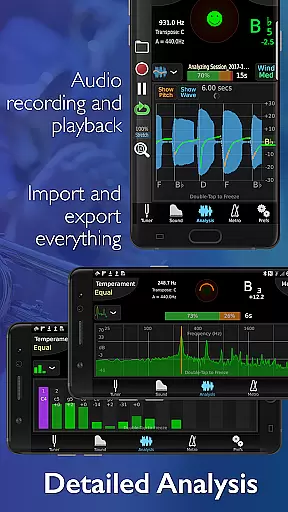
The app includes an eight-octave piano keyboard, chromatic wheel tone generator, and frequency and harmonic energy overtone graphs. These tools enhance key aspects of tuning functions and provide detailed sound analysis. Furthermore, the dedicated metronome page offers notation options such as standard English, Solfege, Northern European, and Indian variants, surpassing many standalone metronome apps.
TonalEnergy also supports audio recording with editing, looping, and timestretch functionalities, all of which are exportable. Compatibility with external microphones, clip-on vibration sensors, and MIDI keyboard control ensures versatility across different devices and orientations.
When it comes to music practice applications, the size and authenticity of the music library are crucial factors. TonalEnergy Tuner & Metronome offers an extensive range of high-quality multi-sampled instrument sounds for symphonic instruments, which stands out among its competitors. These unique sounds include options for piccolo, flute, oboe, English horn, bassoon, various clarinets, saxophones, trumpet, French horn, trombones, euphonium, tuba, and more.
The app provides users with an eight-octave keyboard, chromatic wheel, and tone generator that enhance ear training possibilities. This vast array of copyrighted content is not only impressive in size but also ensures that musicians have access to accurate and diverse sound profiles. The inclusion of these professional-grade samples means that users can trust the authenticity of the audio they are practicing with.
For musicians from beginners to professionals, having such a comprehensive library at their disposal is invaluable. It allows them to develop listening skills through exposure to realistic instrument sounds across different octaves. Whether you sing or play brass, woodwind, stringed instruments, or any type of guitar, this feature-rich app gives fun and rewarding feedback during practice sessions.
Audio quality is paramount when tuning musical instruments and engaging in ear training exercises. TonalEnergy Tuner & Metronome excels by providing superior audio quality options that cater to both amateur enthusiasts and seasoned professionals alike. With its state-of-the-art tuner capabilities combined with advanced metronome features, users experience unmatched precision in sound reproduction.
This all-in-one application supports adjustable A=440 Hz reference tuning as well as automatic or manual transposing options. Users can instantly switch between equal temperament, just intonation, and other custom temperaments including user-defined ones. Such flexibility ensures that every note played back is true to the intended pitch and timbre.
In addition to supporting external microphones and clip-on vibration sensor devices, TonalEnergy also offers compatibility with external MIDI keyboard control support. This enhances the overall audio fidelity by allowing direct input from digital instruments while maintaining pristine sound integrity throughout each session.
Comprehensive all-in-one tool
User-friendly interface
Advanced metronome features
High-quality instrument sounds
Extensive connectivity options
May be overwhelming for beginners
Requires learning curve
Some features need external devices
Premium pricing model
Occasional performance lags

SqueezePlayer turns your Android phone or tablet into a SqueezeBox on its own!
 4.60
4.60
Background pads for your band
3.80
Powerful beat maker & DJ mixer to remix tracks, make music, & perform DJ mix
3.70
Your song collections with lyrics and chords on Android smartphones and tablets.
4.80
The ultimate media player for Android devices
3.90
Music Streaming suite for Ampache, Nextcloud Music and compatible backends.
4.2
A sleek, no-frills player designed for true music lovers.
4.20
A complete sound package for the sound engineer or enthusiast
4.60
One-tap booster for max volume - enjoy powerful sound with this audio booster
4.50 4.70
4.70
Gorgeous UI, Powerful music Search and Equalizer, the great choice for you!
4.70
Pay Once, no monthly payment
4.60
Super Sound Editor, Song Maker & Mixer, Vocal Remover, Voice Recorder & Changer!
4.60
Equalizer, Bass Booster and Volume Booster (Eq & Bass) improve sound quality
4.30
Enjoy singing any song, no matter how high or low it is
4.30
Learn and play 2M+ music tabs & chords on guitar, ukulele, bass, and more
4.30
Next generation modular control surface
4.10
Simple mp3 and mp4 player with advanced features.
3.40
MilkDrop for Android TV
3.00


User Reviews