
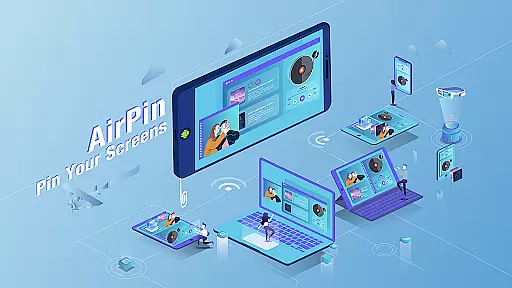





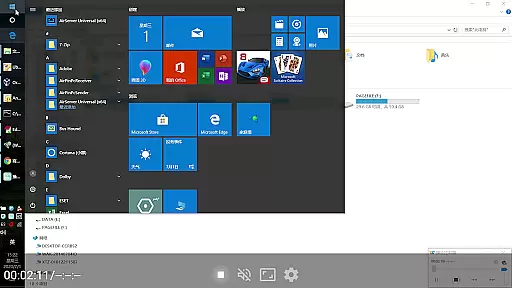


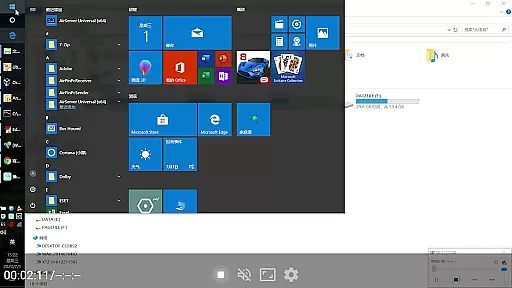

AirPin PRO is a cutting-edge screen mirroring and media streaming receiver app designed for Android phones, tablets, TVs, set-top boxes, and projectors. As the first Android application to support both AirPlay and DLNA since its initial release in July 2012, it enables users to share media and screens from Apple, Windows, and Android devices onto larger displays.
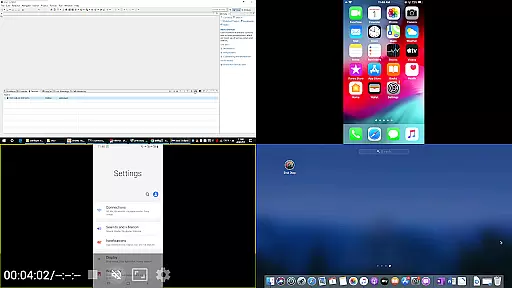
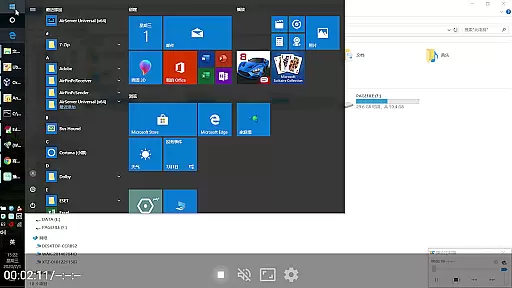
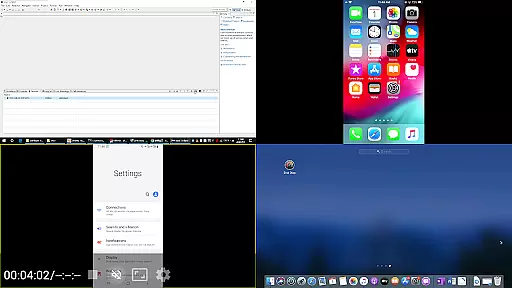
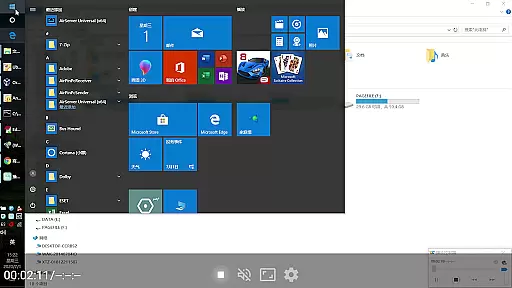
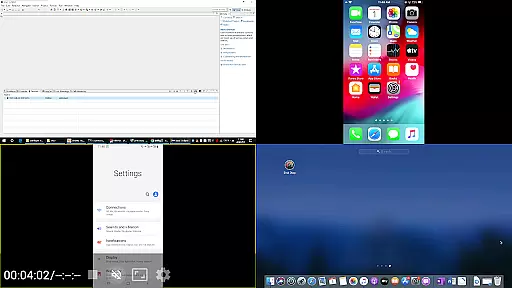
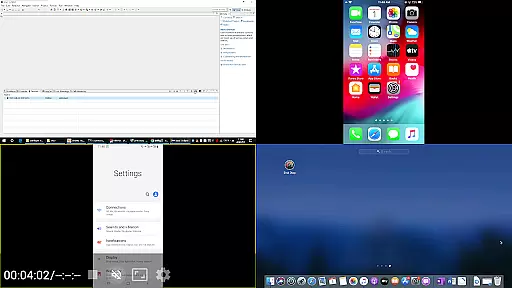
This PRO version stands out by allowing simultaneous display of up to four device screens, enhancing collaborative and entertainment experiences. Whether you're sharing content from an iPhone, iPad, MacBook via AirPlay, a PC using AirPinPcSender.exe, or an Android device through AirPinCast, AirPin PRO delivers seamless connectivity and superior performance across all platforms.
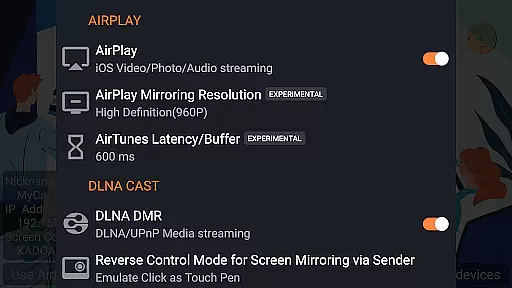
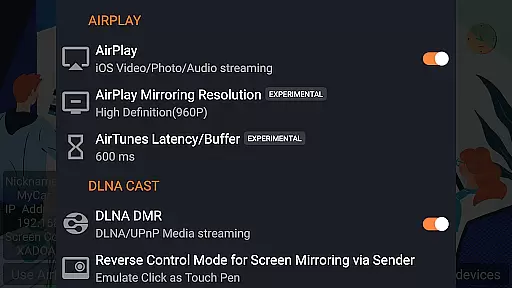
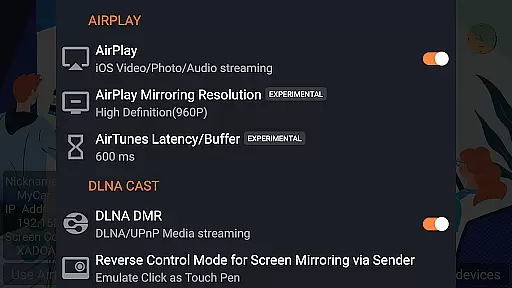
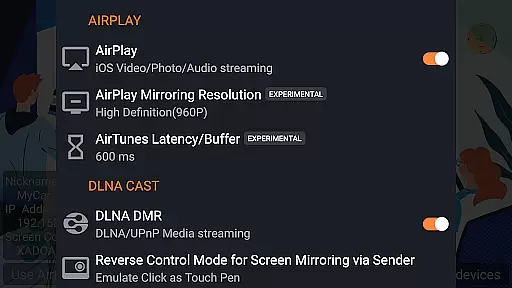
AirPin PRO offers a comprehensive suite of features that cater to diverse multimedia needs. It supports AirPlay video/music streaming and screen mirroring on all iOS/MacOS versions, making it versatile for Apple users. Notably, it's the first app to support the latest YouTube AirPlay streaming, slideshow functionality for AirPlay photo streaming, and AirPlay password protection.
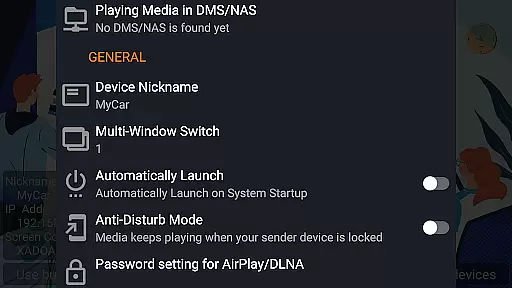
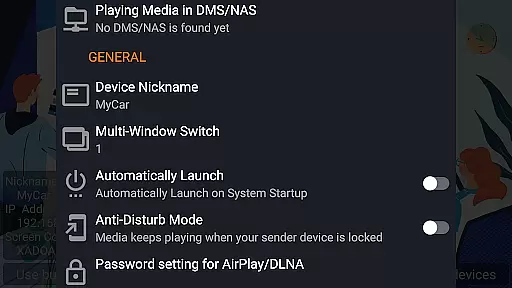
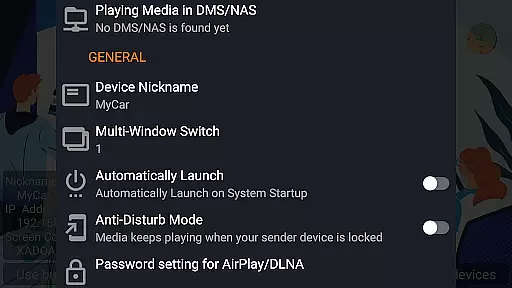
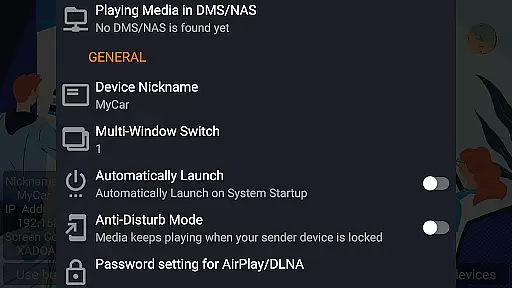
For DLNA enthusiasts, AirPin PRO is the only app supporting both Renderer and Player modes for Android-based TVs. It allows direct pulling of media from DLNA/NAS/Samba servers to play, ensuring uninterrupted access to your favorite content. Additional features include Windows streaming and mirroring with AirPinPcSender.exe, Android mirroring/streaming via AirPinCast, configurable automatic startup and service shutdown, background audio streaming without delay, anti-disturb mode, and support for external players.
AirPin PRO stands out as a versatile screen mirroring and media streaming receiver, supporting an extensive range of video formats. This ensures that users can enjoy content from various devices without worrying about compatibility issues.
With its foundation in both AirPlay and DLNA protocols, the app facilitates seamless streaming from Apple, Windows, and Android devices. Whether it's a video from an iPhone or a movie stored on a NAS server, AirPin PRO handles it with ease.
The application is designed to work smoothly on Android phones, tablets, TVs, set-top boxes, and projectors, making it adaptable for different user needs. Its ability to display up to four device screens simultaneously adds to its appeal for collaborative environments.
Moreover, continuous updates and bug fixes ensure that AirPin PRO remains compatible with new formats and maintains smooth playback performance, providing users with a reliable streaming experience.
While AirPin PRO focuses primarily on screen mirroring and media streaming, it incorporates intelligent features akin to AI-powered editing, such as automatic service startup and configurable shutdown. These features enhance the overall efficiency and user-friendliness of the app.
One notable feature is its anti-disturb mode, which allows videos to keep playing even when the controlling device disconnects. This uninterrupted playback is similar to smart editing tools that maintain continuity in content presentation.
Additionally, AirPin PRO supports continuing playback from the last pause point, ensuring that users do not lose their place in long media files. Such functionality mimics the non-linear editing capabilities found in advanced video editors.
Although not a traditional video editor, AirPin PRO's intelligent streaming solutions provide users with a sophisticated toolset for managing and enjoying multimedia content across different platforms effortlessly.
Multi-screen display
First app with AirPlay innovations
Comprehensive DLNA support
Versatile cross-platform compatibility
Continuous updates and bug fixes
Premium pricing
Complex setup required
Limited free version capabilities
Occasional compatibility issues
Resource-intensive operation

Fast, private downloading, video saving, social media
 4.50
4.50
HD Video player all format, HD Videos, Cast & Subtitle. No annoying ads.
4.60
Powerful, professional, versatile teleprompter. Developed by an active film crew
4.00
Video Downloader is an utility that can save videos and music from web sites
4.20
Powerful HD video player with support for all formats & subtitles.
4.5
All in one HD video downloader & player for multiple formats with full privacy
4.70
Fast & Private Video Downloader App. Save all videos easily from the Internet.
4.40
The essential companion to your Blue Iris PC software
2.50
Viddo: Generate Action Figure, AI Anime, AI kiss, AI hug Video from image & text
4.40
#1 Torrent App on Android ** No Ads Ever + Battery Saver **
4.80
High-Quality USB Camera Viewer & HDMI Display
4.70
Seamlessly connect and control your smart devices, anytime, anywhere with ease.
4.60
Browser + Remote for Roku to stream webvideos, online movies and livestreams
4.60
KineMaster, Your Ultimate Video Editor!
4.40
Browser for Fire TV to stream webvideos, online movies, livestreams in HD
4.40
This app was created to edit the metadata of music files.
4.20
All format media Player, no need video converter any more!
4.00
Manage your IPTV live channels and VOD playlists (no playlist included)
3.80
Mix with Virtual DJ directly from your phone or tablet !
3.10


User Reviews