
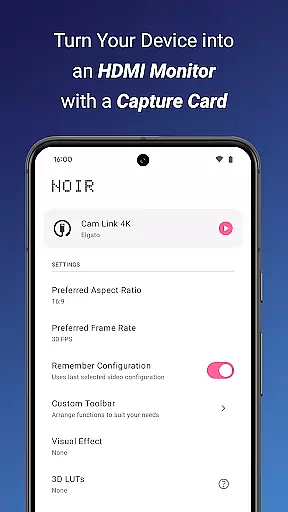
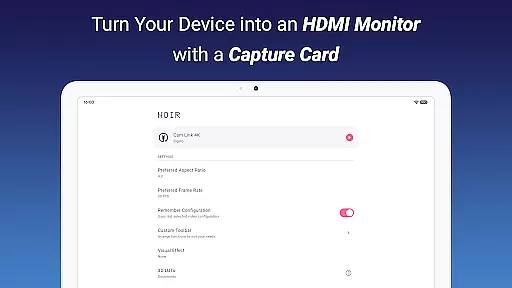
Noir Pro is a professional-grade video player and editor designed for users who require advanced features and high performance. This app transforms your device into a versatile monitor, compatible with gaming consoles, laptops, cameras, and other HDMI-output devices when paired with a USB-C capture card. It supports UVC video streaming and UAC audio streaming, offering both OpenGL ES and Vulkan graphics backend options.
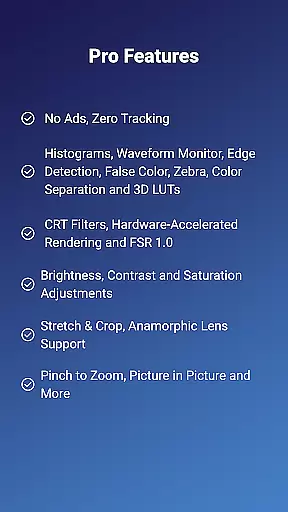
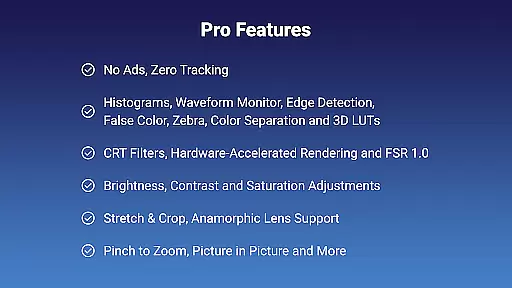
With its extensive PRO features, Noir Pro stands out in the Video Players & Editors category. These include 3D LUTs, Waveform Monitor, Histogram, Edge Detection, False Color, Zebra, Color Separation, CRT Filters, FSR 1.0, Pinch to Zoom, Stretch and Crop, Anamorphic Lens Support, and more. The app also provides brightness, contrast, and saturation adjustments, app-specific volume control, Picture in Picture Mode, and in-app screenshot capabilities.
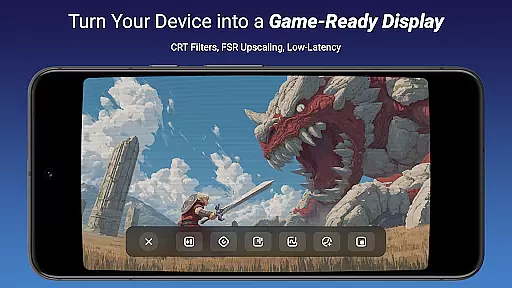
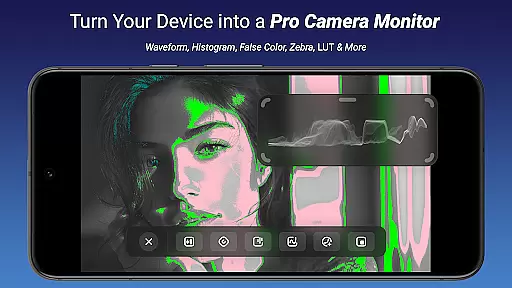
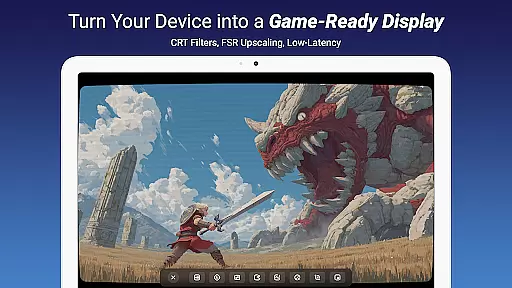
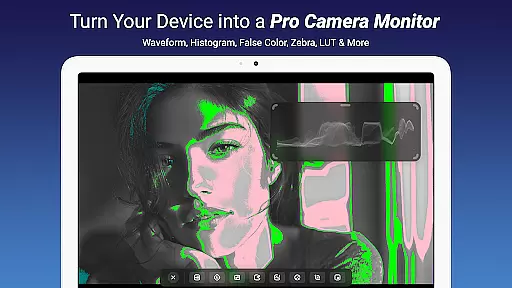
Ideal for professionals and enthusiasts alike, Noir Pro serves as a camera monitor, primary display for gaming consoles and PCs, secondary monitor for laptops, and even a drone monitor. Its compatibility with various devices featuring HDMI output or USB streaming makes it an indispensable tool for content creators, gamers, and tech enthusiasts seeking a portable and powerful solution.
Noir Pro boasts an impressive array of features tailored for video professionals and enthusiasts. One standout feature is its support for 3D LUTs, allowing precise color grading and correction. The inclusion of advanced monitoring tools such as Waveform Monitor, Histogram, Edge Detection, False Color, and Zebra ensures accurate exposure and focus during video capture and playback.
The app's versatility extends to its compatibility with different devices. By using a recommended USB-C capture card like the Hagibis UHC07(P) or Genki ShadowCast 2, users can connect their gaming consoles, cameras, or microscopes to their mobile devices. Noir Pro also supports unique functionalities like Picture in Picture Mode, app-specific volume control, and in-app screenshots, enhancing user experience and productivity.
Additional notable features include brightness, contrast, and saturation adjustments, CRT filters, FSR 1.0 for upscaling, and pinch-to-zoom functionality. These tools collectively provide users with comprehensive control over their video playback and editing environment, making Noir Pro an essential application for anyone involved in video production or streaming.
Video format compatibility is a crucial feature for any video player and editor, ensuring that users can work with a wide range of video files without conversion hassles. Noir Pro supports an extensive array of formats thanks to its dual graphics backend options, OpenGL ES and Vulkan, which cater to different user preferences and device capabilities.
The application's support for UVC video streaming means it can handle input from various sources like cameras, endoscopes, microscopes, and USB-C capture cards. This versatility allows users to employ their devices as portable monitors for gaming consoles, laptops, or any HDMI-output device, provided they have the correct capture hardware.
For those using USB 3.0 capture cards, it's important to ensure both the data cable and the port are compatible to prevent lag. Users on USB 2.0 should stick to MJPEG formats at resolutions not exceeding 1080p30fps for optimal performance. This attention to technical detail ensures smooth video playback across supported formats.
By accommodating such a broad spectrum of video formats and providing solutions for potential compatibility issues, Noir Pro empowers creators and professionals to focus on their content without being limited by format restrictions.
AI-powered editing features represent the cutting-edge evolution of video players and editors, enabling creators to enhance their work with minimal effort. Noir Pro incorporates advanced AI tools such as 3D LUTs, Waveform Monitors, Histograms, Edge Detection, False Color, Zebra patterns, and Color Separation, all designed to refine video output with precision.
These intelligent features allow users to adjust brightness, contrast, and saturation accurately while offering creative CRT filters and FSR 1.0 support for upscaling. The inclusion of pinch-to-zoom functionality and the ability to stretch and crop videos provides further control over the final composition.
Noir Pro also facilitates professional workflows with app-specific volume control, picture-in-picture mode, and in-app screenshots. These features collectively contribute to a comprehensive editing suite that caters to both amateur enthusiasts and seasoned professionals.
By integrating these sophisticated AI-driven tools, Noir Pro not only simplifies complex editing tasks but also enhances productivity, allowing users to achieve high-quality results efficiently and effectively.
Advanced color grading
Comprehensive monitoring tools
Versatile device compatibility
High-performance video playback
User-friendly interface
Requires separate capture card
No free version available
Some features may be complex
Limited to compatible devices
Premium pricing

A full editing room to accompany your Insta360 cameras and handheld gimbals.
 3.30
3.30
Full HD Video mp3 Player, MP4 player play 1080p, File manager, Video Downloader
4.40
Stream high quality video from your camera over NDI protocol
4.5
Stream Web Videos to Chromecast, Samsung, LG, Sony, Roku, Fire TV, DLNA + more
4.00
Play and download HD videos from all sources — fast, simple, and all-in-one.
4.0
Make your own Animations, Video and Photo Edits, Visual Effects, and more!
4.00
Watch IPTV on your Android device
4.60
Web Browser for LG TV to stream webvideos, online movies and livestreams in HD
4.20
Video&Drama Player All Format is a HD video player, music player
3.00
Find, download, and play torrents with the official BitTorrent® Pro app
4.70
Download videos and play them offline
4.70
Search & download videos from net with all video downloader, auto-detect & safe.
4.60
Powerful video player with advanced hardware acceleration and subtitle supports
4.20
Powerful, professional, versatile teleprompter. Developed by an active film crew
4.00
Fast private browser with secure, seamless access & supported video downloads!
4.00
This app is an emulator of some specific IPTV boxes
3.50
Download videos easily & play them all in one smart, powerful video manager.
3.40
Mix with Virtual DJ directly from your phone or tablet !
3.10
Powerful HD video player with support for all formats & subtitles.
4.2


User Reviews