
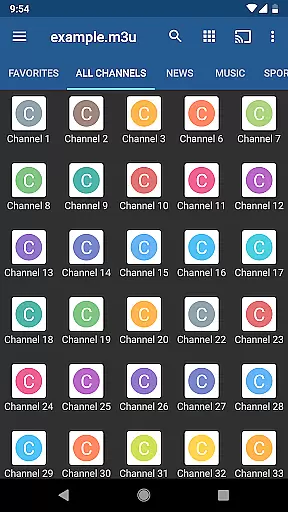
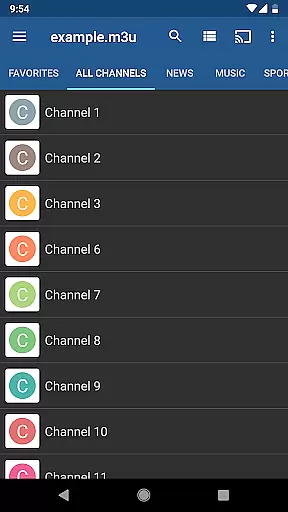
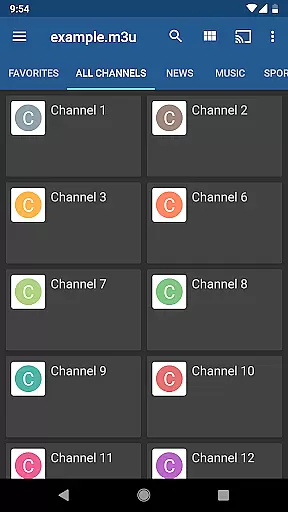
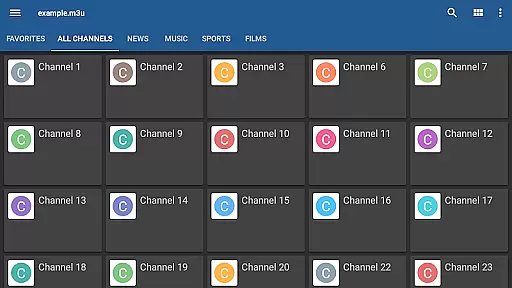
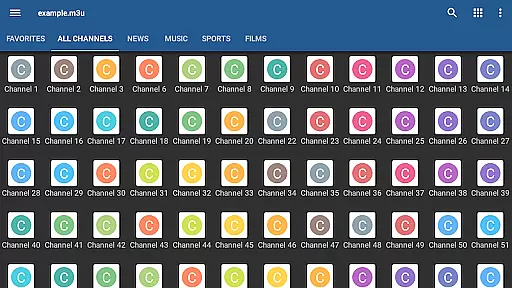
IPTV Pro is an advanced video player app designed for seamless streaming of IPTV channels from your Internet service provider or other web sources. It offers a premium, ad-free experience with features tailored for both casual viewers and tech-savvy users. With support for M3U and XSPF playlists, XMLTV and JTV EPG formats, and multicast streams via UDP proxy, this app ensures compatibility with various media sources while delivering high-quality playback.
One standout feature is its ability to auto-play the last viewed channel and start on device boot, making it ideal for set-top boxes. The app also supports multiple viewing modes like grid, list, and tile views, along with parental controls for family-friendly use. While IPTV Pro does not include built-in channels, it empowers users to integrate their own playlists, offering flexibility and customization options that enhance the overall TV viewing experience.
IPTV Pro stands out with its robust feature set tailored for diverse user needs. The app supports M3U and XSPF playlist formats, ensuring compatibility with most IPTV services. Its extended playlist history allows users to easily revisit previously accessed content. For those dealing with multicast streams, IPTV Pro facilitates smooth playback through a UDP proxy setup in LAN environments, which can be further optimized by installing tools such as UdpProxy or udpxy on compatible routers.
Usability enhancements include three distinct TV channel views—grid, list, and tile—offering personalized navigation preferences. Parental control adds security by restricting access to inappropriate content. Additionally, the app provides internal and external video player options, giving users flexibility in how they consume media. These professional-grade features make IPTV Pro a versatile choice for managing and enjoying IPTV streams efficiently.
Video format compatibility is a crucial aspect of any video player application, ensuring that users can access content in various formats without technical hindrances. IPTV Pro supports M3U and XSPF playlists, which are commonly used for streaming media over the internet.
This app provides an extensive range of options for viewing TV channels, including grid, list, or tile views. Such versatility ensures that regardless of the source or type of your playlist, you will be able to organize and watch your content conveniently.
Moreover, IPTV Pro includes EPG support in both XMLTV and JTV formats, enhancing user experience by providing an electronic program guide that is compatible with multiple standards. This feature allows users to stay informed about their favorite shows and schedules without compatibility issues.
With internal and external video player options, IPTV Pro caters to diverse user preferences and device capabilities. Whether you prefer using the built-in player or an external one, this flexibility guarantees a seamless playback experience across different video formats.
While IPTV Pro focuses primarily on streaming live TV channels rather than video editing, it incorporates several advanced features that enhance its functionality beyond basic playback. Although not traditionally considered AI-powered editing features, these tools contribute significantly to streamlining user interaction with multimedia content.
The application offers parental control settings, allowing guardians to manage what content younger audiences can accessu2014a smart feature akin to AI moderation systems found in dedicated editors. By filtering inappropriate material, IPTV Pro ensures safe viewing environments tailored to family needs.
Additionally, IPTV Pro's extended playlists history serves as a form of personalized recommendation system. It remembers past selections and aids future navigation through vast libraries of mediau2014an intelligent touch similar to machine learning algorithms employed in sophisticated editing software.
Though IPTV Pro may lack conventional AI-driven editing tools like scene detection or automated tagging, its emphasis on customization and ease-of-use creates a robust platform where users enjoy streamlined access to their preferred entertainment sources.
Ad-free experience
Device boot startup
Auto-play last channel
Extended playlist history
Parental control
No built-in channels
Requires technical setup
UDP proxy needed
Complex for beginners
Limited customer support

Powerful, professional, versatile teleprompter. Developed by an active film crew
 4.00
4.00
Snaptubè Video Downloader app allows to download videos and music in Snaptube. .
4.60
KMPlayer Plus (Divx Codec) officially support Divx codec.
4.30
Cast to Smart TV, Fire TV. Cast video, photo - Fast & Stable!
3.90
Make your own Animations, Video and Photo Edits, Visual Effects, and more!
4.00
Add date and time watermark to photos and videos
4.50
LumaFusion: The Ultimate Storytelling Experience for Video Editing
4.10
Browser for Fire TV to stream webvideos, online movies, livestreams in HD
4.40
Capture the moment and Cut
3.40
Video Trimmer, Video to MP3 Converter. Extract music from video, Easy & Fast.
4.80
Pro video editor app for Instagram, edit video with song, AI, effect & slowmo.
4.80
Download videos and play them offline
4.70
Cast Videos from Web Browser, IPTV to Roku, Chromecast, DLNA, Smart TV +more
4.60
VLC Remote lets you control your VLC Media Player on Mac, PC or Linux.
4.60
Video player, file manager for all formats, 4K/HD media player supports subtitle
4.30
Your media, on your terms.
4.10
Livestream, news, & gaming content. Watch, chat, and upload. Join Rumble today!
3.80
Client application for NextPVR software
3.00
Powerful HD video player with support for all formats & subtitles.
4.4


User Reviews