
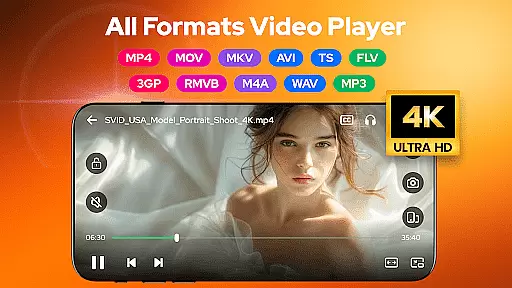

Video Player - AnyPlay is a versatile media solution for Android, combining an all-in-one video player, file manager, and video downloader. This app supports videos in all formats, providing users with a seamless experience whether they are watching movies, managing files, or downloading content from the web.
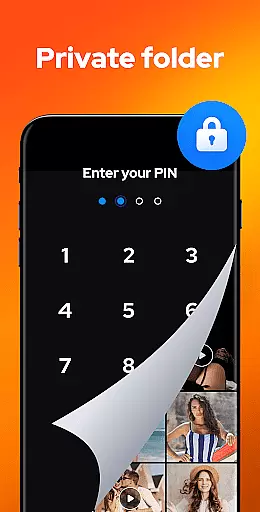
The app stands out with its HD video playback capabilities, customizable subtitles, and advanced features like gesture control and pop-up playback. It also includes a powerful file manager that auto-detects and organizes media files on both phone storage and SD cards. Additionally, it offers a private folder feature to protect user privacy and a built-in browser for downloading HD videos from any website or social media platform.
AnyPlay is ideal for users who need a comprehensive tool for managing and enjoying their multimedia content on Android devices. Its combination of high-quality playback, efficient file management, and privacy protection makes it a valuable asset for anyone looking to streamline their media consumption.
Video Player - AnyPlay boasts an impressive array of features designed to enhance the multimedia experience on Android devices. The app's HD video player supports all formats and includes customizable subtitles, gesture controls, and pop-up playback, ensuring a personalized and convenient viewing experience.
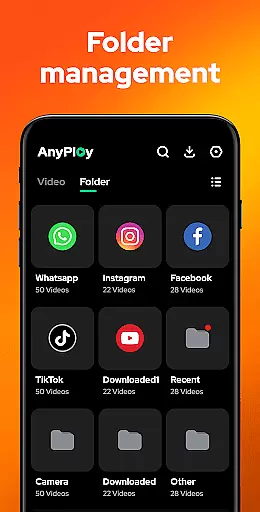
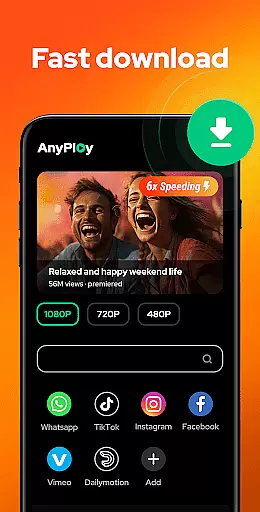
Beyond video playback, AnyPlay serves as a powerful file manager, automatically detecting and organizing media files across phone and SD card storage. Users can sort files by date, name, length, or size and hide sensitive videos in a private folder. The app also functions as an HD video downloader, allowing users to browse and download videos from any website or social media platform in resolutions up to 1080P.
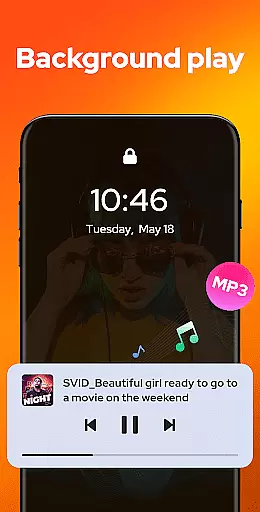
Additionally, AnyPlay doubles as an HQ music player, supporting various audio formats and offering features like equalizer settings, reverb effects, and different looping modes. These capabilities make it a comprehensive tool for managing and enjoying both video and audio content on Android devices.
Video Player - AnyPlay stands out with its exceptional video format compatibility, ensuring users can enjoy a seamless playback experience regardless of file type. The application supports an extensive range of formats including MKV, MP4, AVI, and many more, which eliminates the need for additional codec downloads or conversions.
This comprehensive support is powered by both hardware and software decoding capabilities, providing smooth playback even for high-definition videos. Users can easily switch between HW and SW decoders based on their device's performance and the specific requirements of the video file.
The importance of this feature lies in its ability to consolidate all video viewing needs into one app, simplifying the user's media consumption process. Whether it's movies, TV shows, or personal recordings, AnyPlay ensures that every visual content is accessible without compatibility barriers.
By offering such wide-ranging format support, Video Player - AnyPlay not only enhances user convenience but also significantly broadens the scope of multimedia enjoyment on Android devices.
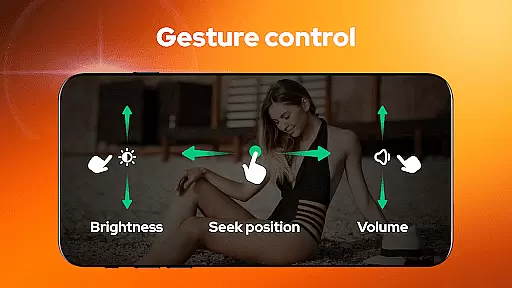
AnyPlay incorporates AI-powered editing features that elevate the video viewing experience through intelligent enhancements and customizations. One notable aspect is the smart gesture control, allowing users to fast forward, rewind, adjust brightness, and control volume with simple swipes and taps.
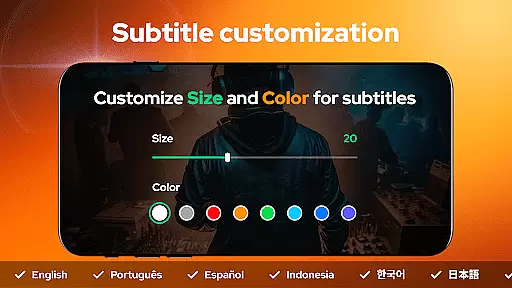
Beyond basic playback, the app provides advanced functionalities like customizable subtitles. Users can import local subtitle files or download them online for free, adjusting the color and size to their preference. This level of personalization ensures an optimal viewing experience tailored to individual needs.
Additionally, the built-in equalizer and reverb effects enhance audio quality, delivering richer soundscapes that complement the visual content. These AI-driven tools automatically optimize settings based on the video genre and content type, ensuring users receive the best possible experience without manual adjustments.
With these sophisticated yet user-friendly AI-powered features, Video Player - AnyPlay sets a new standard in video player applications, making high-quality media consumption effortless and enjoyable.
User-friendly interface
Comprehensive format support
Advanced privacy features
Efficient file management
High-quality playback options
May consume significant storage
Some features require technical knowledge
Premium features come at a cost
Occasional compatibility issues
Interface may feel cluttered

Fast, private downloading, video saving, social media
 4.50
4.50
Watch a large amount of high-definition short drama content
4.60
Search & download videos from net with all video downloader, auto-detect & safe.
4.60
Support 1000+ Video Format, Subtitle Download, mp3 & Background Play, Cast On TV
4.60
Browser + Remote for Roku to stream webvideos, online movies and livestreams
4.60
A Simple app to download Video & Music from the Internet.
4.70
Create, Publish & Maximize
4.70
Manage your YouTube channel on the go
4.40
Capture the moment and Cut
3.40
AI Video Editor with Music, Filter, Slideshow, Effect, Merge & Trim Video.
4.80
Play ALL formats in 4K & HD. Video downloader, MP3 player, Chromecast & more.
4.80
Download website videos fast&privacy
4.40
Powerful video player with advanced hardware acceleration and subtitle supports
4.20
Video player with 4K & 1080P support, popup play, background play and subtitle.
4.20
Capture images & record videos for USB Camera, Webcam, Microscopes, Endoscopes
3.80
All in one multi protocols stream receiver for AirPlay, Cast and DLNA.
3.60
Connect EasyCap or UVC devices for recording and broadcast video/audio stream
3.60
Download videos easily & play them all in one smart, powerful video manager.
3.40
Stream high quality video from your camera over NDI protocol
4.3


User Reviews