
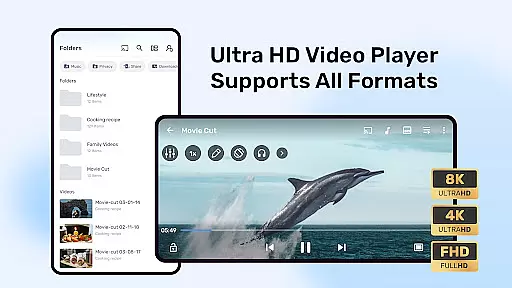


MX Player is a powerful video and music player designed for Android devices, offering advanced hardware acceleration and comprehensive subtitle support. With features like the HW+ decoder, it ensures smooth playback even for high-resolution videos.
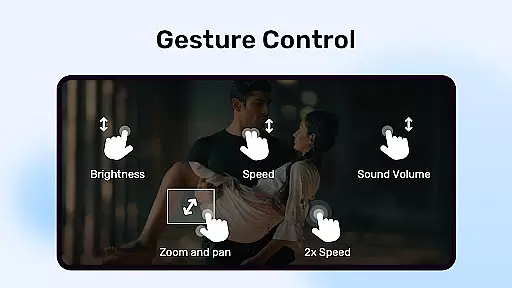
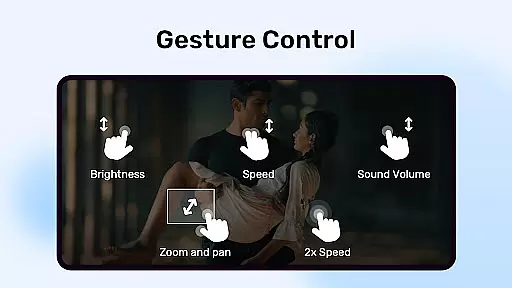
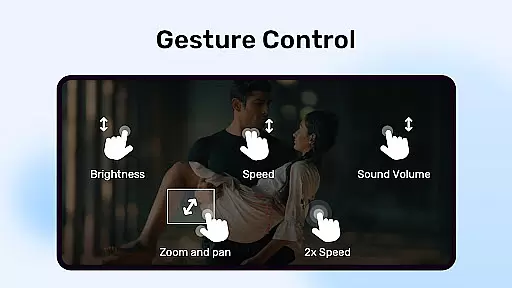
The app stands out with its multi-core decoding capability, which significantly enhances performance on multi-core devices. It also provides user-friendly controls such as pinch-to-zoom and gesture-based subtitle navigation, making it versatile for various viewing preferences.
Whether you're watching movies at home or streaming content on the go, MX Player's robust feature set caters to diverse media consumption needs while maintaining an intuitive user experience.
MX Player boasts several standout features that make it a top choice for media enthusiasts. Its hardware acceleration, powered by the new HW+ decoder, allows for superior video playback quality across a wide range of formats.
One of its key innovations is multi-core decoding, which optimizes performance on modern devices. Additionally, the app offers advanced subtitle handling, supporting numerous formats with customizable display options. The inclusion of privacy features like the Privacy Folder and Kids Lock further enhances its utility.
These capabilities ensure users can enjoy a seamless entertainment experience while having control over their content and device usage.
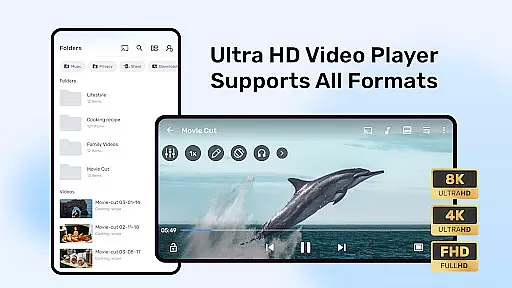
MX Player stands out as a versatile video player due to its extensive support for various video formats. The application leverages advanced hardware acceleration, including the new HW+ decoder, to ensure smooth playback of high-definition videos. This feature is crucial for users who deal with multiple video formats and require reliable performance without format-related interruptions.
The multi-core decoding capability further enhances the video playback experience on multi-core devices. MX Player's intelligent use of device hardware results in up to 70% better performance compared to single-core devices. This ensures that even the most demanding video files play seamlessly, providing an uninterrupted viewing experience.
For users, this means they can enjoy a wide range of video content without worrying about compatibility issues or sluggish performance. Whether it's a high-resolution movie or a complex video project, MX Player handles it with ease, making it an essential tool for anyone who consumes or works with diverse video content on their mobile device.
While primarily known for its video playback capabilities, MX Player also offers AI-powered features that enhance user interaction with media content. One such feature is the smart subtitle handling, which supports numerous subtitle formats like SubStation Alpha, SAMI, SubRip, and more. The AI-driven text rendering ensures subtitles are displayed accurately, adapting to different video playback scenarios.
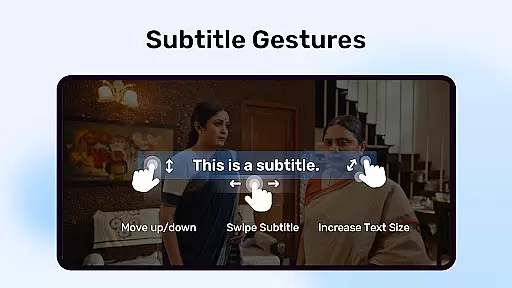
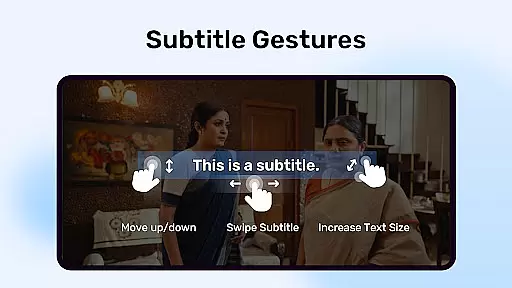
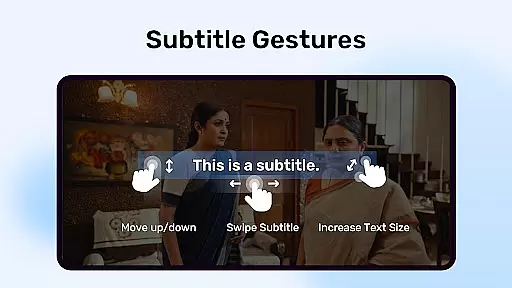
Additionally, MX Player incorporates gesture controls for subtitles, allowing users to easily scroll through texts, adjust their position, and change font sizes. These intuitive gestures make navigating through lengthy subtitles hassle-free, enhancing the overall user experience. Such features showcase MX Player's commitment to integrating artificial intelligence to improve media consumption.
By combining robust video format support with intelligent editing features, MX Player caters to both casual viewers and power users. The ability to manipulate subtitles effortlessly adds a layer of personalization and accessibility, ensuring that all users can tailor their viewing experience according to their preferences and needs.
Advanced hardware acceleration
Multi-core decoding support
Comprehensive subtitle support
User-friendly zoom controls
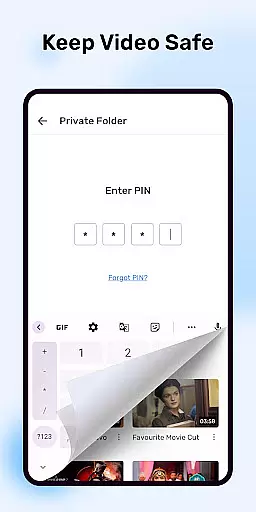
Privacy-focused features
Occasional compatibility issues
Ads in free version
Complex permission requirements
Limited iOS functionality
Heavy resource usage

Auto video maker with music & exclusive filters. Video editing made simple.
 4.50
4.50
Connect 2 UVC devices for recording and broadcast video/audio stream
3.90
HD Video player all format, HD Videos, Cast & Subtitle. No annoying ads.
4.60
Video Player - Unlimited features, 30 days money back guarantee.
4.60
Download videos easily & play them all in one smart, powerful video manager.
3.40
Seamlessly connect and control your smart devices, anytime, anywhere with ease.
4.60
All in one multi protocols stream receiver for AirPlay, Cast and DLNA.
3.60
Browser for Samsung TV to stream webvideos, online movies and livestreams in HD
4.10
Make videos you’re proud to share with Edits, a video editor for creators.
4.70
A Quick and Pro Video Editor
4.70
Download videos and play them offline
4.70
Watch a large amount of high-definition short drama content
4.60
VLC Remote lets you control your VLC Media Player on Mac, PC or Linux.
4.60
HD video maker with no watermark, no ads & vlog maker with music, PIP, text
4.50
Photo and Music Video Creator into Stunning Videos—Effortlessly
4.40
Make your own Animations, Video and Photo Edits, Visual Effects, and more!
4.00
Cast to Smart TV, Fire TV. Cast video, photo - Fast & Stable!
3.90
AirMirror is Receiver for Screen Mirroring and Casting from Apple Devices.
3.60
Video player with powerful streaming playback and various convenient features.
2.10


User Reviews