
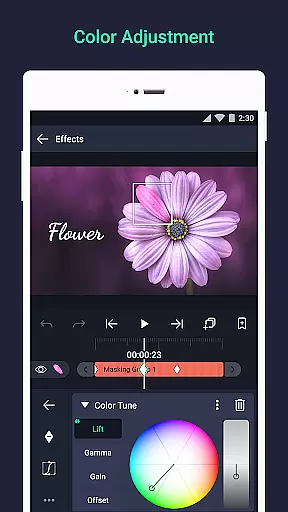

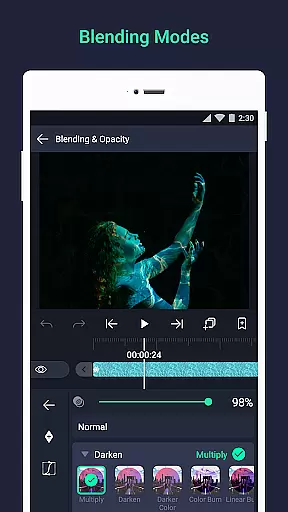
Alight Motion is a pioneering motion design app that brings professional-quality animation and video editing tools to your mobile device. With features like multi-layer support for graphics, video, and audio, it enables users to create sophisticated visual effects and animations directly on their phones. The app supports both vector and bitmap editing, keyframe animation, and advanced color adjustments.
The application's versatility extends to its 160+ effect building blocks, layer grouping, masking capabilities, and customizable timing curves for fluid motion. Alight Motion also offers export options for MP4, GIF, and PNG formats, making it suitable for both casual creators and professionals in the creative industry. Its ability to handle complex compositions with ease makes it an ideal tool for producing high-quality motion graphics on the go.
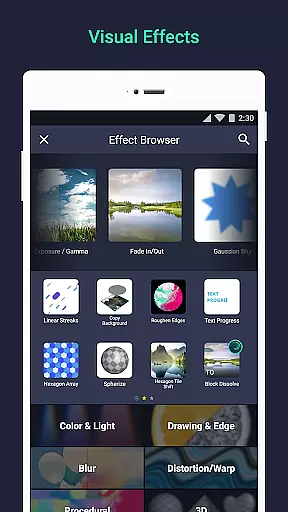
Alight Motion stands out with its comprehensive set of features tailored for motion designers. Users can work with multiple layers, including graphics, video, and audio, while enjoying robust vector and bitmap editing capabilities. The app provides 160+ basic effect building blocks, allowing users to craft intricate visual effects through combinations and layer interactions.
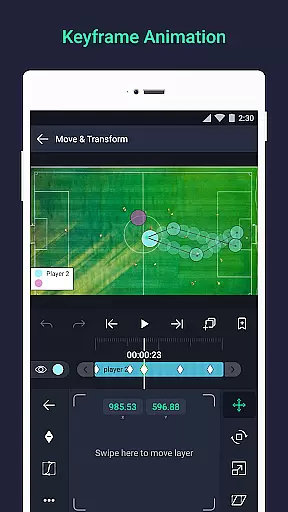
Advanced functionalities such as keyframe animation, parent-child layer linking, and camera effects like focus blur and fog enable detailed control over motion projects. Additionally, features like animation easing, velocity-based motion blur, and bookmarking enhance workflow efficiency. The app also supports exporting in various formats and sharing project packages, ensuring flexibility and collaboration across different platforms.
Video format compatibility is a crucial feature for any video editing application, ensuring users can work with various file types seamlessly. Alight Motion excels in this area by supporting multiple layers of graphics, video, and audio, which means you can import and export different formats without hassle.
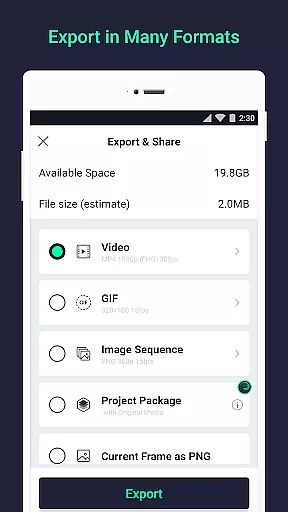
The app allows exporting in MP4 video, GIF animation, PNG sequences, and stills, providing flexibility for both professional and casual users. This versatility ensures that whether you're creating a short social media clip or a detailed motion graphic project, your work will be compatible across platforms and devices.
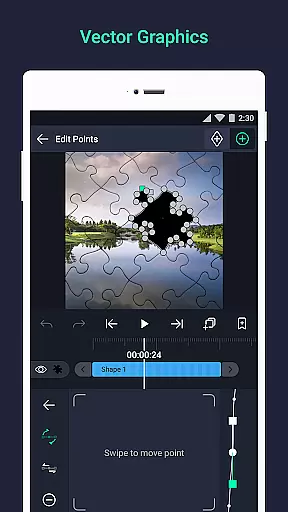
Additionally, the support for vector and bitmap editing enhances its compatibility capabilities. Users can edit vector graphics directly on their phones, making it easier to create high-quality visuals that maintain clarity regardless of scaling.
By offering such comprehensive format support, Alight Motion empowers creators to focus on their content rather than worrying about technical limitations, thus enhancing productivity and creative freedom.
AI-powered editing features are transforming how we approach video production, enabling smarter and faster workflows. Alight Motion incorporates several AI-driven tools that simplify complex tasks, allowing users to achieve professional results effortlessly.
One standout feature is the ability to use keyframe animations for all settings. This automation streamlines the process of animating elements within your projects, saving time while maintaining precision. Additionally, the app offers velocity-based motion blur, which adds realism to animations by simulating natural movement patterns.
Another innovative aspect is the character rigging system, where parent and child layers can be linked together. This facilitates intricate animations like walking characters or dynamic scene transitions, powered by intelligent algorithms that predict user needs.
These AI-powered functionalities not only enhance efficiency but also lower the barrier to entry for aspiring video editors, democratizing access to advanced editing techniques previously reserved for experts.
User-friendly interface
Professional-grade tools
Versatile export options
Regular feature updates
Active customer support
Requires minimum 1.5GB RAM
Watermark on free version
Paid subscriptions for premium
Occasional performance issues
Limited to Android devices

The smartest M3U IPTV Player your playlists have ever seen.
 4.3
4.3
Online Videos Player
3.90
HD video & music player - All format support with floating & PIP mode!
3.80
Your media, on your terms.
4.10
Video Downloader, Multiple Resolution Options, Video Player
4.50
The essential companion to your Blue Iris PC software
2.50
Watch IPTV on your Android device
4.60
Powerful video player with advanced hardware acceleration and subtitle supports
4.20
Create, Publish & Maximize
4.70
An easy-to-use and all-round screen recorder with audio
4.80
#1 Torrent App on Android ** No Ads Ever + Battery Saver **
4.80
Find, download, and play torrents with the official BitTorrent® Pro app
4.70
Screen recorder with audio to take live videos & Screenshot in high quality!
4.70
Support 1000+ Video Format, Subtitle Download, mp3 & Background Play, Cast On TV
4.60
Video Downloader is an utility that can save videos and music from web sites
4.20
AI Video Editor:AI Music, Text to Video,Text to Speech,Auto Caption,Video Effect
4.00
Fast private browser with secure, seamless access & supported video downloads!
4.00
Manage your IPTV live channels and VOD playlists (no playlist included)
3.80
Watch full episodes of your favorite Cartoon Network and Cartoonito shows!
3.50


User Reviews