
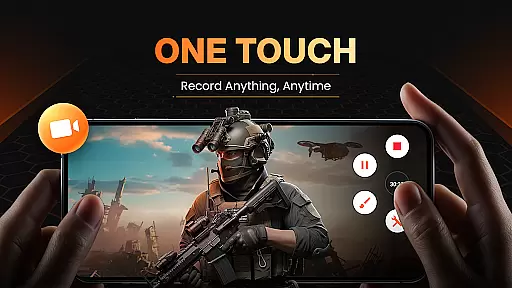
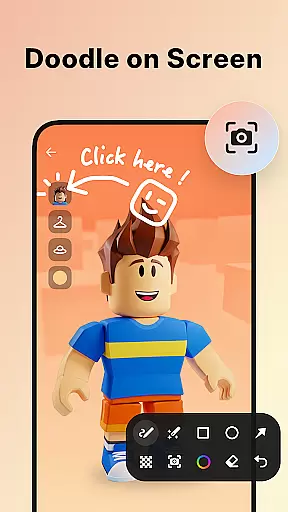
XRecorder is a versatile screen recording tool designed for capturing smooth and high-quality videos, screenshots, and live streams on Android devices. With support for Full HD resolution (up to 1080p), customizable floating controls, and advanced features like facecam and internal audio recording, it caters to gamers, content creators, and educators alike.
One of its standout capabilities is the ability to record gameplay without time limits or watermarks, making it ideal for creating professional-looking tutorials and streaming live gameplays to platforms like YouTube. Additionally, its intuitive video editor allows users to trim, crop, add music, and apply filters to enhance their recordings.
Whether you're recording important live moments, gaming highlights, or editing videos with precision tools, XRecorder ensures an effortless and feature-rich experience tailored to various creative needs.
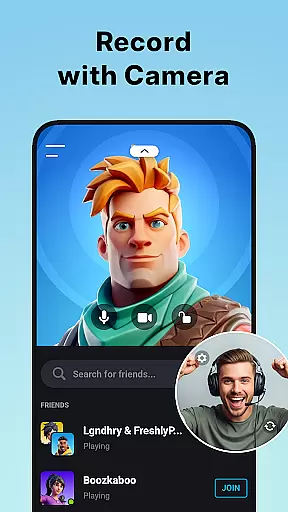
XRecorder stands out with its comprehensive set of features that cater to both casual users and professionals. The app supports up to 120 FPS recording, ensuring ultra-smooth captures even during fast-paced gaming sessions. Its unique facecam functionality lets users overlay their reactions in real-time, which can be freely positioned and resized on the screen.
For those seeking customization, XRecorder offers adjustable floating ball styles, countdown timers, and flexible storage options, including SD card support. Advanced editing tools such as trimming, cropping, speed control, and adding popular music tracks make post-production seamless. Moreover, the app provides specialized modes for recording internal audio and live streaming directly to platforms like YouTube using RTMP technology.
The absence of watermarks, no root requirements, and unlimited recording durations further solidify XRecorder's position as a top-tier screen recorder in the Video Players & Editors category.
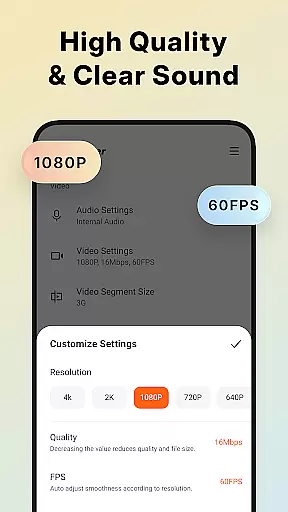
Video format compatibility is a crucial feature for any video player and editor, ensuring that users can work with a wide range of video files without conversion hassles. Screen Recorder - XRecorder excels in this aspect by supporting multiple resolutions and frame rates, from 240p to 1080p Full HD and 15FPS to an impressive 120 FPS for ultimate smoothness.
The application allows creators to export videos in custom settings, including bitrate adjustments up to 12Mbps, which guarantees high-quality output tailored to individual needs. Whether you're recording gameplay or capturing live streams, the flexibility in format options ensures your content remains sharp and professional across different platforms.
Moreover, XRecorder's ability to handle both internal audio recording on Android 10 or above and external sound sources adds another layer of versatility. This means users can record voiceovers, system sounds, or even live commentary with equal clarity, making it an indispensable tool for content creators who demand precision and quality in their work.
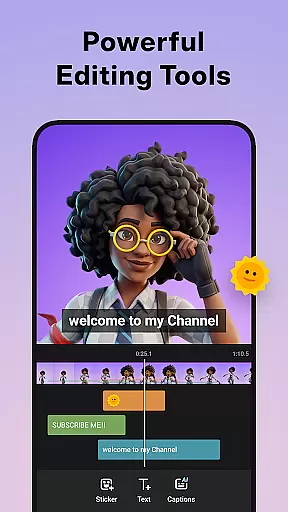
AI-powered editing features are revolutionizing how we create and edit videos, offering smart tools that simplify complex tasks. Screen Recorder - XRecorder incorporates such innovations through its suite of video editing capabilities, including trimming, cropping, rotating, and adjusting ratios for various platforms. These intuitive controls allow users to refine their footage effortlessly, enhancing storytelling with minimal effort.
In addition to basic edits, XRecorder provides creative enhancements like stylish filters (Story, Vintage, Lomo), speed adjustments, and music integration. Users can personalize captures with funny stickers and text overlays while leveraging AI-driven stabilization and enhancement techniques to produce polished results every time.
Furthermore, the facecam functionality benefits from AI optimizations, enabling seamless integration of user reactions into recordings. With drag-and-drop simplicity and customizable sizes, these overlays add a personal touch to tutorials or gaming sessions. Such advanced yet accessible features make XRecorder not just a screen recorder but also a comprehensive video production studio at your fingertips.
User-friendly interface
High-quality recording
No watermark
Advanced editing tools
Live streaming support
Internal audio limited to Android 10+
Facecam requires front camera
Editing tools may overwhelm beginners
Occasional bugs reported
SD card access permission needed

Connect 2 UVC devices for recording and broadcast video/audio stream
 3.90
3.90
Fast video downloader & private browser. Save HD clips to watch offline.
4.40
Pro video editor app for Instagram, edit video with song, AI, effect & slowmo.
4.80
Download website videos fast&privacy
4.40
Download videos and play them offline
4.70
Flud is a simple and beautiful BitTorrent client for Android.
4.80
This app is an emulator of some specific IPTV boxes
3.50
A Simple app to download Video & Music from the Internet.
4.70
Capture the moment and Cut
3.40
Download Hub, easy and private way to download and enjoy your videos offline
4.80
Snaptubè Video Downloader app allows to download videos and music in Snaptube. .
4.60
Support 1000+ Video Format, Subtitle Download, mp3 & Background Play, Cast On TV
4.60
Cast movies, tv shows and live streams to Chromecast, Roku, DLNA, Fire TV & more
4.60
Fast, private downloading, video saving, social media
4.50
Cast to Chromecast, Xbox, Fire Stick, Roku, DLNA, Smart TV & No Feature Limited!
4.50
Viddo: Generate Action Figure, AI Anime, AI kiss, AI hug Video from image & text
4.40
Online Videos Player
3.90
The essential companion to your Blue Iris PC software
2.50
Powerful HD video player with support for all formats & subtitles.
4.5


User Reviews