

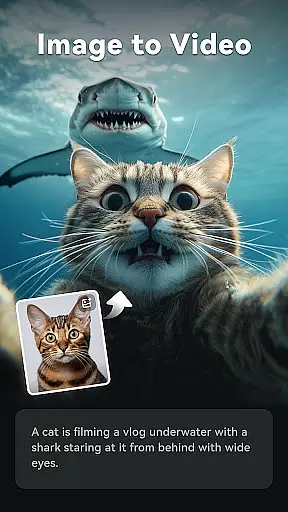
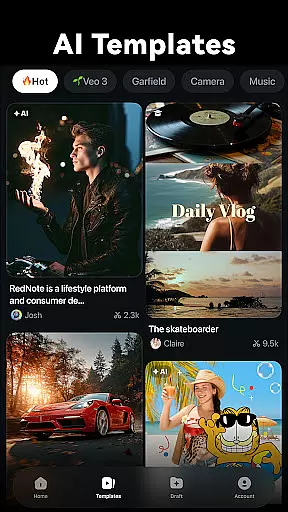
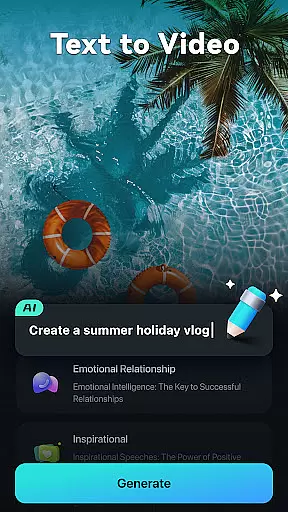
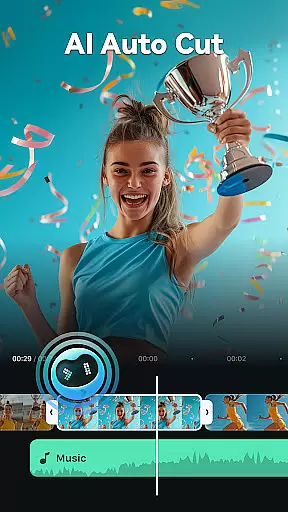
Filmora is an AI-powered video editor tailored for social media creators, offering a balance between ease of use and powerful editing capabilities. It enables users to transform basic media into engaging content suitable for platforms like TikTok, Reels, and YouTube without prior editing experience.
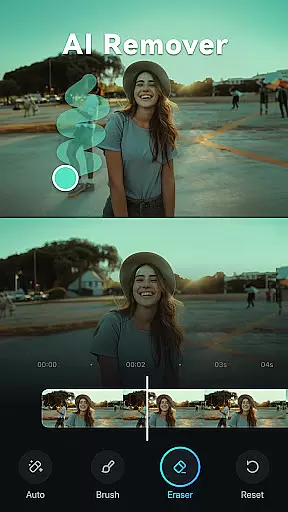
The application boasts a suite of AI features including Image to Video, Dynamic Captions, Text to Video, AI Remover, AI Auto Cut, AI Beats, VideoGen, and Text to Speech. These tools facilitate effortless video creation and enhancement, making professional-quality videos accessible to everyone.
Filmora stands out with its innovative AI-driven functionalities that cater to both novice and experienced editors. For beginners, it offers one-click stunning templates, trimming, splitting, text addition, royalty-free music, and easy adjustments for video orientation and speed.
Advanced users benefit from comprehensive tools such as All-in-one Keyframe animations, customizable Speed Curves, Picture-in-Picture effects, Masking, and Smart Tracking. Additionally, Filmora Pro subscription unlocks unlimited access to premium features and materials across multiple platforms, ensuring a watermark-free professional editing experience.
Video format compatibility is a crucial feature for any video editor, ensuring that users can work with a wide range of video files without the need for conversion. Filmora supports an extensive array of video formats, allowing creators to import and export videos in their desired resolutions and qualities.
The application's support spans from common formats like MP4 and AVI to more specialized ones such as MKV and MOV, catering to both amateur and professional needs. This versatility ensures that no matter the source of your footage, Filmora can handle it efficiently, preserving the original quality while providing editing flexibility.
For content creators focused on social media platforms, this means seamless editing and sharing across TikTok, Reels, and YouTube without worrying about format restrictions. The ability to export in high-quality formats also aids professionals who require specific settings for their projects, enhancing Filmora's appeal across different user segments.
Ultimately, robust video format compatibility empowers users to focus on their creative process rather than technical limitations, streamlining workflows and expanding creative possibilities.
Filmora distinguishes itself through advanced AI-powered editing features designed to simplify complex tasks and elevate video content. These tools leverage artificial intelligence to automate processes that traditionally require extensive manual effort, making professional-grade editing accessible to beginners.
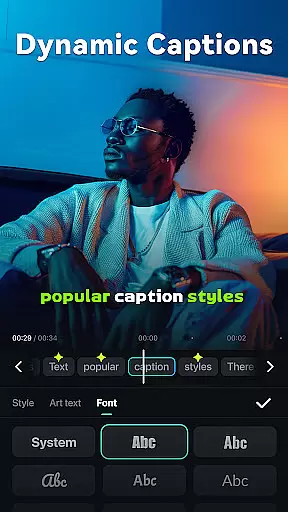
Among these innovations are functionalities like Dynamic Captions, which automatically transcribes speech into text and synchronizes it with audio tracks, creating engaging subtitles effortlessly. The AI Auto Cut feature intelligently identifies highlight moments within footage, stitching them together into cohesive narratives that captivate audiences.
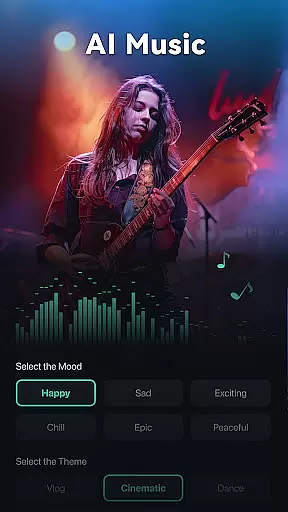
Additionally, Filmora offers creative options such as Text to Video, where simple prompts transform into visual stories, and AI Beats, which aligns video highlights with rhythmic music beats for dynamic presentations. Such capabilities not only save time but also inspire creativity by enabling users to experiment with sophisticated effects easily.
By integrating these cutting-edge AI tools, Filmora enhances productivity while maintaining ease of use, appealing to both novice editors and seasoned professionals seeking efficient workflows without compromising on quality or innovation.
User-friendly interface
Extensive AI feature set
Cross-platform compatibility
Professional editing tools
Royalty-free resources
Subscription required for full access
Limited free trial usage
Some features may overwhelm beginners
Resource-intensive on devices
Occasional bugs reported

Powerful, professional, versatile teleprompter. Developed by an active film crew
 4.00
4.00
Cast Videos from Web Browser, IPTV to Roku, Chromecast, DLNA, Smart TV +more
4.60
HD video maker with no watermark, no ads & vlog maker with music, PIP, text
4.50
All format media Player, no need video converter any more!
4.00
Live TV, anywhere in your home
3.80
Download videos easily & play them all in one smart, powerful video manager.
3.40
Fast & easy HD video downloader for all formats, support 4K playback & download.
4.60
Video Downloader, Multiple Resolution Options, Video Player
4.50
Viddo: Generate Action Figure, AI Anime, AI kiss, AI hug Video from image & text
4.40
Play ALL formats in 4K & HD. Video downloader, MP3 player, Chromecast & more.
4.80
IPTV Loader, loads your own Playlist. DOES NOT CONTAIN ANY LIST OR CHANNELS
4.60
Browser for Fire TV to stream webvideos, online movies, livestreams in HD
4.40
Video player, file manager for all formats, 4K/HD media player supports subtitle
4.30
Movie maker & video editing app with AI effects and green screen
4.30
Your media, on your terms.
4.10
Save photos and videos from social apps in one tap.
3.60
Connect EasyCap or UVC devices for recording and broadcast video/audio stream
3.60
You can play SWF format file!
2.50
The essential companion to your Blue Iris PC software
2.50


User Reviews