
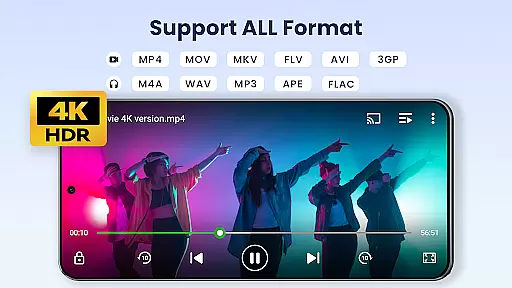

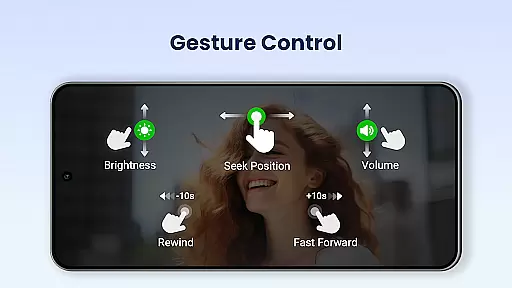
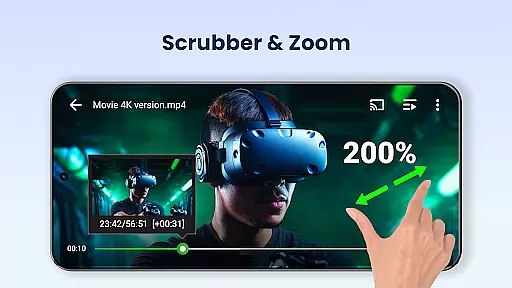

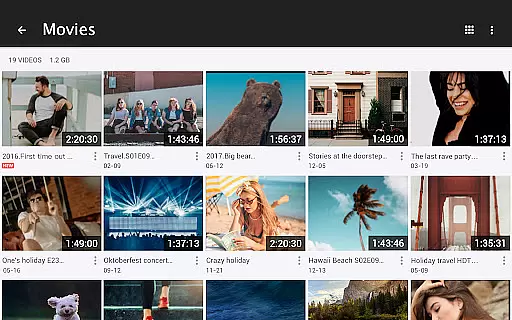

Video Player All Format is a versatile and professional video playback tool designed for both Android tablets and phones. This application supports all video formats including MKV, MP4, AVI, and more, with Ultra HD capabilities up to 4K resolution. It features advanced functionalities such as hardware acceleration, Chromecast support, and subtitle downloader, making it one of the best choices for high-definition video enthusiasts.
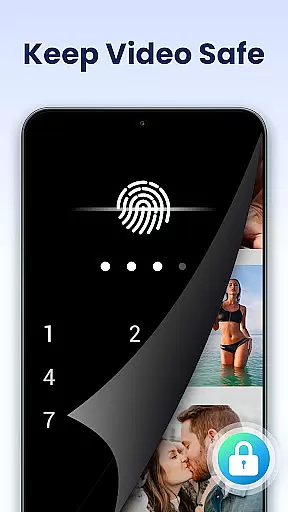
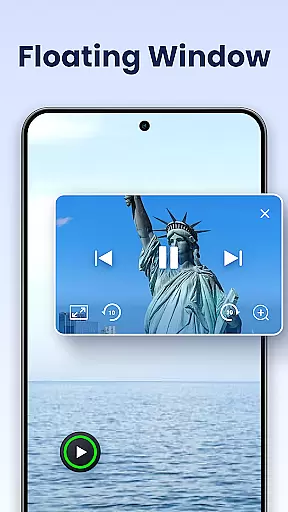
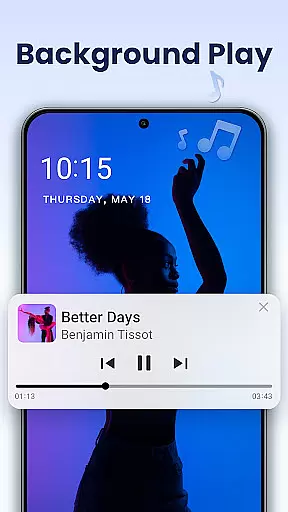
Beyond its core playback abilities, Video Player All Format offers unique privacy features like password-protected private albums, ensuring your personal videos remain secure. The app also includes convenient viewing options such as pop-up window play, split-screen mode, and background play, allowing users to multitask efficiently while enjoying their favorite content.
Whether you're looking to manage large libraries of videos or stream content directly to your TV, this app provides comprehensive tools for organizing, sharing, and playing media files seamlessly across devices. Its user-friendly interface and customizable settings make it an ideal choice for anyone seeking a robust video player that combines power with simplicity.
Video Player All Format stands out through its extensive feature set tailored for diverse user needs. One of its key strengths is universal format compatibility, supporting everything from common formats like MP4 to less frequently used ones such as RMVB. This ensures no matter what type of video file you have, the app will handle it effortlessly.
The inclusion of hardware acceleration and 4K Ultra HD support guarantees smooth playback even for demanding high-resolution videos. Additionally, innovative features like floating video windows enable true multitasking by overlaying video on top of other apps, adjustable in size and position. Background play further enhances flexibility, letting users listen to video content like a podcast.
For those concerned about privacy, the app's private folder feature allows password protection of sensitive content. Meanwhile, practical utilities such as automatic file identification, easy sharing options, and precise control over playback parameters demonstrate the developer's attention to detail. These thoughtful additions collectively create a comprehensive video management solution that caters to both casual viewers and power users alike.
Video Player All Format stands out as a versatile video player due to its extensive video format compatibility. This application supports virtually all video formats, including but not limited to MKV, MP4, AVI, and MOV. Such comprehensive support ensures that users can play videos without the need for format conversion.
The inclusion of 4K and ultra HD video playback capabilities further enhances the user experience by delivering crisp and clear visuals. Whether it's high-definition content or standard videos, this app handles them with ease, making it an ideal choice for users who demand quality and flexibility in their media consumption.
By supporting advanced features like hardware acceleration, the app ensures smooth playback even for the most demanding video files. Users benefit from reduced buffering times and enhanced performance, which is particularly advantageous when viewing high-resolution content on both Android tablets and phones.
While Video Player All Format primarily focuses on video playback, it also integrates AI-powered features that enhance the viewing experience. One notable feature is the automatic identification of all video files on the user's device and SD card. This simplifies video management and allows users to easily organize and access their media library.
In addition to file management, the app offers advanced playback options such as speed control, which utilizes AI to maintain audio and video synchronization even at varying speeds. Users can enjoy content in slow motion or fast forward without compromising the integrity of the media, providing a customizable viewing experience.
Furthermore, the incorporation of subtitle downloader and night mode demonstrates the app's commitment to leveraging technology for user convenience. These smart features ensure that viewers have an uninterrupted and comfortable experience, regardless of their environment or preferences.
User-friendly interface
Comprehensive format support
Advanced privacy protection
Smooth 4K playback
Versatile viewing modes
Occasional ads in free version
Some features require premium
Interface may feel complex
Limited cloud integration
Large app size

A full editing room to accompany your Insta360 cameras and handheld gimbals.
 3.30
3.30
Your media, on your terms.
4.10
Tik & Story Saver-Download ALL social media videos, photos & reels no watermark.
4.80
Seamlessly connect and control your smart devices, anytime, anywhere with ease.
4.60
All in one HD video downloader & player for multiple formats with full privacy
4.70
Powerful Video Editor & Photo Editing App —— Quick Edits & Stunning Effects!
4.30
IPTV Loader, loads your own Playlist. DOES NOT CONTAIN ANY LIST OR CHANNELS
4.60
Viddo: Generate Action Figure, AI Anime, AI kiss, AI hug Video from image & text
4.40
convenient, safe and fast at Video Downloader & Player
4.60
Cast Videos from Web Browser, IPTV to Roku, Chromecast, DLNA, Smart TV +more
4.60
Support 1000+ Video Format, Subtitle Download, mp3 & Background Play, Cast On TV
4.60
Browser + Remote for Roku to stream webvideos, online movies and livestreams
4.60
AirMirror Receiver - Screen mirroring/cast web videos to Android TV by AirPlay.
4.40
Stream Web Videos to Chromecast, Samsung, LG, Sony, Roku, Fire TV, DLNA + more
4.00
Connect 2 UVC devices for recording and broadcast video/audio stream
3.90
Capture images & record videos for USB Camera, Webcam, Microscopes, Endoscopes
3.80
Save photos and videos from social apps in one tap.
3.60
This app is an emulator of some specific IPTV boxes
3.50
Browser for Sony TV to stream web videos, online movies and live tv
3.20


User Reviews