
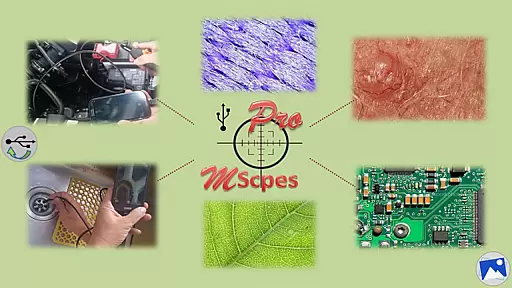
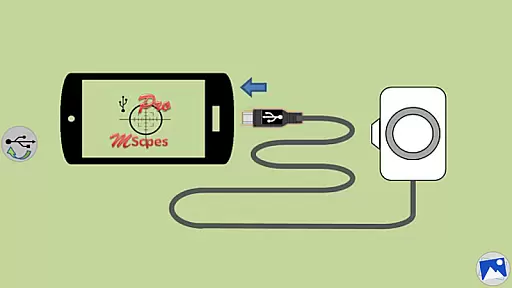
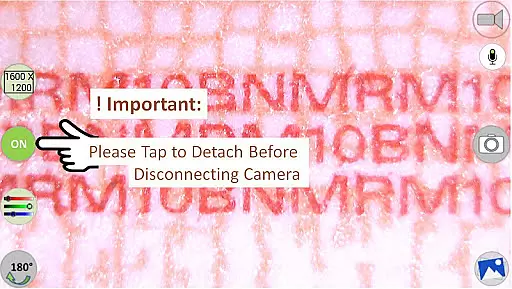
MScopesPro for USB Camera is a versatile application designed to enable Android users to connect and utilize USB video class (UVC) cameras with their devices. This app facilitates the viewing, capturing of images, and recording of videos from digital microscopes, endoscopes, borescopes, camcorders, or webcams via USB connection. For optimal performance, it requires full UVC support from the device and is incompatible with Android 5.1.1 due to access restrictions.
The Pro version offers advanced features such as full-screen mode, zoom and pan functionality, multiple image resolutions, adjustable color parameters, and more. These capabilities make it an ideal tool for professionals in microscopy, endoscopy, and other fields requiring detailed visual inspection. The portability offered by this app significantly enhances convenience and flexibility in various observational tasks.
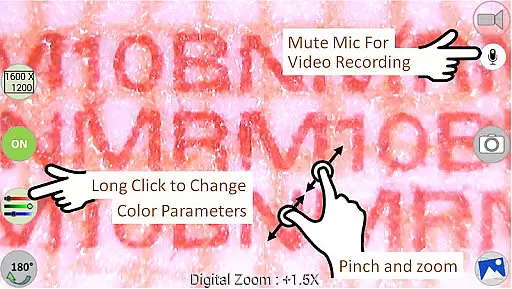
This app stands out with its comprehensive feature set tailored for microscopy and endoscopy enthusiasts. It supports both jpeg and png image formats and provides options to add date&time stamps, notes, and cross-hairs on previews. Users can enjoy a watermark-free experience with pinch and zoom functionality during previews.
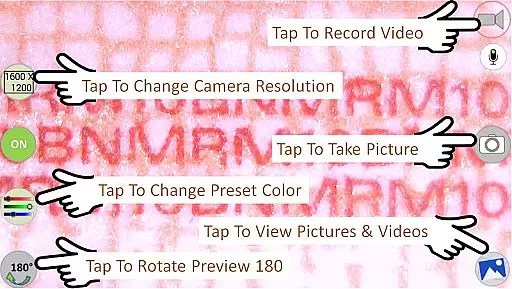
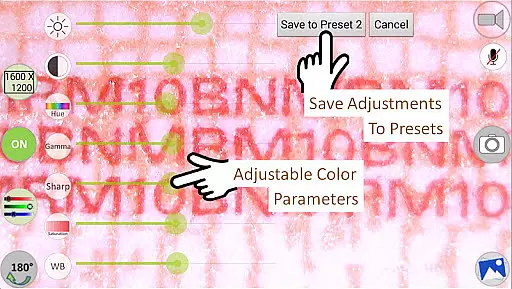
Additional notable features include camera resolution selection, multiple preview sizes (640x480 to 1600x1200), and adjustable color parameters like brightness, contrast, hue, gamma, sharpness, saturation, and white balance. The app allows saving these settings into three presets for quick access. Moreover, users can toggle the microphone during video recording and utilize intuitive buttons for sharing, editing, and deleting media files.
One of the key strengths of MScopesPro for USB Camera lies in its extensive video format compatibility. The application supports multiple resolutions including 640x480, 800x600, 1280x720, and 1600x1200, ensuring that users can select the best option for their specific needs.
This flexibility is crucial for professionals who rely on detailed imaging, such as microscopic analysis or inspecting hard-to-reach areas with endoscopes. By offering a range of preview sizes, the app caters to different types of USB video class cameras, enhancing its utility across various devices.
Moreover, the ability to adjust color parameters like brightness, contrast, hue, gamma, sharpness, saturation, and white balance allows users to fine-tune their video capture settings. This ensures accurate color reproduction and image clarity, which are essential for precise visual assessments.
The app's support for both jpeg and png image types adds another layer of versatility, allowing users to choose the format that best suits their workflow or storage requirements. With these comprehensive format options, MScopesPro empowers users to achieve professional-grade results directly from their mobile devices.
MScopesPro for USB Camera distinguishes itself through advanced AI-powered editing features that streamline the post-capture process. The app includes intuitive tools that enable users to edit images directly within the application, eliminating the need for additional software.
A notable feature is the option to add date and time stamps on both previews and captured images. This functionality is invaluable for documentation purposes, providing clear timestamps that enhance record-keeping accuracy. Additionally, users can incorporate up to three lines of custom notes, making it easier to annotate specific details or observations.
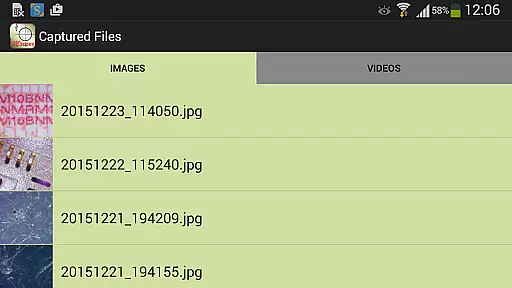
The inclusion of a cross-hair option on previews further enhances precision during image capture. This tool is particularly beneficial when aligning the camera for critical shots where exact positioning is necessary. Furthermore, the app offers zoom and pan capabilities using one or two fingers, allowing for detailed examination and adjustment of images before finalizing captures.
These sophisticated editing features, combined with the ability to save adjusted color parameters to three presets, create a powerful mobile editing suite. Users can efficiently manage their visual content while maintaining high standards of quality and accuracy, all within a single, user-friendly interface.
User-friendly interface
Extensive feature set
High compatibility
Professional tools
Convenient mobility
Limited device support
No Android 5.1.1
Requires OTG adapter
Premium cost
Complex settings

Connect 2 UVC devices for recording and broadcast video/audio stream
 3.90
3.90
Video Downloader is an utility that can save videos and music from web sites
4.20
Turn your phone into a wireless camera!
4.20
An easy-to-use and all-round screen recorder with audio
4.80
Browser for Sony TV to stream web videos, online movies and live tv
3.20
#1 Torrent App on Android ** No Ads Ever + Battery Saver **
4.80
Browser for Fire TV to stream webvideos, online movies, livestreams in HD
4.40
Web Browser for LG TV to stream webvideos, online movies and livestreams in HD
4.20
A Simple app to download Video & Music from the Internet.
4.70
All in one HD video downloader & player for multiple formats with full privacy
4.70
Video Player - Unlimited features, 30 days money back guarantee.
4.60
Cast Videos from Web Browser, IPTV to Roku, Chromecast, DLNA, Smart TV +more
4.60
Snaptubè Video Downloader app allows to download videos and music in Snaptube. .
4.60
Fast & Private Video Downloader App. Save all videos easily from the Internet.
4.40
Browser for Samsung TV to stream webvideos, online movies and livestreams in HD
4.10
Powerful, professional, versatile teleprompter. Developed by an active film crew
4.00
Mix with Virtual DJ directly from your phone or tablet !
3.10
You can play SWF format file!
2.50
The essential companion to your Blue Iris PC software
2.50


User Reviews