
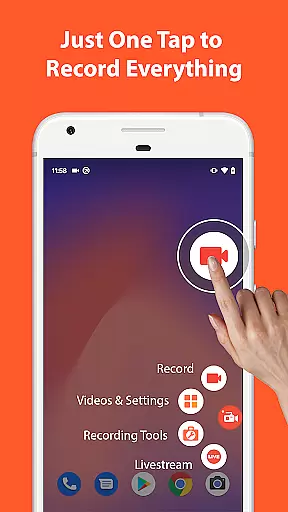

AZ Screen Recorder is a versatile screen recording app that allows users to capture high-quality videos of their device screens with audio. The app offers multiple features including screen recording, video editing, live streaming, and screenshot capabilities.
With its user-friendly interface, AZ Screen Recorder makes it easy for anyone to record gameplay videos, save video calls, or create content that cannot be downloaded directly. The app supports various resolutions from HD to 4K and different frame rates, making it suitable for both casual users and professional gamers.
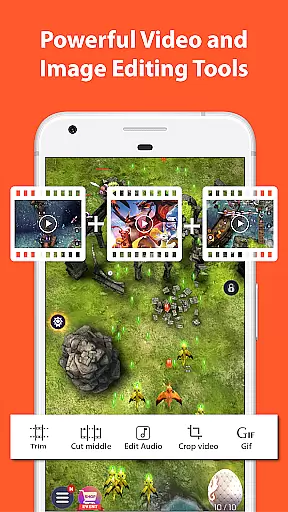
Beyond basic recording, the app provides advanced functionalities such as trimming videos, adding subtitles, merging clips, and compressing files. It also serves as a powerful tool for live streaming on platforms like YouTube and Facebook, enhancing your ability to share content in real-time.
AZ Screen Recorder stands out due to its comprehensive set of tools designed to enhance the recording experience. One key feature is the ability to record screen activity with either microphone audio or internal system sounds, providing flexibility depending on the user's needs.
The built-in video editor allows users to refine their recordings by trimming unnecessary parts, adding background music, inserting subtitles, and even extracting frames. Additionally, the facecam option lets creators show their reactions in a floating window, adding a personal touch to tutorials or reviews.
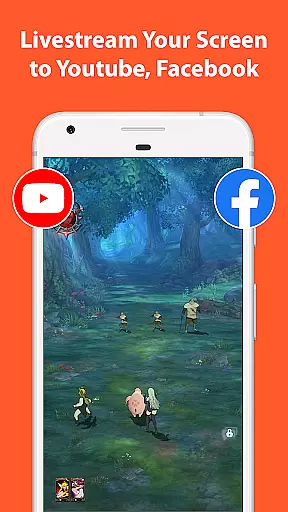
For those interested in live streaming, AZ Screen Recorder supports broadcasting directly to social media platforms. Users can stream their phone screens along with audio and optionally display their webcam feed. This makes it ideal for sharing gameplay sessions, conducting virtual meetings, or hosting interactive Q&A sessions.
Video format compatibility is a crucial feature for any video recording and editing application. AZ Screen Recorder excels in this area by supporting a wide range of video formats, ensuring that users can record, edit, and share videos without worrying about compatibility issues.
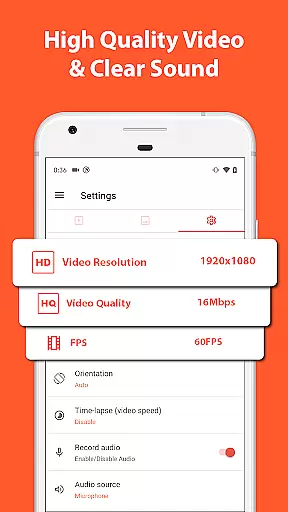
The app supports various resolutions from HD, FullHD, 2K to 4K, although 4K screen recording is only available for some users and devices. This flexibility allows content creators to choose the best resolution for their projects, whether they are creating high-definition gameplay videos or simple video calls.
Apart from resolution options, AZ Screen Recorder also offers different frame rates such as 24fps, 30fps, and 60fps. These options provide smooth video playback and give users the ability to adjust settings based on their specific needs or device capabilities.
By providing extensive video format compatibility, AZ Screen Recorder ensures that users can seamlessly transfer and utilize their recorded content across multiple platforms and devices, enhancing both productivity and creativity.
AI-powered editing features are revolutionizing the way we edit videos by making the process faster, smarter, and more intuitive. AZ Screen Recorder incorporates several AI-driven tools that significantly enhance the video editing experience for users.
One standout feature is the automatic detection and stitching of images, which allows users to combine multiple screenshots into one cohesive image effortlessly. This tool is particularly useful for creating tutorials or presentations where visual continuity is essential.
In addition to image stitching, the app provides advanced video editing functions like trimming, merging, adding subtitles, and compressing videos. These features are powered by AI algorithms that ensure precision and efficiency, enabling users to produce professional-quality videos with minimal effort.
Overall, the integration of AI-powered editing features in AZ Screen Recorder not only simplifies complex tasks but also empowers users to unleash their creativity without being hindered by technical limitations.
User-friendly interface
High-quality video output
No watermark on videos
Flexible audio options
Comprehensive editing tools
Limited 4K support
Some features require upgrade
Occasional performance issues
Ads in free version
Complex settings for beginners

Create & edit videos with AI
 4.30
4.30
Full HD Video mp3 Player, MP4 player play 1080p, File manager, Video Downloader
4.40
Stream high quality video from your camera over NDI protocol
4.3
Support 1000+ Video Format, Subtitle Download, mp3 & Background Play, Cast On TV
4.60
Seamlessly connect and control your smart devices, anytime, anywhere with ease.
4.60
Powerful Video Editor & Photo Editing App —— Quick Edits & Stunning Effects!
4.30
Make your own Animations, Video and Photo Edits, Visual Effects, and more!
4.00
Watch IPTV on your Android device
4.60
Browser for Samsung TV to stream webvideos, online movies and livestreams in HD
4.10
#1 Torrent App on Android ** No Ads Ever + Battery Saver **
4.80
High-Quality USB Camera Viewer & HDMI Display
4.70
VLC Remote lets you control your VLC Media Player on Mac, PC or Linux.
4.60
Browser for Fire TV to stream webvideos, online movies, livestreams in HD
4.40
IPTV-Smarters Player Pro M3U - Watch Live Stream TV Channels with Chromecast
4.00
Stream Web Videos to Chromecast, Samsung, LG, Sony, Roku, Fire TV, DLNA + more
4.00
Fast private browser with secure, seamless access & supported video downloads!
4.00
Connect 2 UVC devices for recording and broadcast video/audio stream
3.90
The essential companion to your Blue Iris PC software
2.50
Powerful HD video player with support for all formats & subtitles.
4.1


User Reviews